Using SE Ranking to Conduct a Technical and Usability Audit of a Website

Thursday, December 2, 2021

The work on your website isn’t finished with the completion of a new page. You have to constantly “take its temperature,” so to speak. Is your site accessible to search bots and users? Does it have some critical errors that might be hurting its performance and rankings in Google? How could it be better optimized to load faster? The only way to know is to use a website audit tool that tells you exactly what could be better — and how. This is where the SE Ranking tool comes in.

Let’s see what the SE Ranking site audit tool is all about and break down some of its best features. Then we’ll dive into how to use it, what to look for, and how this software can help you form your next course of action.


The Top 7 Features of SE Ranking’s Website Audit Tool

SE Ranking’s site audit tool is powerful and robust with features that both professional web developers of fortune 500 companies to small business owners operating their own website can benefit from. Below we’ve put together an overview of the functions available with this detailed SEO technology software along with screen shots. Here are a several things we love about it. 


1. Learn What Issues are Affecting Your Site and the Steps to Fix Them

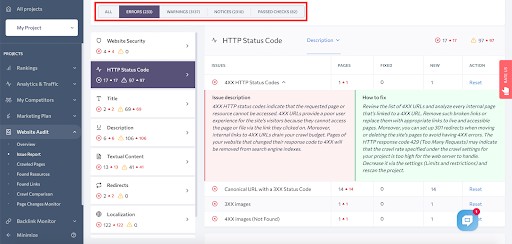
When it flags an issue, SE Ranking doesn’t just tell you what’s wrong. It gives you a detailed description of the problem. Additionally, it suggests steps on how to resolve it. Here’s an example under the HTTP status codes.


2. You Can Split the Site Problems by Category

Chances are you’re going to encounter a number of issues that you want to address. This is normal! SE Ranking helps you prioritize them by dividing them into three categories: notices (lowest priority), warnings (moderate priority), and errors (high-priority). This way, you know what you should tackle first.
 

3. Crawl Up to 1,000 Pages in Just a Few Minutes

Conducting a full website audit can be exhausting if you have a large site with hundreds or thousands of pages. But SE Ranking is both thorough and fast and can crawl a website in a matter of minutes.
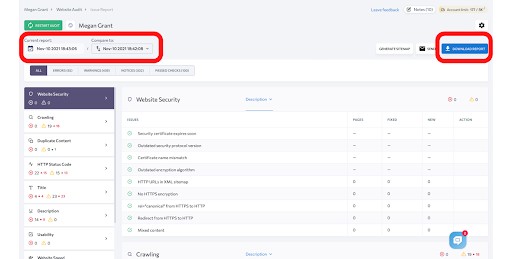
 

4. Compare Your Website Audit Results Over Time

You probably already know that improving the performance of your website is a marathon, not a sprint. Being able to track and compare your results over time is a must. In SE Ranking, once you’ve done at least two audits, you can compare the results of each by adjusting the date under “Compare to.” Want to share your results with your team or your clients? Download them!


5. Set Notifications for Page Changes

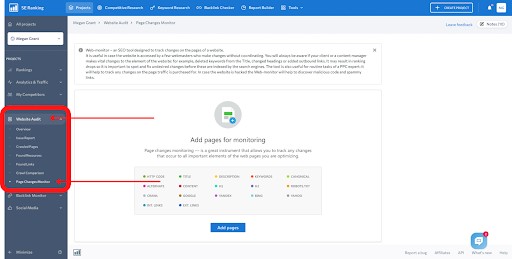
When it comes to improving your website, the early bird gets the worm. In other words, you need to stay on top of page changes for both your own site and your competitors’ sites. If you go to Website Audit > Page Changes Monitor, you can define which pages you want SE Ranking to track. It’ll notify you of changes to elements like titles, keywords, and links.
 

6. Arrange Settings and Report Parameters to Monitor in Your Own Website Audit

Look toward the top right of SE Ranking and you’ll see a gear icon.


If you click on this, you’ll see all the options for customizing the settings of your report. You can change the schedule between weekly, monthly, and manually. You can also specify which pages you want the tool to scan. SE Ranking allows you to define additional rules for scanning pages, parser settings, limits and restrictions, report setup, and monitored issues.


7. Use the XML Sitemap Generator

A sitemap is a list of your website’s pages. This makes it easier (and faster) for Google to find and crawl them, and it also helps the search engine understand your website’s structure – which will help it know how to rank you!


Running Your Tech and Usability Audit Like a Pro

Now that you know more about SE Ranking’s website audit capabilities, let’s talk more specifically about what you should be looking for when you run your next technical and usability audit.


Health Score

Under Website Audit > Overview, you can see your Health Score.


A score out of 100 tells you the overall health of your website. It’s calculated based on the number of issues found during the audit and their impact on your site’s performance. The more critical a problem is, the more weight it carries.


Website Security

How secure is your website? Is it protected from hackers? You need to be extra vigilant about security, especially if you’re collecting any sort of personal information from your users.

Under Website Audit > Issue Report, SE Ranking has a section titled Website Security. 


  • HTTPS (the S stands for “Secure”) is now the standard, leaving the less protected HTTP status in the dust. Therefore, check if all your pages are loading via the HTTP protocol. Make sure you have the rel=”canonical” attribute and redirects pointing to HTTPS versions, plus HTTPS pages in your sitemap file.
  • Check if your SSL or TLS protocol is up-to-date.


Crawling

If search engines can’t efficiently crawl the pages of your website, this should be your top priority. If the tool crawls the website and flags issues, you need to know (1) what they are, (2) how to fix them, and (3) what pages are affected.

The Crawling section of your issue report will help with this.


SE Ranking Is Looking At Things Like:

  • Your XML sitemap: Is the sitemap too big? Is it missing? Did the audit find any Noindex pages or Non-canonical pages within this file?
  • Robots.txt file: Were any pages blocked by the robotx.txt file, making it impossible for search engines to crawl and index them? Or perhaps the robots.txt file wasn’t found at all.
  • Open vs. forbidden indexation: Certain pages on your site, like user accounts or other pages with personal information, should not be indexed, while other pages should be accessible to a search crawler. SE Ranking will check which pages are indexable (open) and which are not (forbidden).
  • Redirects and detached pages: Redirects, when used strategically, are safe. But when they are used in excess or set up improperly, they can hurt your rankings. If a page is detached, this means that there is no link to it on the website (indicating a user has no way of navigating to it). Ideally, you don’t want any detached pages.
  • Metadata and tags: Did the audit pick up on duplicate tags? How about Noindex and Nofollow links in the HTML?


Content Optimization

Elements of your web pages — like headers, titles, and word count — are important not just to the user but also to search engines. Go to Website Audit > Issue Report and look under Textual Content.
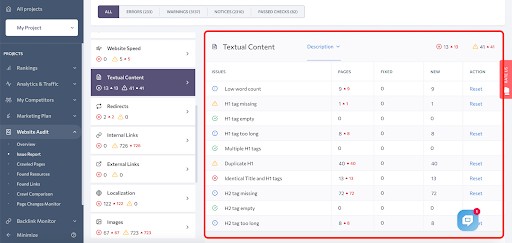

SE Ranking will tell you if you have:

  • Pages with a low word count.
  • Duplicate, empty, or multiple H1s.
  • H1s that are missing or too long.
  • H2s that are missing or too long.

Looking at these factors is part of running a basic SEO audit and should be done as you add new pages to your site.


Responsive Design

Statistics say that as of January 2021, 92.6% of worldwide internet users access the internet via a mobile device. Your users aren’t just on their desktops. They’re on smartphones, tablets, and other gadgets. This means that your website needs to look and function flawlessly, no matter where users are browsing from.

There are a few sections in SE Ranking’s website audit tool that you can use to see how responsive your website is. The Images section will tell you if anything is too big — which slows down your site speed and is even worse on smaller devices, like smartphones.


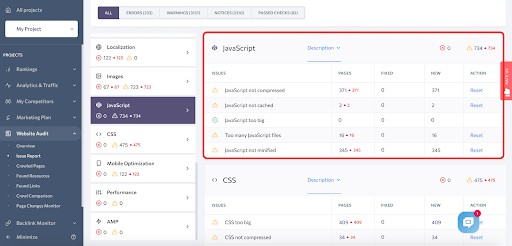
JavaScript is used to create interactive elements on a webpage. For instance, it checks to make sure a user filled out all required fields in a form before they’re able to submit it. If there are any issues with it, it could affect how users experience your website across various devices.

The JavaScript section in the website audit tool will tell you if yours is too big, not cached, not compressed, or if you have too many files.
 

CSS is a design language that makes a page look more visually appealing. It determines the structure, layout, and aesthetics. Use the CSS section of the audit to ensure that your pages appear exactly the way you want them to on all devices.


Accessibility

When we say that your website needs to be “accessible,” this doesn’t just mean that users need to find it. They also need to easily find every page on your site quickly and use it exactly how they want. If a page is slow to load, buttons are overlapping on the mobile screen, or images don’t resize, your website isn’t fully accessible.

There are a few ways SE Ranking can help you monitor and improve your site’s accessibility.

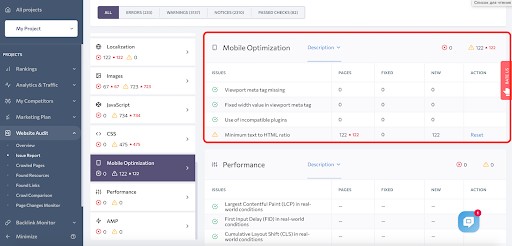
Mobile optimization means that your website is responsive when viewed from a smartphone or tablet. The Mobile Optimization section of the Issue Report will tell you if your plug-ins are still functioning properly, the text isn’t responding to the smaller screen size, and if any viewport meta-tags are missing.

AMP stands for accelerated mobile pages. It ensures that users have a smooth, lightning-fast experience on their mobile devices.
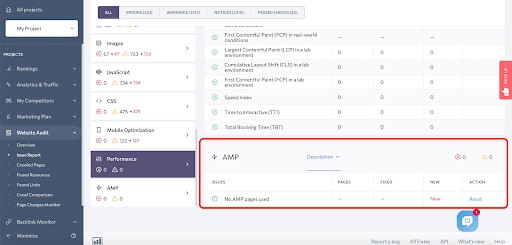

Research from Google says 53% of mobile users leave a page if it takes longer than three seconds to load. Website speed is crucial if you want your page to be accessible to all. Is the HTML size too big? Is any content uncompressed? This section will tell you.


You want your website to be user-friendly and intuitive, while at the same time SEO content optimized. Usability will tell you what might be negatively affecting the user experience.


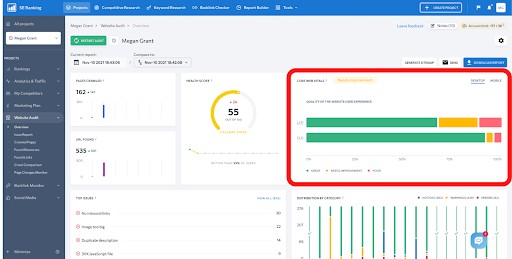
Issue Report -> Performance you’ll see Core Web Vitals. This reflects the overall performance of your website, looking at three factors: LCP, FID, and CLS. LCP which stands for “Largest Contentful Paint”, is a measuring element for the loading speed of the largest visual elements on the page, like images or videos. CLS (Cumulative Layout Shift) measures if there is any shift in a page’s visual elements while loading. This data is visualized under Website Audit > Overview.
 

Linking Optimization

The URLs you link to on a page can seriously impact both user experience and how search engines look at you.

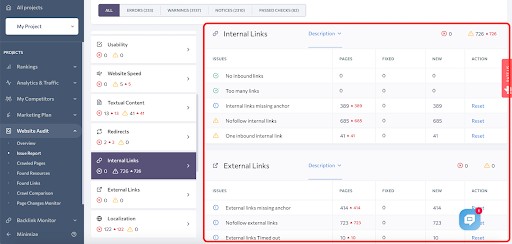
Internal links are important for the user because they direct them to be related and relevant information that they might be interested in. They also help Google understand what your website is about and how your pages are related.

External links have a powerful effect because when you link to a high-quality, trusted webpage, it makes your site look more authoritative. Also, you want to keep track of external links if any of them are taken down in the future, resulting in a 404 error. Having too many of these on your site can get Google’s attention, not in a good way.

Conducting a complete website audit means looking at individual elements, including:

  • Website security.
  • Crawling.
  • Content optimization.
  • Responsiveness.
  • Accessibility.
  • Linking optimization.

You’ll want to check the health of each and make sure that they’re all working together in harmony.

Running your website audit through a tool like SE Ranking can help you understand where you can improve and, most importantly, the steps on how to make it happen.


About SE Ranking

Trusted by over 500,000 users including companies like Bed Bath & Beyond, Cars.com, TrustPilot and more, it’s no wonder that SE Ranking is a go to source for SEO Research and site analysis. This is a global company that not only places high value on it’s technology, but places significant value on it’s people.

Company Vision:  “We aim to constantly improve the user experience, functionality, and support to provide the best possible options for search engine optimization.”
EDITORS NOTE:

As mentioned, SE Ranking is a great tool for professional web developers and beginners alike. We would know, because we at WebDesignDev.com and Line25.com use it. The data is incredible with 100% accurate keyword rank tracking, very in depth site auditing and backlink monitoring. It’s just overall a great tool for SEO ranking analysis. They even have a built in To-Do list so that you can stay on track with your site updates. An additional notable mention is that it’s very simple and easy to understand along with a clean user interface. Even with they’re free trial, there is so much powerful and useful data to gain when doing an SEO audit of you and your clients websites. Give it a try today.

The post Using SE Ranking to Conduct a Technical and Usability Audit of a Website first appeared on Web Design Dev.


via https://ift.tt/3dhJwze

25 Best Free Christmas Design Assets for Designers

Wednesday, December 1, 2021

With the Christmas season around the corner, designers will be flooded with work related to the festive season. Starting from social media posts to promotional banners to greeting cards and more, designers will be working on various creatives. At the same time, because so much content on Christmas will be generated, designers will have to come up with something fresh and creative so that their content stands out.

The quality of work that designers can produce largely depends on the resources they can get. Every one of them would be searching through the internet in the quest of finding new, lesser-used design assets that they can adopt into their design. To help designers in this search, this blog collates some highly creative free Christmas design assets that designers can use. This includes stock high-resolution photographs, editable vectors, icon sets, backgrounds, and a lot more.

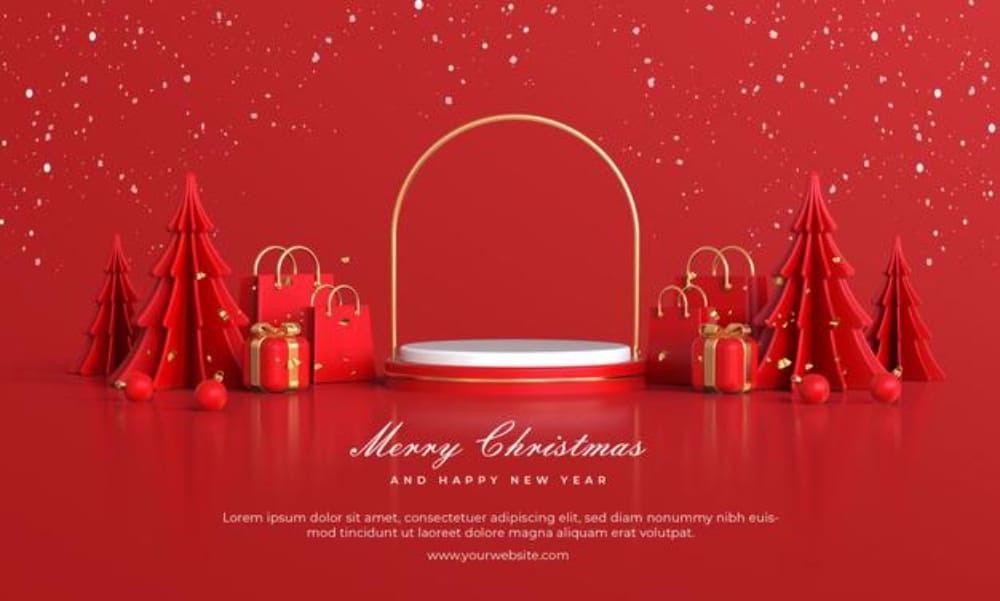
1. Merry Christmas Podium Setup

Best Free Christmas Design Assets for Designers: Merry Christmas Podium Setup

One of the biggest requirements in terms of design assets will be for good quality social media posts and promotional banners. This free-to-download editable file will be very helpful in that. In addition, the design includes a well-set podium in a red background with a Christmas tree and other decorations around the podium. As a designer, you can quickly adopt this setting by putting your product on the podium and including the details about the offer or sale.

2. Person Holding Brown Gift Box

Best Free Christmas Design Assets for Designers: Person Holding Brown Gift Box

Gifting is an important aspect of Christmas and the festive season. Keeping that in mind, many brands and businesses keep offering special gift offers, and designers need to come up with good creatives to communicate that. This high-resolution image shows a person holding a brown gift box. There is Christmas decor on the table, which sets the festive mood. This image can be used for social media posts, website banners, or background images.

3. Merry Christmas Festival Banner

Best Free Christmas Design Assets for Designers: Merry Christmas Festival Banner

Brands get very active on social media during the festive time. Irrespective of their business and audience, they need to put up content related to Christmas. This festive banner can be a huge help in that. The editable file is free to download, and that helps the designers to readjust the design as per need or customize the banner with their own branding. Even without that, the banner looks visually appealing in the violet gradient background and Merry Christmas typography. 

4. Red and Green Mistletoe Decoration

Best Free Christmas Design Assets for Designers: Red and Green Mistletoe Decoration

A trend that is being observed lately in digital marketing is reducing the use of vectors and using more for real images. This may be because real photographs provide a better connection with the audience. This high-resolution photograph shows Christmas tree decorations of red and green mistletoe. There is a lot of blank space on the left side of the image. Designers can use this space to put their message or add other graphic elements and customize as per need.

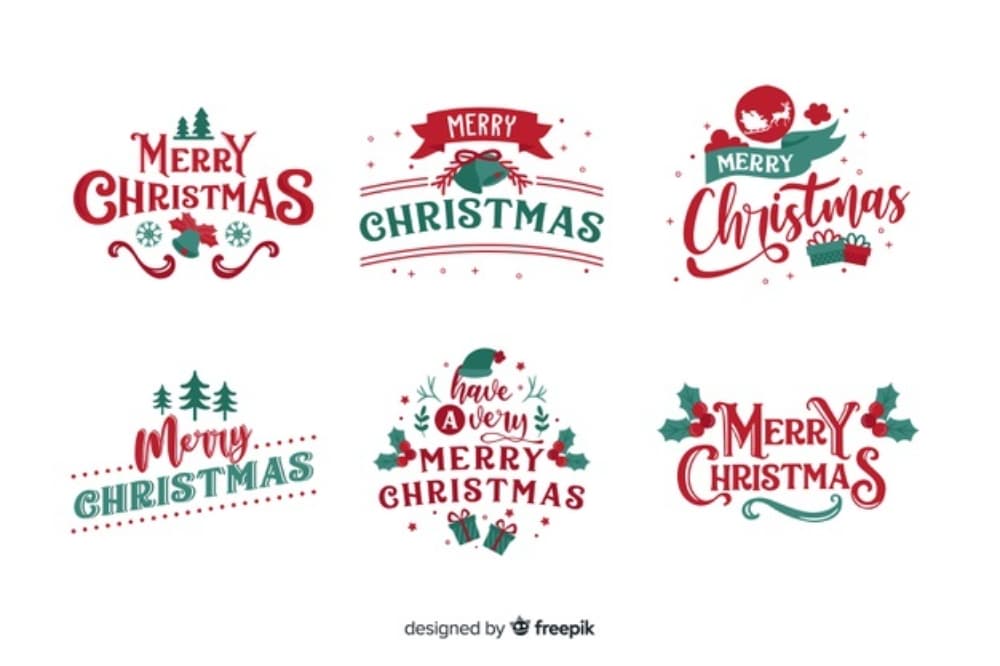
5. Merry Christmas Lettering Badge

Best Free Christmas Design Assets for Designers: Merry Christmas Lettering Badge

Apart from backgrounds, designers are also on the lookout for good typography compositions for Christmas. This free vector file comes with a set of really good six lettering badges. Each one of them has Christmas wishes on them but has a different layout scheme and design. Because you get the editable file, you can quickly pick any one of these and use it in your creatives. Although the colors are of Christmas style, you still have the option of changing the colors or adding/editing the decor elements along with it.

6. Christmas Table Cloth Image

Best Free Christmas Design Assets for Designers: Christmas Table Cloth Image

The Christmas season also means an important marketing time for the food-related business. Bigger brands and even home bakers want to maximize this opportunity by showcasing festive-related products. This image can be used nicely as the background image to showcase their products. It already has the festive mood set in it using Christmas trees, Santa Claus socks, and other elements. In addition, there is ample empty space in the image, which can let you add your product at ease.

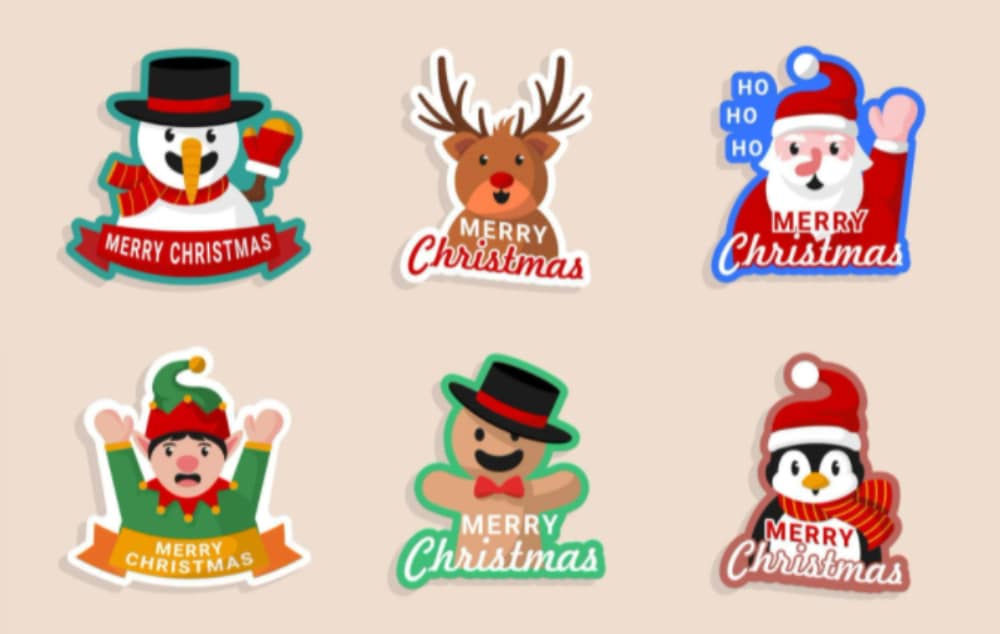
7. Christmas Sticker Collection

Best Free Christmas Design Assets for Designers: Christmas Sticker Collection

Stickers can be very useful in bringing in the Christmas mood. This collection includes six stickers, each representing different aspects of Christmas, starting from the Santa Claus to penguins, bears, snowman, and elves. Because the editable file is free to download, you can use the stickers as it is individually and send them for printing. Even otherwise, you can play around with the designs of the stickers by altering their colors or adding your own branding to them.   

8. Christmas Board Decor

Best Free Christmas Design Assets for Designers: Christmas Board Decors

This is yet another good image that has Christmas decorations on the borders and plenty of empty space in the middle. The image showcases a variety of Christmas-related elements lying on a wooden table. Because the photograph has been nicely edited, the image can also be used as a vector background. You can utilize the empty space in the middle. Adding nice typography or a graphic in the middle would be a nice idea to support your Christmas message. 

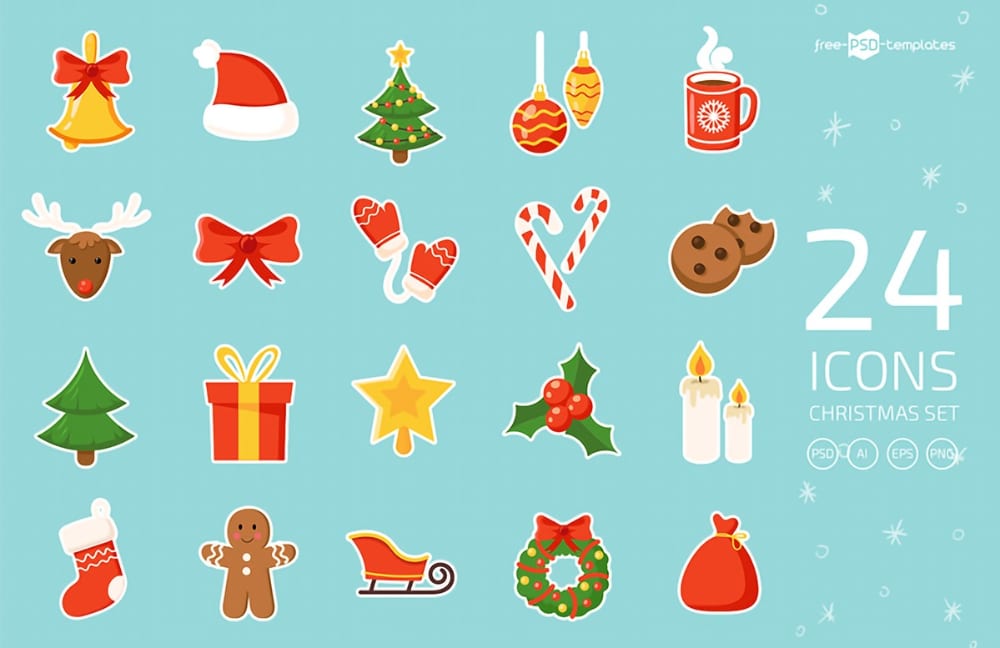
9. Christmas Icons Vector Set

Best Free Christmas Design Assets for Designers: Christmas Icons Vector Set

Icons depicting Christmas elements are going to be high in demand. Designers need them to create social media posts or to redecorate their websites. This icon set is free to download and offers 24 high-quality icons related to Christmas. Once you download, you will get the icons in PSD, AI, EPC, and PNG versions. You can use them as per need. With such open files in hand, you can also tweak the icons to match the colors scheme of your design.

10. Christmas Party Invitation Template

Best Free Christmas Design Assets for Designers: Christmas Party Invitation Template

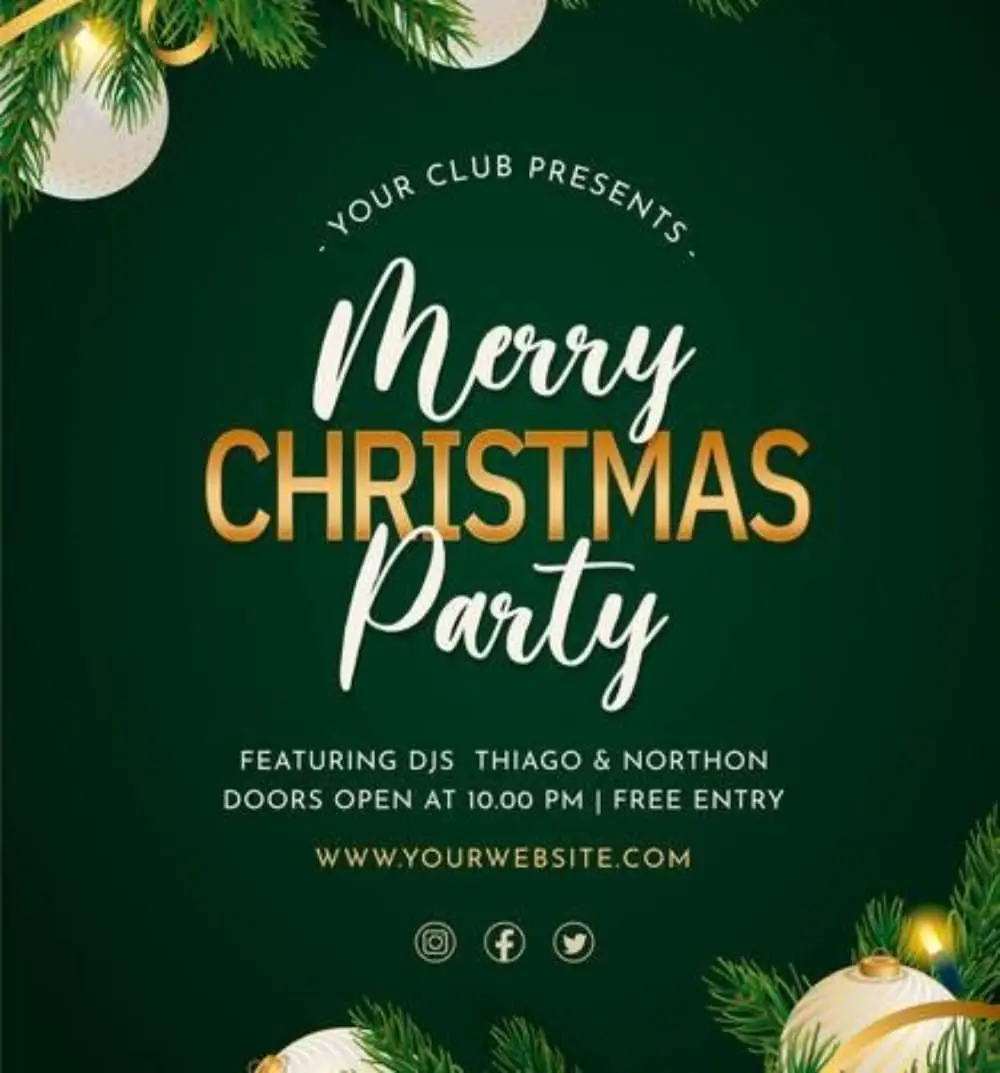
Are you planning to host a Christmas party and need to send out the invitation? Then we also have a creative Christmas invitation template for you. The open file is available free to download and edit. The design of the invitation is neat and clean. With a strong green colors background, there is Christmas decoration on the edges. There is nice typography of Merry Christmas in the middle, and below that, the party details are shared. You need to just flow your content in this part, and your party invitation will be ready in no time.

11. Miniature Christmas Trees Photo

Best Free Christmas Design Assets for Designers: Miniature Christmas Trees

It is good to see that there are creative stock photos also available for designers to use. This high-resolution image showcases three Christmas trees put adjacent to each other. There is a snow effect created as well. The background is neat and clean, and expandable. As a designer, you can do a lot with this image. You can add your content and branding in the dead space, or you can use the image as a background image for the website. 

12. Christmas Tree Card

Best Free Christmas Design Assets for Designers:. Christmas Tree Card

While most designers would be using the standard Christmas tree vectors and figures, you can get creative by using this abstract version of a Christmas tree. Starting with a star on the top, a ribbon is run down, supported by various sizes. The resulting image looks like a highly creative abstract version of the Christmas tree. You can use this image as it is or extract out the tree design, alter its color and implement that in your design.

13. Christmas Black Board

Best Free Christmas Design Assets for Designers: Christmas Black Board

Continuing with the trend of using stock photos for designs, we have included this amazing high-resolution photo in the list. There is a shiny blackboard right in the middle of the image that can be used to convey your message. This message can be a simple festive greeting or about the promotional offer your brand is giving. The rest of the image is filled with Christmas-related decoration items.

14. Christmas Greeting Cards

Best Free Christmas Design Assets for Designers: Christmas Greeting Cards

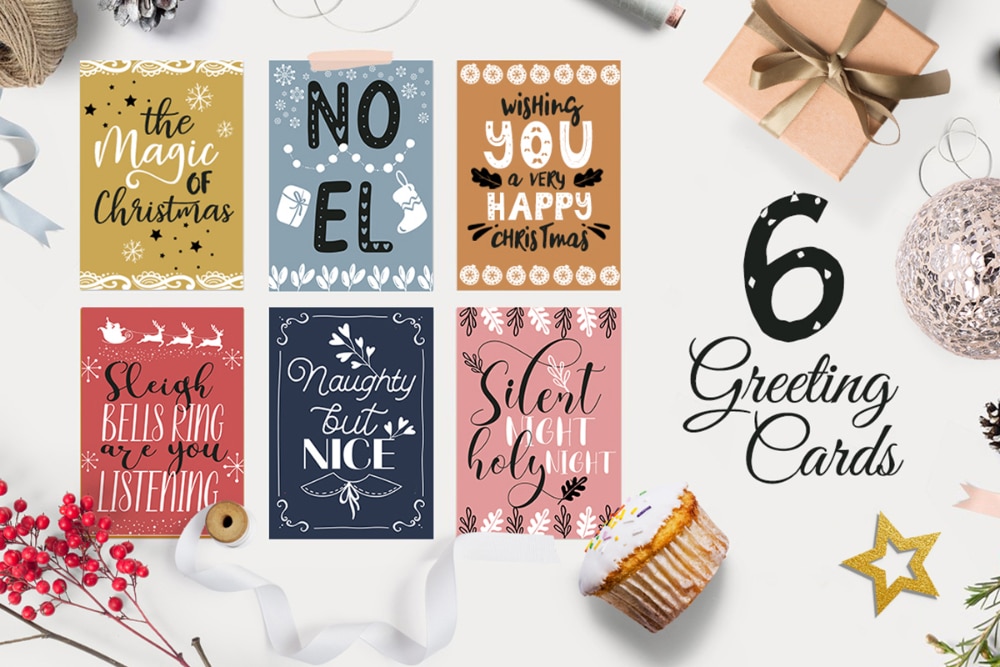
Apart from digital media, designers will also need to work on print-related work such as greeting cards. This is where this set of greeting cards can be helpful. The open files are free to download, and you will get a collection of six beautiful greeting cards. The cards are built through the typography of the festive greeting and are supported by the elements. The font and color scheme make the greeting cards look playful and cool.

15. Santa Claus Illustration Set

Best Free Christmas Design Assets for Designers: Santa Claus Illustration Set

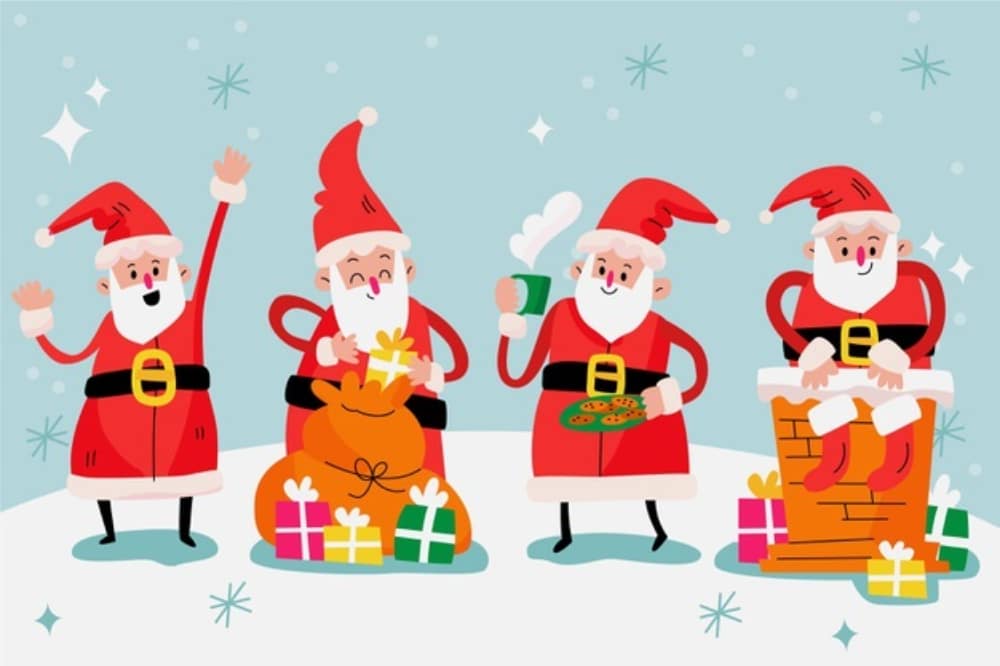
Christmas would be incomplete without Santa Claus, and the same is the case with Christmas designs. Time and again, designers would feel the need to add the Santa to their design in some form or the other. This free-to-use illustration set has a playful Santa performing various actions. Because you can edit the elements, you can easily alter the actions of the Santa, mix it with other design elements and come up with a whole new design. 

16. Family Decorating Christmas Tree

Best Free Christmas Design Assets for Designers: Family Decorating Christmas Tree

This image is one of the most beautiful Christmas-related stock images you will encounter on the internet. It has all the elements of Christmas in it. There is a Christmas tree, which a nice family is decorating. A small kid is setting up the start on the tree, and gifts are lying around near the tree. For designers, this is a must-have image as they can use this image in multiple ways.

17. Christmas Simple Pattern Backgrounds

Best Free Christmas Design Assets for Designers: Christmas Simple Pattern Backgrounds

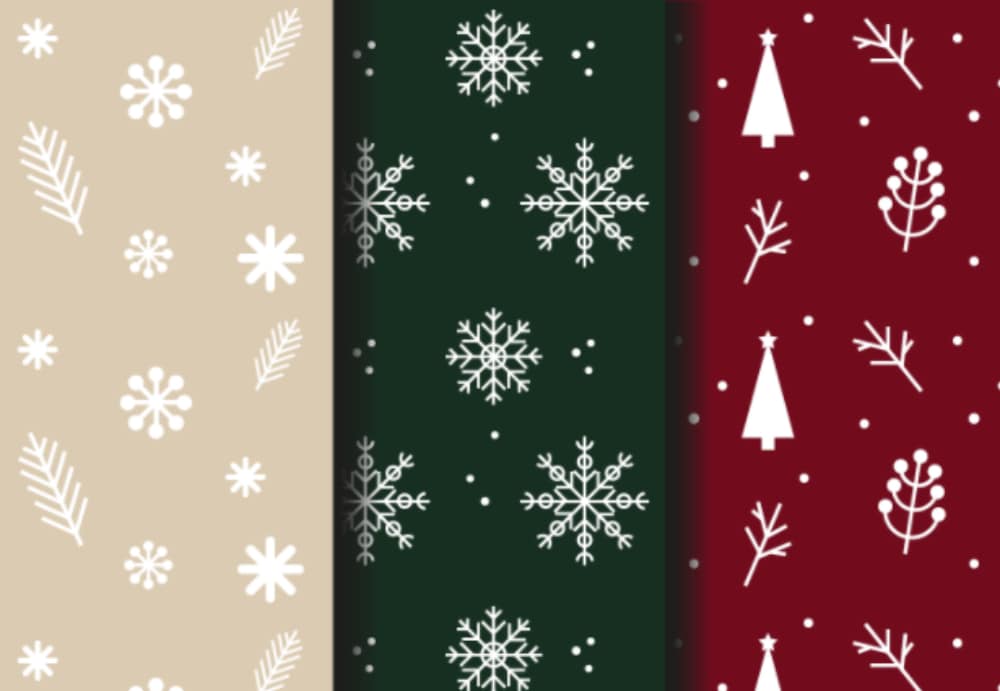
Christmas is synonymous with gifting. But gifts that are not properly gift-wrapped do not look good. In order to add to the festive element of the gifting, this image provides a variety of gift paper designs. Presently it gives three options in green, red, and cream. There are Christmas-related elements sprinkled on them. Because designers will have access to the open files, they can tweak the design as per their needs.

18. Multiple Gifts Photograph

Best Free Christmas Design Assets for Designers: Multiple Gifts Photograph

Giveaways and sales are common at Christmas. Designers will be flooded with requests to create graphics for this purpose. This high-resolution image can prove to be a boon at that time. The image showcases different sizes and types of boxes in the foreground. The background is made of red cloth, and the entire image is well lit from the side. You can easily use the vast empty space at the top to add content and branding related to your design.

19. 3D Christmas Icons Set

Best Free Christmas Design Assets for Designers: 3D Christmas Icons Set

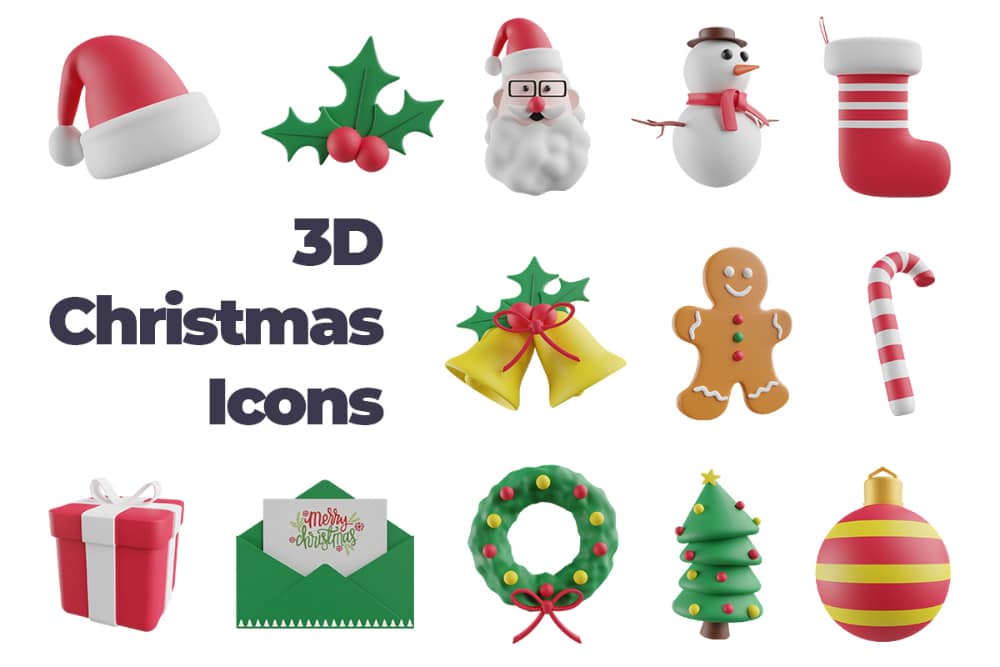
3D illustrations, one more trend that is prevalent in graphic designing is 3D icons. This set has an amazing collection of 3D icons related to Christmas. This includes the Christmas tree, Santa Claus, Socks, cap, postcards, and a lot more. You can get the editable file of this for free. Hence you can use these icons to accentuate the visual feel of your design. 

20. Hand Drawn Christmas Pattern Backgrounds

Best Free Christmas Design Assets for Designers: Hand Drawn Christmas Pattern Backgrounds

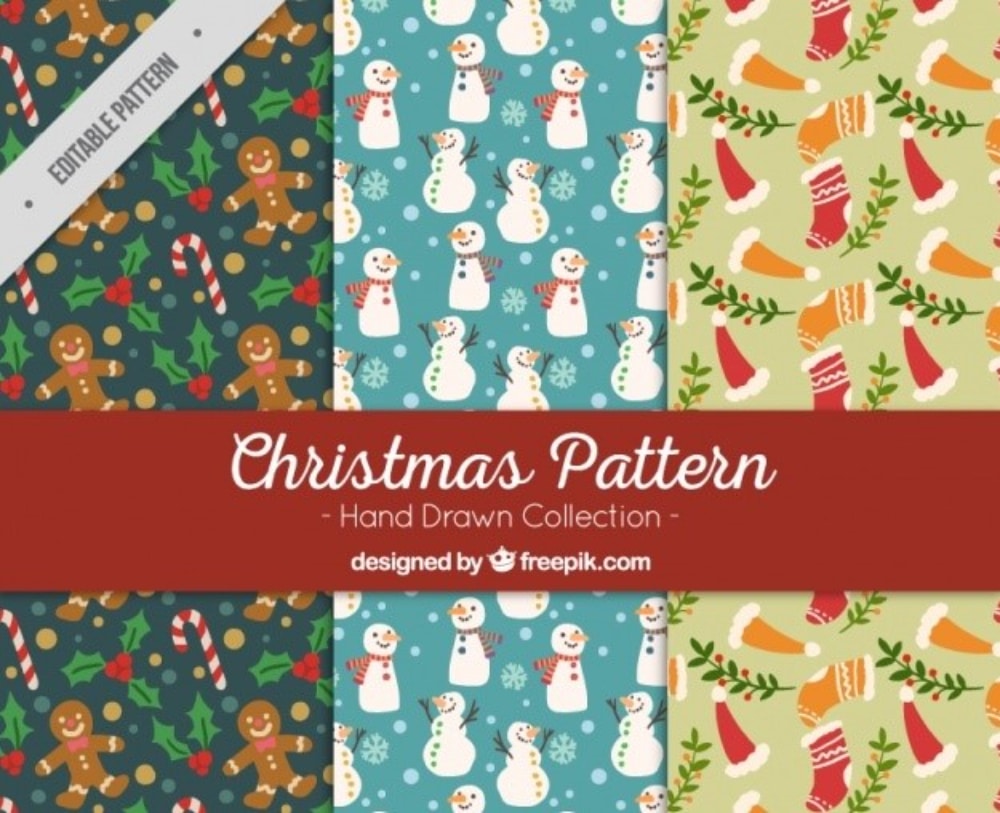
Either for gift-wrapping or for using a background image in designs, these Christmas patterns can be of huge help. The good part is that they are hand-drawn, and this makes them unique. Presently, you get three designs coming in green, blue, and lime which have a variety of Christmas-related elements set up in them. As you get the editable file, you can work on changing the base colors or mix and match the elements to create your own pattern.

21. Christmas Decorations at Home

Best Free Christmas Design Assets for Designers: Christmas Decorations at Home

This image is a perfect setting of what Christmas celebrations at a routine home would look like. It has the standard size Christmas tree along with a well-decorated fireplace. We can see the socks hanging with gifts inside them and various figures like Santa Claus on the top. This high-resolution image is free to download, and designers can use them as a background image for websites or social media posts.

22. Merry Christmas Card Template

Best Free Christmas Design Assets for Designers: Merry Christmas Card Template

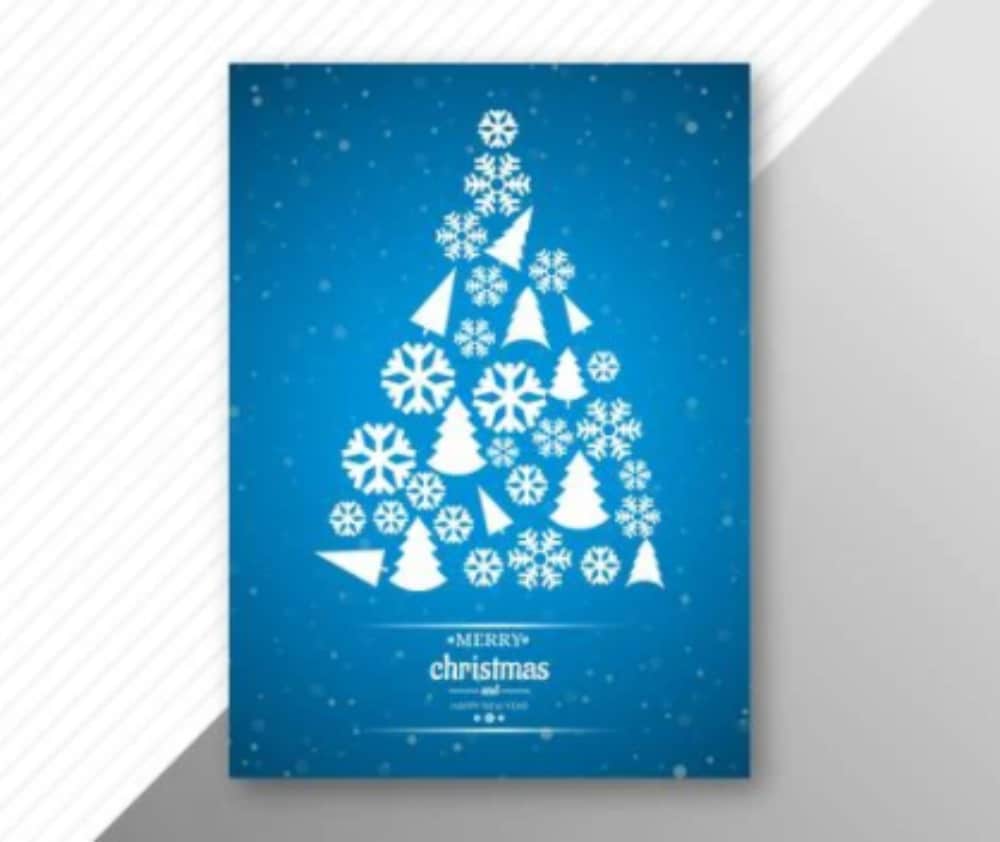
Even though sending physical greeting cards during Christmas has gone out of fashion, some continue this practice. This well-designed Christmas card can serve well for them. The card has a Christmas tree made out of various festive elements. The base color is a gradient of blue. But because you get the editable file, you can change the colors to fit your liking. 

23. Santa With Laptop

Best Free Christmas Design Assets for Designers: Santa With Laptop

A modern Santa! This Santa is sitting with his laptop and figuring out the gifting list. A fun and cool stock image, this one can be used in a variety of mediums. There are gifts besides Santa, who looks a bit confused and old. Designers can very well use this image for their social media posts wherein they integrate the concept of brands delivering gifts to people.

24. Boy with Santa Claus

Best Free Christmas Design Assets for Designers: Boy with Santa Claus

Not all Santa’s look confused. This Santa Claus is having a jolly good time interacting with kids. We can see him in a very standard Santa attire in a mall or a public place and talking with a kid who has just presented his list for gifts to him. A nice warm image can be used for websites or events and promotional posts related to Christmas.

25. Christmas Element Vector Set

Best Free Christmas Design Assets for Designers: Christmas Element Vector Set

The final one on the list is the most exhaustive one. This is a collection of all possible Christmas elements in one file. You can get the editable version of this file for free and hence can extract each of the elements and use them as per need. The elements include Santa Claus, Christmas Tree, gifts, snowmen, socks, and almost everything related to the festive mood of Christmas.

Finding the right set of design assets is always a problem for designers. Hence it is best that bookmark such resource-rich blogs. All of the above design assets are free to download and use and hence can help make the life of designers very easy. 

The post 25 Best Free Christmas Design Assets for Designers first appeared on Web Design Dev.


via https://ift.tt/3pf2wnS
 

The Cash Box Blueprint

Most Reading