14 WordPress Themes For Government Websites

Monday, June 21, 2021

Government sectors and institutions can have multiple objectives behind creating their website. Unlike businesses, they may not have a focus on promoting their name and building a brand. In most cases, government websites are for all people and their required services.

So a government website has to be strong, reliable, fast, and accessible. Having a discussion, planning, designing, and launching process for the government portal can take a lot of time and energy, which can be eliminated to a certain extent through unique government website templates. In this article, we have gathered 14 fantastic WordPress themes for the government portals.

These website themes can help you to launch a solid website within minimum time and effort. Every theme is professionally designed and packed with excellent features to help any kind of government website, whether it’s a city or county site. So let’s check out the details.

1. City Government:

14 WordPress Themes For Government Portals: City Government

City government is a modern WordPress theme that is a perfect match for modern cities, towns, and villages. It has two website demos and homepage layouts with amazing customization possibilities. And this mobile responsive theme carries a bunch of high-end features to use for many multiple purposes.

It has a visual composer, custom theme options panel, PO composer, media content manager, and various other technicalities to set up a fully furnished government website.

With a revolution slider, Essential Grid, WPBakery, premade city services, appointment sections, attractions and event pages, and many customization feasibilities, you can create an excellent government portal for citizens.

Overall, the city government is a beautiful theme that has an attractive layout and interactive elements to offer seamless service and appearance for any particular government.

2. eGovenz:
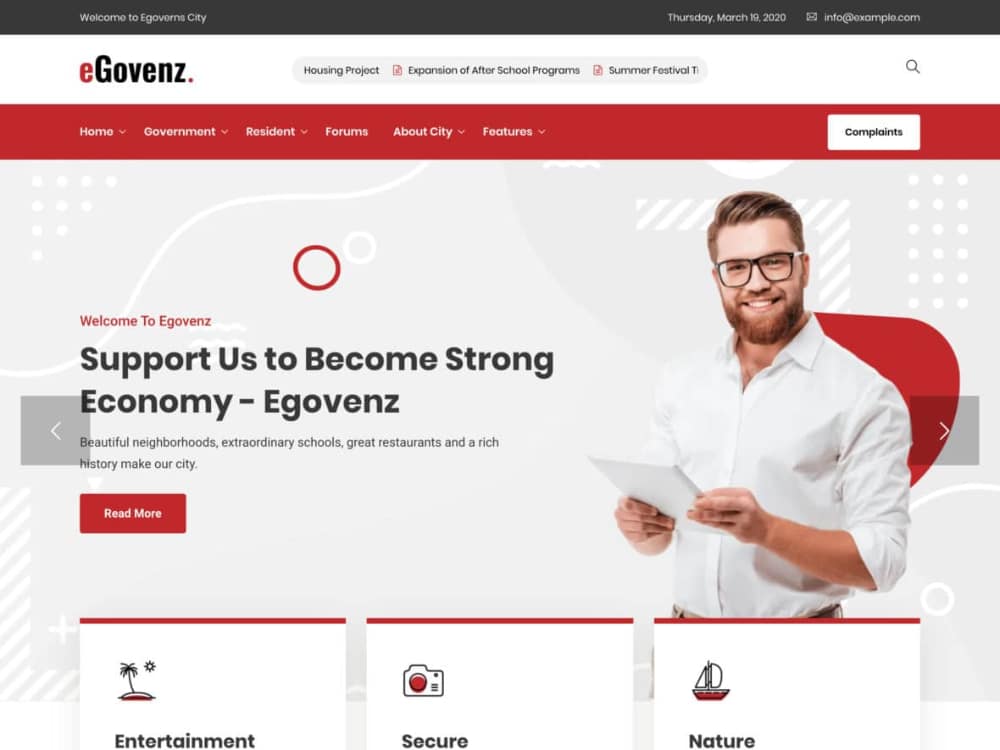
14 WordPress Themes For Government Portals: eGovenz

With the eGovenz WordPress theme, you can bring the government closer to civilians. This theme is ideal for municipal offices and political portals to make information hub and provide appropriate service.

eGovenz is a powerful WordPress theme that includes many features like gallery, forums, complaint/suggestion form, single pages for municipal departments and team members, application download, and many more.

Modern homepage layout options and compatibility with plugins like Elementor page builder, Yoast SEO, revolution slider, WooCommerce, and many more make this theme easy to customize and easy to manage.

eGovenz leaves no space for disappointment. You can build a solid government website with this theme and represent the city, town, or institution perfectly to users.

3. Govnet:
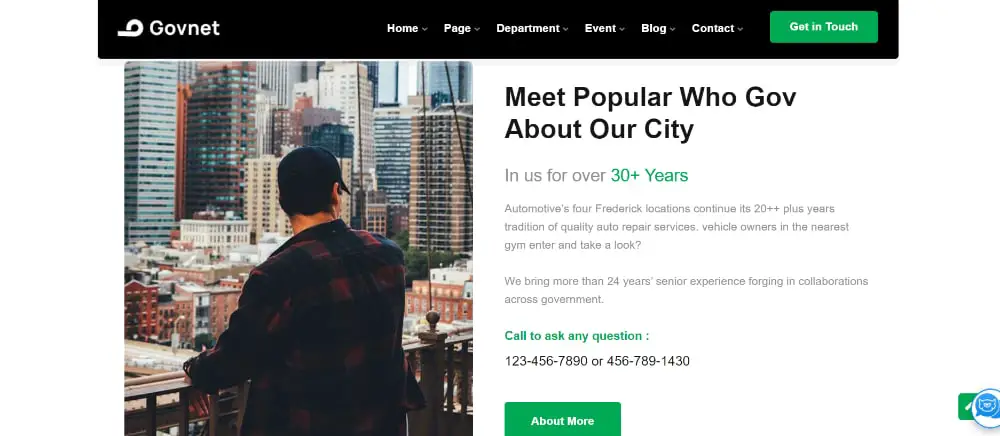
14 WordPress Themes For Government Portals: Govnet

Govnet WordPress theme has a holistic approach towards city and government objectives. It can transform into any government or political website as per your requirements. This theme has a solid layout and professional designs to represent any city, party, municipality, or office.

This WordPress theme has got more than five homepage options, more than fifteen header styles, more than eight-footer styles, and various color customizations to provide you an excellent personalization experience.

Govnet is a mobile-friendly theme with SEO optimization and the latest plugin compatibility, which means you get everything you need to build a profound government website. And the modern designs and clean layout can work for any size of a town, city, or organization.

4. TheGov:

14 WordPress Themes For Government Portals: TheGov

It is a detailed and sophisticated WordPress theme that offers sleek and minimal design with an appropriate focus on necessary elements. TheGov has brilliant customization features and seamless transitions to provide the best user experience.

You get easy-to-install and easy-to-manage demos with premium plugins and advance flexibility. This WordPress theme has a blog, portfolio, shop, and many premade pages to expand the usability for you.

This theme is highly desirable because of some smart features like WooCommerce compatibility, drag and drop page builder, mobile-friendly layout, SEO optimization, customizable colors and fonts, child theme support, and translation-ready structure.

So, make an exciting government portal for your city outlook, event publishing, information center, or any other political and government purpose.

5. City Hall:
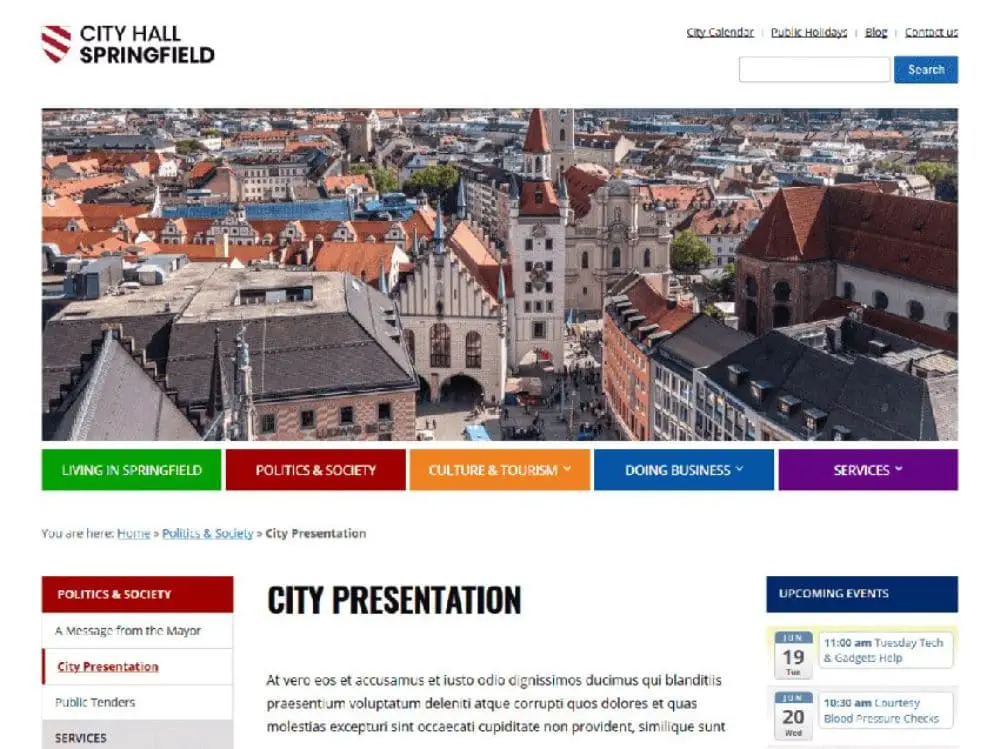
14 WordPress Themes For Government Portals: City Hall

City hall is a free WordPress theme for government sites and political portals. It has a classic three-column layout with a well-designed structure to provide all the necessary sections for the government portal or town website. This theme is fully responsive and adaptive to many different organizations and governments.

This theme is well compatible with page builders like Elementor, Beaver Builder, visual composer, Divi, etc., so that you can customize every element smoothly and quickly. Other features of this theme are mobile menu, blog section, SEO code, custom widget, color customization, translation ready, layout settings, and social media links.

Without much investment, if you want to set up a website for NGO, government portal, community site, political party, or any other civic platform, then City hall is a brilliant option for you.

6. Hisfull:

14 WordPress Themes For Government Portals: Hisfull

It is a clean and attractive HTML template to help you with various government websites. Hisfull has a multi-column layout with exciting customization features to fulfill your creative requirements.

You get a drop-down menu option, various useful elements, and SEO optimization with this theme as essential features. And this theme is entirely mobile-friendly to highly consistent on every device.

Smooth transition, sincere designs, pre-built pages, Google Maps integration, blog, and gallery section give you a premium look and feel with this WordPress theme. So if you want to create a solid and reliable website to take the government portal closer to people, then Hisfull can be a great choice.

7. Republik:
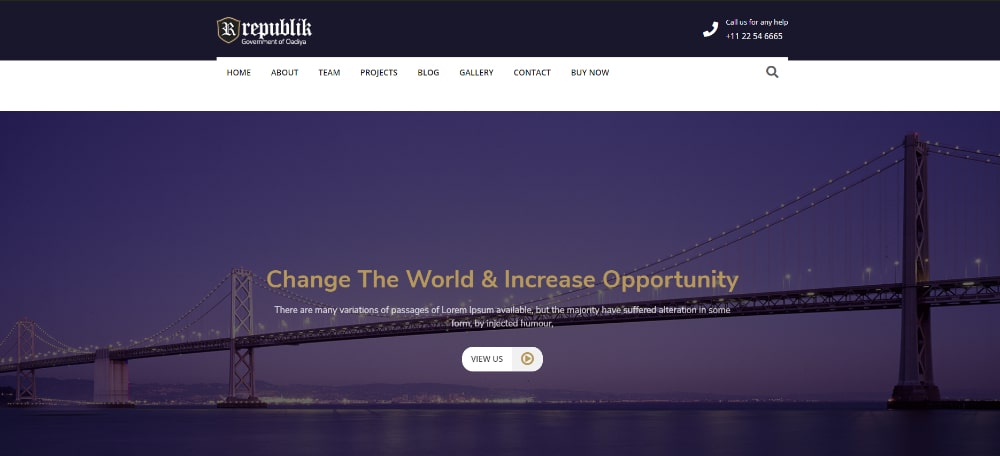
14 WordPress Themes For Government Portals: Republik

Republik is a pretty decent WordPress theme with all essential features and pages. With this theme, you can create any local government, office, agency, or organization to serve the people for various purposes.

This theme has a minimal and straightforward design without excessive and loud elements, making it perfect for high-end government sites. You also get a fully responsive layout with two different home page options to mold it into your expectations.

Republik WordPress theme has excellent customization options for pages, content, colors, and fonts. It provides compatibility with many supportive plugins to provide you an easy to edit and manage website theme. So you can use this theme for simple and connecting government portal to invite users and improve services.

8. Dream City:
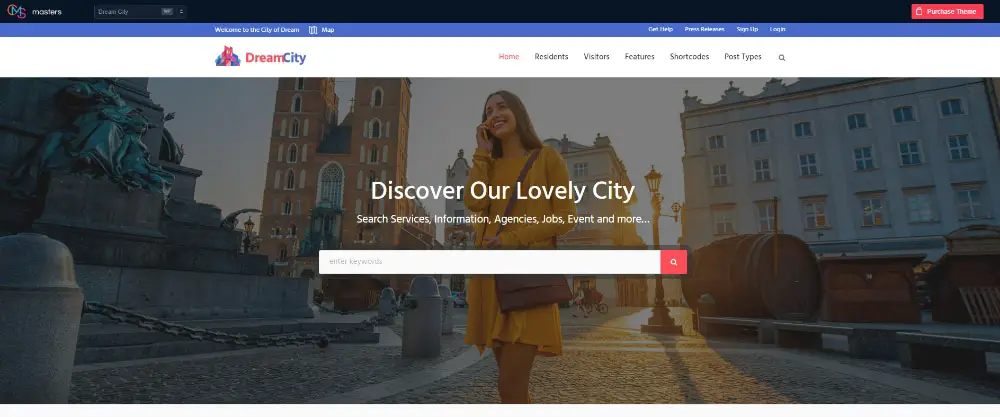
14 WordPress Themes For Government Portals: DreamCity

This one is a beautifully designed holistic WordPress theme that offers comprehensive functionality for any kind of government institution, town, or city portal. Whether it’s for a particular service or digital representation for tourists and other people, this theme can fit perfectly.

Dream city has beautiful homepage layouts and page options to allow you to create your website and manage pages separately as per your preferences.

You get translation flexibility, WPML compatibility, mobile responsiveness, shortcodes, animation, form builder, mega menu, drag and drop page builder, and many outstanding features with this theme to build a seamless website.

Dream City has disciplined designs and exciting features to make any government portal stand out and help users.

9. Cindy:
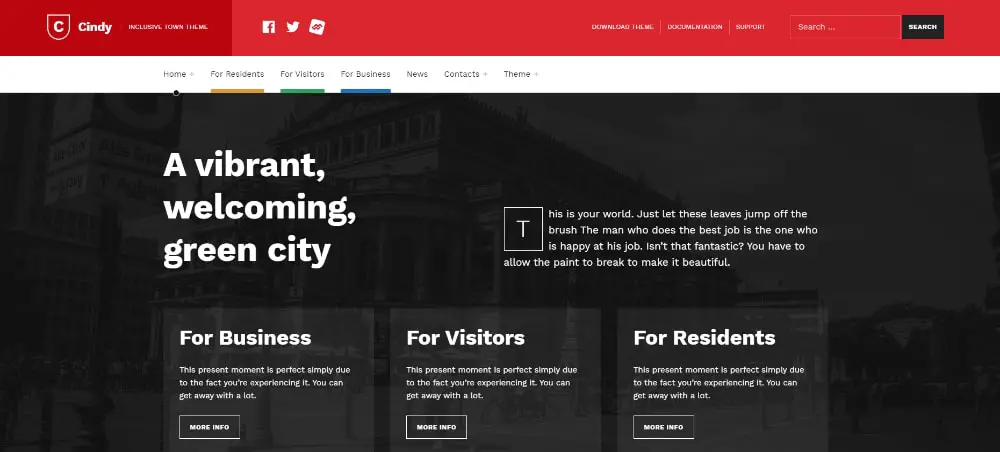
14 WordPress Themes For Government Portals: Cindy

Cindy WordPress theme is an inclusive theme with eye-catchy design elements and an interactive layout. For multiple segments and services, government portals need a solid website with the latest technical functionality, and Cindy has everything for that matter.

It has a mobile-first approach and improved readability to provide you clean and clutter-free website. It is a user-friendly and fully responsive WordPress theme with useful page and posts templates to make your work easier.

Cindy theme is designed to adapt to any government sector and institution. Because it is user-friendly and disabilities friendly, website developers love to utilize its features for various government objectives.

10. Desal:
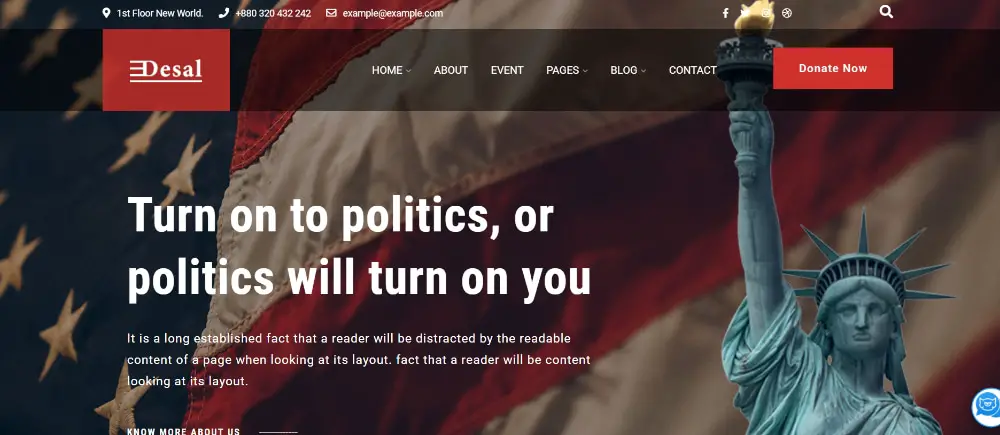
14 WordPress Themes For Government Portals: Desal

Desal is a rich WordPress theme for political party/ candidate or government portal. If you want to have a premium WordPress theme to create a solid platform in the minimum effort, then Desal is the best option for you.

It has an attractive header, footer, and layered pages with a mobile-friendly layout and advanced customization options. With more than five homepages and an Elementor page builder, building a strong website for any city or institute is easier.

You get unlimited colors and font options, redux framework, contact form 7, Loco translator, and many customizations with logo, menu, header, and footer.

Overall it is a great theme to make an informative and attractive government website.

11. GovtPress:
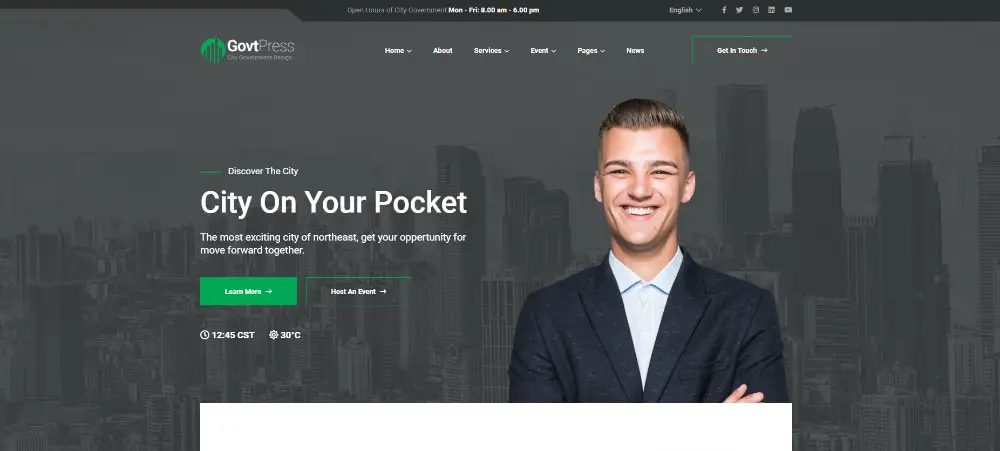
14 WordPress Themes For Government Portals: GovtPress

GovtPress is a beautiful WordPress theme packed with the latest designs and features. This theme can work efficiently for any governmental or municipal portal with the systematic layout, unique transitions, and deep customization options.

You get four amazing homepage options with fourteen layered pages so that you can select premade elements and build a solid website without any professional skills. Besides Elementor page builder, this theme offers compatibility with various other plugins like WPML, Contact Form 7, Mailchimp, etc.

Whether it’s for town or corporations, you can select a GovtPress WordPress theme to build an accessible website without any coding skills with the help of its guided customization features and appealing look.

12. TownPress:
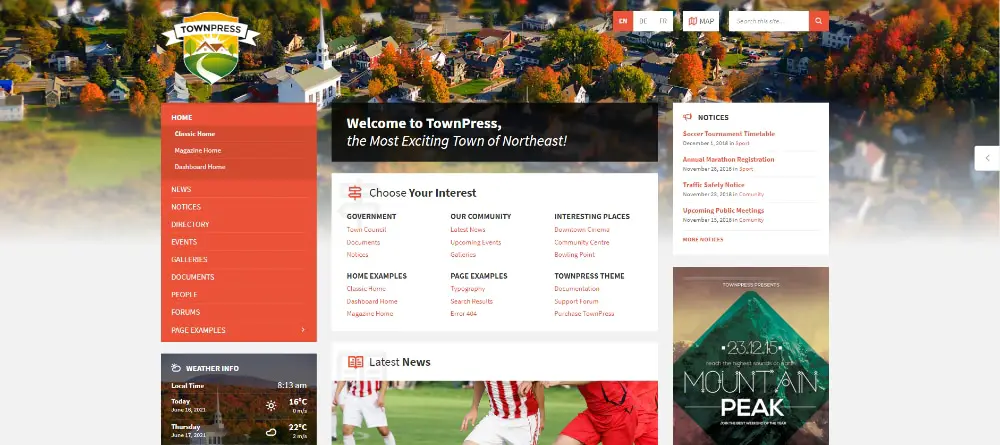
14 WordPress Themes For Government Portals: TownPress

TownPress is a specially designed WordPress theme for local municipalities of any town or village. It has the modern and sophisticated design to elevate any government portal or institute. With easy to follow layout, it’s easier to make a global presence for citizens and tourists.

It offers various specific options such as local weather widget, listing directory, gallery, upcoming events, forums, and more to help you with your fully-featured modern municipality website.

This theme is mobile-friendly, child theme supporting, translation ready, well compatible with various page builders like Elementor and WPBakery, google map supported, and easily customizable.

So if you want to create an online presence for municipal office, government service, or any city’s directory with simple steps, then Townpress can be a wonderful option.

13. City of WP:
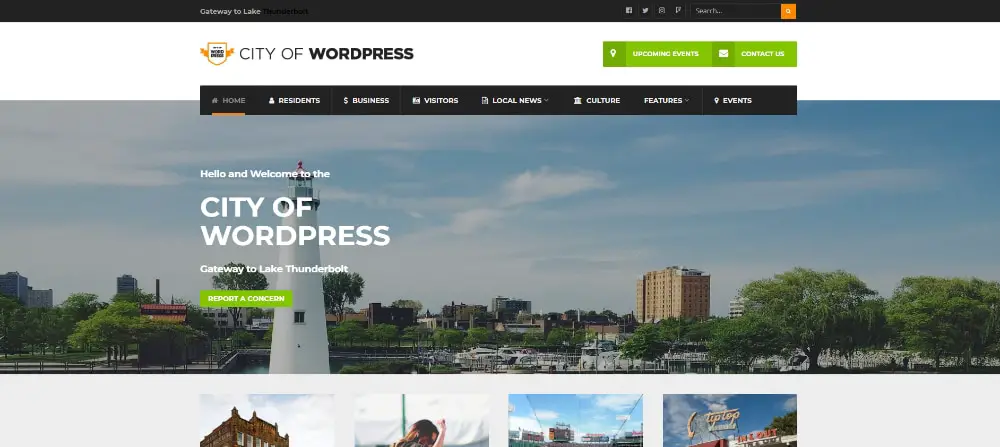
14 WordPress Themes For Government Portals: City of WP

Your search for a premium and distinct WordPress theme can end here if you select the City of WP theme for your government website. This theme has a beautiful layout and exciting features to offer that can help you with your municipal or organizational site without any coding skills.

It is a fully responsive WordPress theme with a powerful admin panel and drag and drop layout creator. And you can customize color schemes and settings in real-time with the City of WP.

Attractive layout, WooCommerce support, google fonts, latest plugin compatibility, and big extended menu are some of the impressive features of this theme.

So with excellent customization possibilities and professional design, you can easily use this theme for any government portal or city website.

14. Pressville:
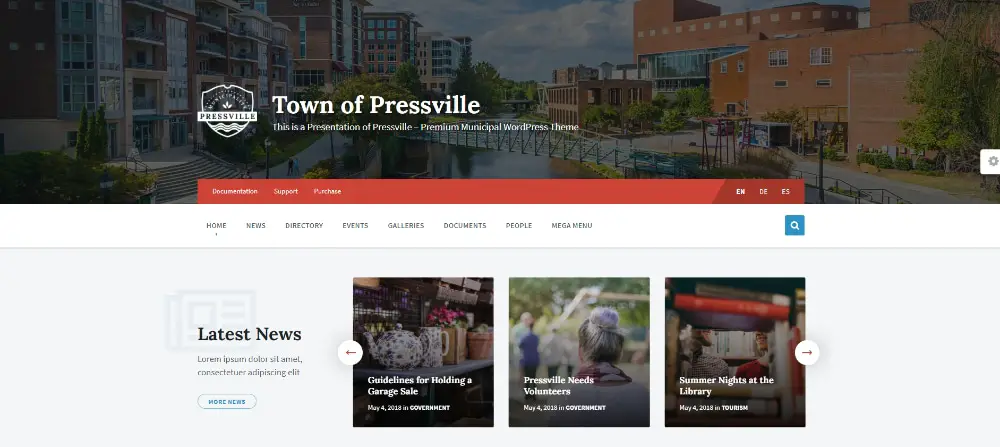
14 WordPress Themes For Government Portals: PressVille

Pressville is a professionally designed WordPress theme with keeping small to medium towns and cities in mind. You can create a powerful government portal for various information and services with this theme without any coding knowledge and a time-consuming process.

It is a clean and user-friendly theme with advanced features. You can make a detailed and accessible WordPress site for your small to medium town project. Pressville offers valid documentation, a mega menu, and all required pages for a governmental website.

This theme can work fantastic for various government and organizational purposes with WPBkaery page builder, mobile-friendly layout, child theme support, plugins, and wide customizations.

Earlier government websites used to be developed with a predefine structure and probably without much designing input. But since time is changing and people are exposed to an end number of variables, government websites are also transforming as per their people’s behavior.

As a result, perfect designing concepts, color theory, and exciting elements are becoming part of government portals. That is why if you want to develop a government website from scratch, you may have to invest more than before.

However, thanks to some online marketplace and sources, you can have a strongly built website structure premade that just require minimal input from your end. Above mentioned, all the themes are handpicked, and we have considered every aspect related to government portals.

You can check them out in detail and pick one as per your preference; that’s how easy it is to start with the government website.

The post 14 WordPress Themes For Government Websites first appeared on Web Design Dev.


via https://ift.tt/3iXBMGN

14 Time Tracking Secrets all Designers Must Know

Wednesday, June 16, 2021

Whether you are a freelancer or employee at a graphic design firm, the design process stays the same. There are many steps involved in every design category that create the complicated method for the best creative output. And when you are working on multiple projects simultaneously, it becomes really tedious if your organizational skills are lacking.

So time management and time tracking are very important parts of a graphic design professional’s life. You might have to report to your boss as a part of your job, or you might have to do it for your satisfactory practices. But with designing, it can be a little challenging to track down every step and every process because of its fluid nature. And therefore, we have put together 14 time-tracking secrets all designers must know.

These secrets are expert’s guidance, and they talk about how you can keep track of work in your design career with minimum hassle. Let’s dive into the details.

1. Manual Time Entries Are More Feasible For Beginners:

Time tracking secrets all designers must know: Manual Entries

For beginners, it is not advisable to follow long spreadsheets and complicated manuals. The simple time tracking process starts from noting down the time manually into your personal document. That’s the basic step every beginner should take before jumping into any difficult time tracking formulas. It’s not important to track everything from the first day.

If you want to include this in your routine, then make it simple and easy to start with. Keeping a timer on your phone and note downtime entries of the beginning and end of some task or project can be your ideal first step. So do not make things overwhelming to make this practice more convenient and easy to incorporate.

2. Divide The Project Into Steps:

Time tracking secrets all designers must know: Divide Project into Steps

The most prevailing activity among designers with time tracking is dividing the project into some key steps. It really helps you analyze which step takes how much time and what you can do to improve the overall performance. You might have a different process for different projects. So to take your time tracking into more detail, you can divide the project into some common key segments and analyze their time to know what exactly happens with that process.

Planning, research, conceptualization, designing, testing, and delivering are basic steps of any design project. They all can have some other vital segments as well, so according to your project, you can create the divisions and track their time.

3. Analyzing Your Capabilities Is Important Before Giving Weightage To All Steps:

Time tracking secrets all designers must know: Analyze Your Capabilities

When it comes to deciding an approximate time weightage for each of your processes, you are not supposed to make hasty decisions; this is in regard to the estimation process of a project. After practicing time tracking for a while, you can estimate approx time for upcoming projects. But before that, make sure you have examined your capabilities thoroughly.

It’s not the same for every designer, so never put a time tracker as per some random online data or peer pressure. Know your abilities and limits, and then decide how much time you need to finish a specific process. It’s crucial for every designer in order to make a valid time tracking report.

4. Every Small Activity Can Not Be Part Of Time Tracking:

Time tracking secrets all designers must know: Do Not Track Everything

You are very likely to add your small activities to the time tracking plan, which is not a beneficial thing to do. Some standard key steps are an essential part of time tracking, and they do require your attention, but you should not include your custom activities titles in time tracking. Because instead of helping you to get a clear idea, they might create confusion and complications to your project.

With time tracking practice, simpler is better than anything, so try to make every element minimum and avoid adding unnecessary small project activities to the plan. Simple advice would be to use the broader terms instead of pieces of smaller activities to make a perfect time tracking plan.

5. Time Blocks Are Always Very Helpful:

Time tracking secrets all designers must know: Time Blocks are Helpful

To encourage the time tracking practice, there are some helpful tricks that can make the process easier. Dividing your day into time blocks is one of them. Of course, you can divide it into weeks and days as well, but usually, designers work on a daily basis and prefer to divide in hours. Dividing your day into time blocks and assigning each block to particular activity is a simpler form of time tracking.

By this process, it gets easier to understand the time proportion of each activity. And you become more alert and clear about how to manage every hour and decide the weightage. So it’s a brilliant simple trick to practice more time tracking in a daily routine.

6. The Pressure Created From Time Tracking Can Improve Productivity:

Time tracking secrets all designers must know: Pressure Helps

Ideally, pressure is not the primary objective of time tracking. And stringent time tracking practices in offices are also not very beneficial to anyone. But if you look at the brighter side, time tracking inevitably creates pressure and discipline, which you can take as a positive challenge and turn in your favor.

Before time tracking, you might be working in freestyle, but now you follow a certain pattern and organize your time very well, which can surely increase efficiency. Good management and disciplined designing process encourage better results and quicker output. So instead of getting overwhelmed with the pressure, try to set some bearable pressure and enjoy it with unexpected results.

7. Automatic Time Trackers Can Offer Amazing Solutions:

Time tracking secrets all designers must know: Automatic Time Trackers

There are amazing automatic time tracking software and tools available in the market. You can find it for free and for paid versions as well. They are widely used in large organizations to make things smoother. These tools have excellent functions and options to support your time-tracking activities. You get a fantastic experience that makes the time tracking process more exciting and enjoyable.

Automatic tools can take care of every minor and major activity for you and gives you your desired output. In addition, you can get various analytics and reports, save your data, create new elements and make it more professional. So if you want to access advanced time tracking benefits, it’s good to get some smart time tracking tools.

8. Stringent And Unbiased Calculation Is A Must:

Time tracking secrets all designers must know: Automatic Stringent Time Tracking

If you are a dedicated designer who wants to implement time tracking for yourself, it’s important to become completely honest with the process. After getting all your project’s tracking data, you need to calculate and come to a proper conclusion. There is no scope of excuses and confusing results for correct time tracking practices.

You need to be stringent and take unbiased calculations to know the precise status of your time tracking. A half-neutral report is of no use for a designer who wants to have the benefits of disciplined time tracking. So for the long run, it’s better to make standards correct from the beginning. Try to make sure you critically observe the data and make suitable reports.

9. Categorize Projects And Making Tags Is An Essential Step:

Time tracking secrets all designers must know: Automatic Categorize Projects

Reporting part expects attention and efforts just as much as the time tracking part. When you are handling multiple projects, you need to understand each project’s nature and expectations. Time tracking of a day can not help you to go deeper with the project line. So start analyzing time tracking data as per projects. And then create your custom tags for different types of projects to make your job more organized and seamless.

You can do this on the basis of core activities, deliverables, clients, or deadlines. According to your work and market, you need to take this step and create categories and tags for time tracking purposes.

10. Distractions And Amendments Are Not Consistent:

Time tracking secrets all designers must know: Automatic Stay Away from Distractions

One thing you have to understand in time tracking that your distractions and then followed amendments are not a consistent part of your time tracking practice. They can be possible in the beginning stage, but their becoming natural part is highly prohibited. However, if you want to avoid your distractions from starting, try using the distraction time bracket in the schedule.

This way, you can train your brain to use every kind of distraction and other activities in that time period only—the lesser the distraction higher the results, and eventually, no amendments. So train yourself to follow a disciplined pattern and use the time wisely for a perfect time tracking report.

11. Maintaining A Personal Sheet And Reports Are The Secret Ingredients:

Time tracking secrets all designers must know: Categorize Projects

Even if you have a senior to report to, it’s better to keep a personal note and report. Time tracking data can have various affecting factors, and if you are using an automatic tool, then many variables would not be in your control. And that’s why a personal sheet of time tracking can help you a lot to analyze your actual work, and it’s easy to maintain and easy to fetch fruitful results.

So include a personal sheet of time entries in your time tracking practices, especially when you rely on some tool or outsourced method. This way, you can give concrete time tracking analysis to your client or employer.

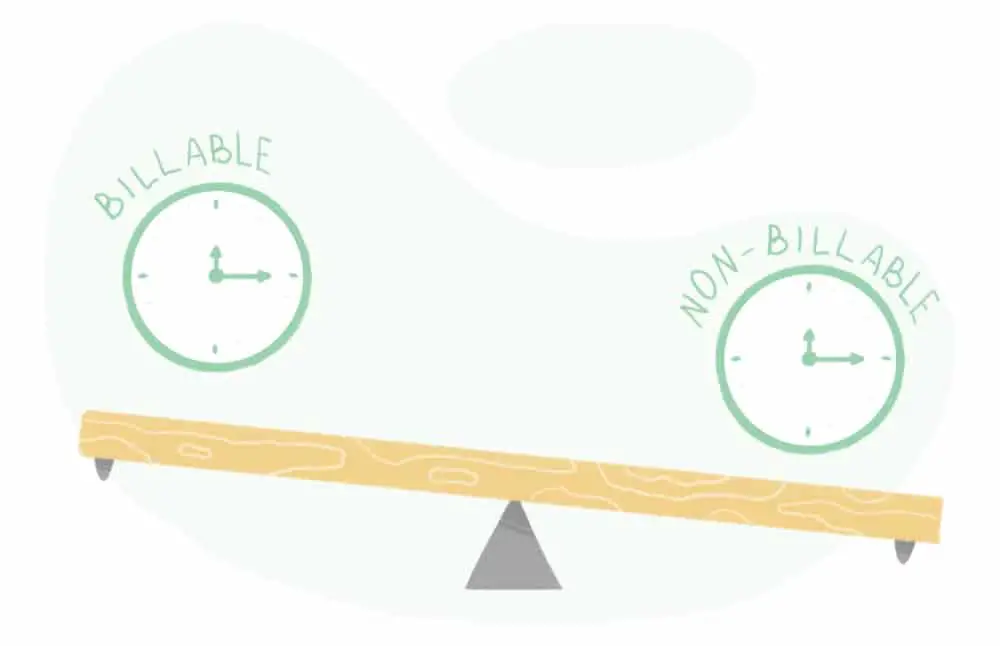
12. Non-billable activities Also Matters:

Time tracking secrets all designers must know: Non Billable Activities also matter

As mentioned before, the designing process can have layers of activities related to research, planning, preparation, and designing. So when you are time tracking your work for a certain project, you need to include some non-billable activities as well because they also contribute a lot to the end result.

Your research hours, collecting essential approvals and licenses, making multiple amendments, and many other minor activities that you might not include as a core designing work should also get counted in the time tracking report. Because they complete your project and cost you many things.

13. Estimate Project And Monitor It Every Time:

Time tracking secrets all designers must know: Monitor Project

After working on a suitable time-tracking practice for a while, you can move towards the estimating and monitoring part. With every new project, you can estimate the time in advance and then monitor it in several intervals to check how close you can come to your own predictions.

It is an essential step because it gives you authority over your time management cycle. Slowly, you would know how many hours you would invest in different activities and projects before working. But it can happen only when you have critically observed your time tracking pattern and learned about your working system.

14. Complex Methods And Standards Are Not Necessary:

Time tracking secrets all designers must know: Keep Things Simple

If you believe that only complicated professional time tracking practices can help your design process, you are seriously mistaken. Sometimes you don’t have to take the difficult way because simple options can also do the job. As per your working pattern and understanding, you can come up with any basic plan to keep the right track of time.

The end motive of time tracking is to have clear data of time and respective tasks, which don’t necessarily have to include complex processes and standards. Try to make it as simple as you can so that it remains easy to follow and implement every time you work on a new project.

Time tracking really helps a designer to know his own areas of expertise and improvements. Delivering a successful design is the ultimate goal of a designer’s job but delivering it within a reasonable timeline is also equally important. Implementing time tracking practices from the beginning of a career can help you a lot in the long run.

It helps you to work seamlessly with better organizational skills. And at some point, every designer feels that each of his processes should have a definite time bracket to forecast a complete project before agreeing to a particular deadline. So with the secrets mentioned above, you probably have got an idea of how you can start and where you need to work on.

You can achieve better payment and better effectiveness with proper time tracking practices. So observe your working pattern and start implementing time-tracking practices with utmost priority to become the best in the market.

The post 14 Time Tracking Secrets all Designers Must Know first appeared on Web Design Dev.


via https://ift.tt/3gywTkG

12 Common Myths About Graphic Designers

Monday, June 14, 2021

The profession of graphic design has evolved from being a mere passion-driven work to a highly sophisticated business. The term ‘graphic design’ was coined by the famous illustrator William Dwiggins way back in 1920. He used this term to describe the whole ambit of activities he used to undertake like printed communications, book design, lettering, and calligraphy. By the early 1950s, this term had become a common phrase. The Mad Men era of New York helped in transcending this term into a full-fledged profession. With the advent of technology, this profession has undergone a drastic change.

The introduction of the digital world has opened up tons of opportunities. Today, we see well-designed, visually appealing content almost everywhere; be it newspapers, magazines, billboards, websites, mobile applications, or social media.

But still, there exists an enigma in this field. Not everyone can comprehend what graphic designers do or how they go about making such beautiful creations. Following are some of the common myths about graphic designers:

1. Graphic designing is an art:

Common myths about graphic designers: Graphic Design is Art

This is not incorrect, graphic design is indeed an art, and the designers are indeed artists. But graphic design is not just art; there is more to it. It can be better put that graphic design is a science. It is where art meets technology. Graphic designers are not painters or sketchers that would start working based on their inherent art skills. Instead, they are storytellers from a more visual perspective. The requirements of each project are specific in terms of the level of creativity, output medium and size, and amount of time investment. It cannot be ad hoc like a painting or a sculpture. The graphic designers provide the exactly needed output. There is a well-defined process in this industry, be it print or digital world. There are many tools, applications, and other supporting mechanisms in place to assist the designers. At the same time, inherent creativity always comes from within the designer. So it should be noted that Graphic designing is a mixture of art and science.

2. Graphic design only uses still images:

Common myths about graphic designers: Use only still Images

One cannot blame people for this myth. Majority of the work that a graphic designer does deals with static images. Because this term had initially been associated with print media, it is hard to imagine motion pictures being a part of graphic design. But since the last few years, this has changed drastically. Graphic designers are making extensive use of moving images. The GIF format has been entirely in trend given how interestingly it can convey the message. With better internet speeds and the penetration of mobile devices, videos are starting to become a more preferred mode of communication. To tackle this, Graphic designers are starting to innovate with moving images. Videos made out of still photos with smooth transitions are something a lot of brands have started using. Apart from this, graphic designers have to work with moving images when designing websites and applications.

3. Graphic designing is an easy task:

Common myths about graphic designers: Graphic Design is easy

One of the most common and most demeaning myths about graphic designers is that their job is easy. All they have to do is set things together and give one graphic. The reality is very different. Graphic designers serve at the mercy of the clients. They are given a brief about the project. Most of the time, this brief is very vague. The majority of the clients give a concise time frame and also a meager budget. The designer has to work on these and still produce the best quality work. Another problem is that because clients think that the task is easy, they keep asking for options. If the designer provides 5 logo options, even then, they would want 3 extra options. The worst happens when the client changes the brief in the middle of the project. The designer has to brainstorm how best to create a strong visual impression and then translate it into a graphic.

4. Graphic design is a cheap job: 

Common myths about graphic designers: Graphic Design is Cheap

All graphic designers are going to agree to this. Right from the start, graphic designers are considered to be auxiliary team members, and graphic designing is considered a support task. This reduced respect has translated into reduced monetary value for graphic designers. Now that the times have changed and the world has truly realized the potential of graphic designing, then the number of graphic designers has exploded. Anyone with a decent internet connection and a cracked version of Photoshop claims to be a graphic designer today. And these amateurs are ready to freelance for throwaway prices, thereby giving a conception that graphic designing is a cheap job. But the truth is that there are masses who spend a lot of money on this and design agencies who also make a lot of money. There is money in graphic designing if you have the skills and creativity.

5. You need fancy tools for graphic design:

Common myths about graphic designers: Graphic designer uses fancy tools

People who are not closely associated with graphic design think that one needs fancy tools and applications for designing. The truth is that most of the design happens on paper. It is the ideation part that is most important. Only when the designer is convinced that he or she translates it into a design using any software. Before the digital era, most of the design was done by hand. Stencils were used to get more precise results. Today, the designers make use of applications like Corel, Adobe Suite, and other software. Some of these may be termed fancy, but the majority of them are simple. Anyone can learn them with a bit of patience and persistent practice. Also, once you get better with your designs, you get promoted as a visualizer wherein you need not use all the software. Just use your creativity and visualize the design.

6. You need to be a natural-born creative to do graphic design:

Common myths about graphic designers: They are Born Creative

Creativity plays a vital role in graphic design. But one need not be a ‘natural-born creative. Talent comes from birth, which is needed for being a painter, sculptor, or artist. But for graphic design, you need good skills. Skills are something that you pick up over some time. The more you practice, and more you explore the different aspects of graphic design, the more you get better at it. To be a better designer, you need to be open to learning new things. This can be done by keeping one updated about the latest trends and developments in this sector. So even if you are not born with an overdose of creativity, you can still get into this field and excel.

7. Graphic designers keep following visual trends:

Common myths about graphic designers: They just follow Visual Trends

Just like in all visual fields, trends come and go in graphic designing too. But graphic designers are not slaves to these trends. Instead, they try to figure out how best to utilize the trend and create beautiful graphics. Every year the trends keep changing. In 2020, pastel colors and brushes were in trend. In 2021 we are witnessing more warm gradients and strong fonts. Even in graphic design, there are different trends in color pairing, fonts, background elements, website designs, etc. Keeping in mind the trends is essential, but at the same time, designers adapt to the trend and more than often create their own trends.

8. The objective of graphic designing is to make things pretty:

Common myths about graphic designers: They just make things pretty

This is yet another absurd myth that a lot of graphic designers come across. Graphic designers’ sole job is not to make everything look pleasant and aesthetically appealing. The very term ‘pretty’ is highly subjective. What may look good to someone may not be that impressive to someone else. Each design has its own set of requirements and the designer has to work based on that. For women’s perfume brands, one has to use pink colors along with cursive fonts. The same designer will have a different approach when designing for a men’s gym club. It will be black, bold, and with a strong typeface. So graphic designers deliver as per the project requirement which may not necessarily be ‘pretty.

9. Graphic design is about what the creator thinks looks good:

Common myths about graphic designers: Client Approval

An unfortunate reality of graphic designing is that designers do not always get to design the way they want. There are many times when the final output is not what they desired and also not their best work. This is because they have to cater to the clients. They need to adhere to the guidelines the clients provide throughout the project and then the final feedback. A few designers get their way through clients, but it’s a heartbreaking story for the rest of them as the client may undermine your creative inputs and impose their own. Because of digital designing, the client knows that they can keep giving reiterations to see how things look from their perspective. What can follow is a series of mind-boggling changes, which takes the final design far away from what the designer had in mind.

10. Graphic designers always create 100% original designs:

Common myths about graphic designers: Do Not Start from scratch

This myth is innocent but false. Just like coders, designers also rely a lot on stock resources for getting their designs accomplished. The visualization will always be original, but one may not start from scratch to achieve that visualization. This again depends on what the project is. For designs like a logo or brand identity, it is preferred that designers start from scratch. This gives a fresh feel to the project and makes the output exclusive. For other projects like web banners, digital marketing, and other print-ready material, the designers prefer to use resources from websites like Freepik, Shutterstock, Unsplash, etc. This ready-made material saves a lot of time and energy. Interestingly, a new economy of selling such stock, semi-ready designs is emerging with many takers.

11. Simpler designs should cost less:

Common myths about graphic designers: Minimal Design

An irritating argument that many clients make, especially when releasing payments, is that the design has very few elements and should cost less. This is highly absurd. A design is a design as a whole and cannot be viewed as the count of elements in it. It is the discretion of the designer to use as few or as many design elements that are needed. By this argument, the designers creating minimalistic designs would be going bankrupt. These myths are propagated by people who have absolutely no idea of how a graphic designer works. Clients also claim the birthright of getting infinite iterations done. They think it is easy to make changes in any design. They do not realize how much effort goes into even a simple color change in the design.

12. You don’t need a degree in graphic design:

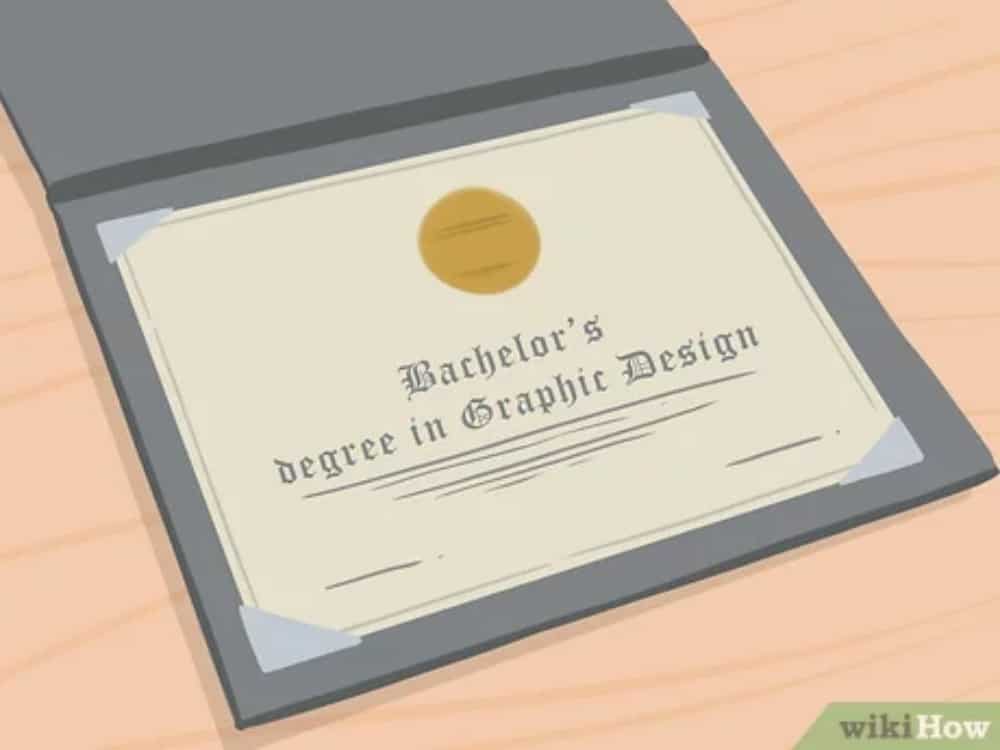
Common myths about graphic designers: Dont need degree In Graphic Design

To some extent, this argument holds true that not all graphic designers have earned an education degree in this. But those were olden days when graphic design was not taught as a subject. There were a lot of people who used to study arts and then shift to graphic designing. But today, the times have changed. Graphic designing is taught as a subject in some of the most prestigious universities globally, like Stanford, Yale, UPenn, UCLA, Oxford, etc. This goes out to show how important this subject has become. Also, there are a lot of online courses available which teach people graphic designing. Studying this subject definitely helps as one gets to understand the basics of designing. This structured approach of learning is preferred by many people compared to the learning by experience model.

Graphic designers continue to carve their place in the industry today also to earn the respect they deserve. With social media and the fluidity of information, the majority of the old myths have been shattered. However, some of the myths mentioned above still exist, and graphic designers across the globe have a hard time overcoming them.

The post 12 Common Myths About Graphic Designers first appeared on Web Design Dev.


via https://ift.tt/3pS5TAR
 

The Cash Box Blueprint

Most Reading