Design your way

Friday, May 3, 2019

If you are considering a UX design internship, congratulations! You’ve come to the right place. This article is here to help you get started as a UX intern.

If you have just completed your undergraduate degree and are looking for future opportunities, you may have come across the option for a UX designer internship. You may have heard of the UX design field. You may even have read some articles or encountered those who work in the field. You might even consider a UX internship to be a great possibility.

What do you need to complete a UX designer internship?

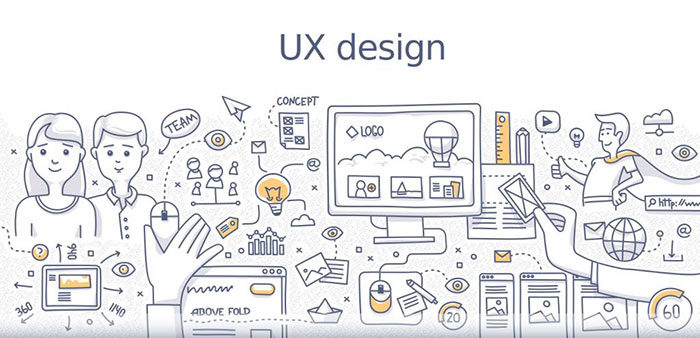
UX or user experience focuses on how a user feels when using a user interface. This means the emotions which arise as well as the ease with which users are able to achieve their goals. A user who experienced a sense of flow while using a site is much more likely to engage for a longer period of time as well as make use of any services or products offered. A user who finds an experience frustrating is much more likely to bounce off a site and shop somewhere else.

From deciding how a product feels to processing payment, every aspect of a user experience determines how likely it is that a user will return. UX, therefore, aims to make a purchase or service as effective or enjoyable for a user as possible.

UX, therefore, includes research, design, product developments, and strategies to increase the overall value of purchasing experience for a user. It takes human needs into account to ensure that a user’s needs are met in the most enjoyable way possible.

By undertaking a UX designer internship you will be able to learn more about the practical applications and processes of UX design.

How to prepare to become a UX design intern

Develop your skills
developskills-700x393 UX design internship: Why get one and where to find the best options

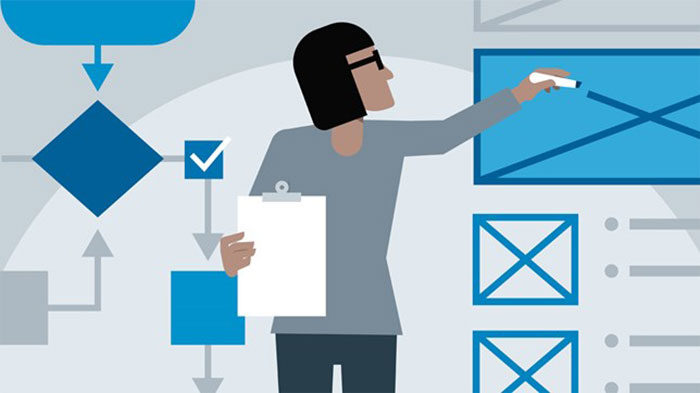
When you start your UX designer internship, you will gain a great deal of experience in the field. However, the more you understand before you begin, the more enjoyable your experience will be. You’ll also be in a stronger position to gain a UX internship compared to your competition. By understanding the basics of HTML, Javascript, and CSS, you will be able to build on your knowledge while drawing upon the basics.

Likewise, an understanding of UX processes and tools will help you to gain a position as a UX intern. 42 percent of the recruiters consider UX design tools to be one of the most important qualifications for designers.

Look for a great fit: every company has its own corporate culture. Some focus on innovation or creativity while others work quickly to produce results. Look at how a company works and assess whether you would fit in. The more closely your skills match a company, the more successful you will be in your UX internship.
UX-Designer-700x338 UX design internship: Why get one and where to find the best options

Draw on your passion for learning: curiosity, as well as a willingness to learn, is very attractive to potential employers. This is particularly true when you don’t have a great deal of work experience to draw from. Show your passion for UX in your UX designer internship application. Your portfolio should show your passion for your work. Show your employers what you have done as well as what you have willing to learn.

Indirect experience: although you may not have paid work opportunities on your CV, draw on any experiences you do have in order to show your passion for your work. If you have voluntary experience as a blog designer, include this in your overall portfolio. Any work experience which helps you to understand customer relations, research or customer satisfaction will help you if you can show how it assists you in understanding customer satisfaction.

Communication skills: Create a cover letter which is both sharp and to the point!! This will help you to show off your communication skills. Keep your letter free of typing errors and grammatical mistakes to show your attention to detail.

Problem-solving: During your UX designer internship you will work on problem-solving. Interviews often ask about how you have solved unexpected problems in the past. Show your interviewer how you have broken down any work-related problems in order to search for the most effective solutions.

Create a professional network

professional-network-700x400 UX design internship: Why get one and where to find the best options

If you are applying for a UX/UI Design internship, it will help to have a professional network. Here are some tips to get started:

Join communities of designers: A design community will help you to learn about UX events where you can meet new people and expand your networks. You will also be able to learn about opportunities or experiences from experienced designers.

Go to networking events: When you attend networking events, you will be able to create connections with other designers. You can learn more about the culture within various design companies and even opportunities available for user experience design internships.
linkedin-700x383 UX design internship: Why get one and where to find the best options

Network with LinkedIn:  If you haven’t got a LinkedIn account it is time to set one up! LinkedIn will give you the opportunity to reach out to UX internship recruiters. The rewards of having a LinkedIn account can be very high. By introducing yourself to potential employees you to be able to create future opportunities.

Join social media networks: Look for UX designers on social media and introduce yourself to them. This way you can follow conversations, learn about events taking place in the field and let other designers know of your presence. Instagram, Twitter, Medium and YouTube are all great spaces for connection.

Make the most of free resources

When you want to apply for a UX designer internship, the more you can learn, the better. Helpful blogs, as well as UX design certification courses, will all help you land the UX internship you’ve been searching for. Your curiosity and willingness to learn will help you in your application process.

Make the most of online resources
onlinecourses-700x466 UX design internship: Why get one and where to find the best options

There is a large amount of free information available online. From blogs to free online courses, there are many opportunities to assist you with knowledge. Free UX courses may even help you to land that job as a user experience intern.

Offline resources 
offiline-700x439 UX design internship: Why get one and where to find the best options

Your local library will provide you with great resources for landing a job as a UX intern. If you are at university, make use of your Career Center. They may help you to access UX internship opportunities, prepare your CV and cover letter or prepare for your interview!

Make the most of these opportunities to prepare for your UX designer internship.

Where would you like to complete your UX internship?

Both large and small companies offer UX designer internships. From a Google design internship to becoming a Home Depot intern, there are lots of opportunities. Here are some categories to explore:

Design studios: focus on product or site designs. They often have strict time limits and budget limits but aim to deliver excellent results.

Product based companies such as Apple, Samsung, Google, and Microsoft deliver products for customers.

Service-based companies: build software for their clients. They undertake projects based on the requirements of their clients.

Other companies:

Uber gives its UX interns the opportunity to learn through developing the Uber program.

uber-700x361 UX design internship: Why get one and where to find the best options

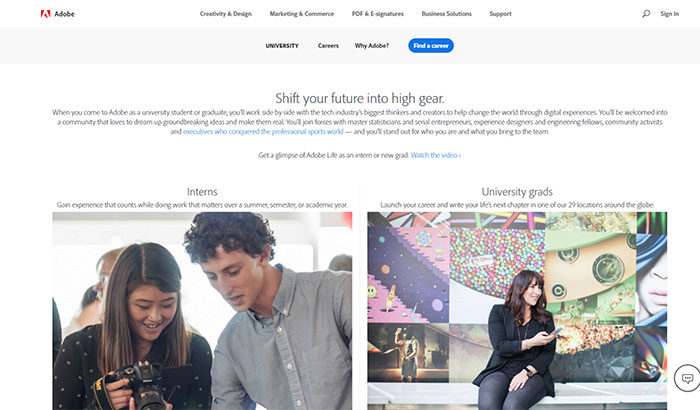
Adobe an Adobe UX designer internship will enable you to learn from leaders in the field.
Untitled-1-700x410 UX design internship: Why get one and where to find the best options

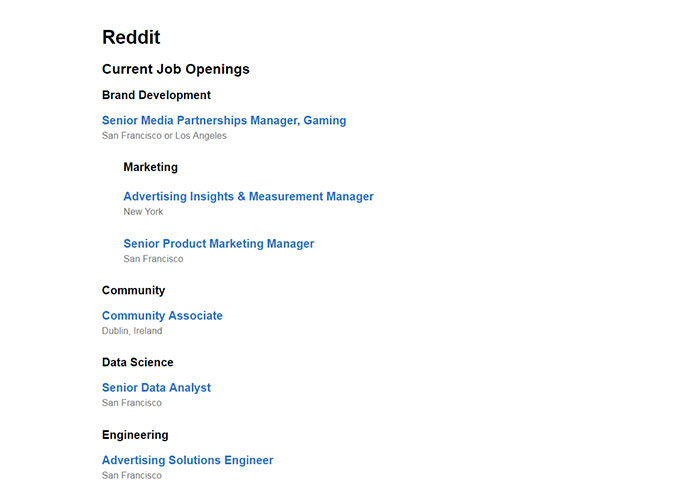
Reddit is creating a new UX internship program for potential designers.
reddit-700x493 UX design internship: Why get one and where to find the best options

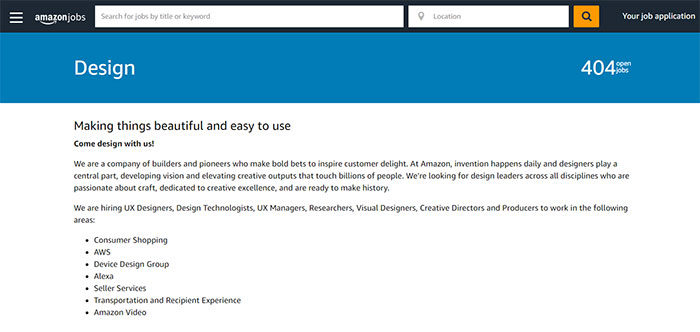
Amazon’s program offers paid UX design internships and even offers up paid relocation opportunities for UX interns.
amazon-700x332 UX design internship: Why get one and where to find the best options

Salesforce offers great perks as part of its UX design internship.

salesforce-700x403 UX design internship: Why get one and where to find the best options

Here are more places where you can find UX internships

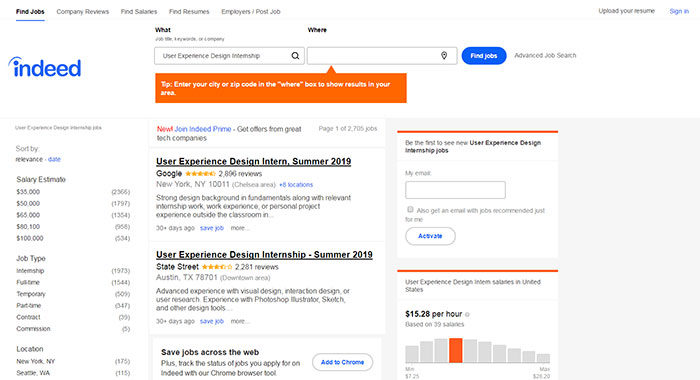
UX design internships on Indeed
indeed-700x380 UX design internship: Why get one and where to find the best options

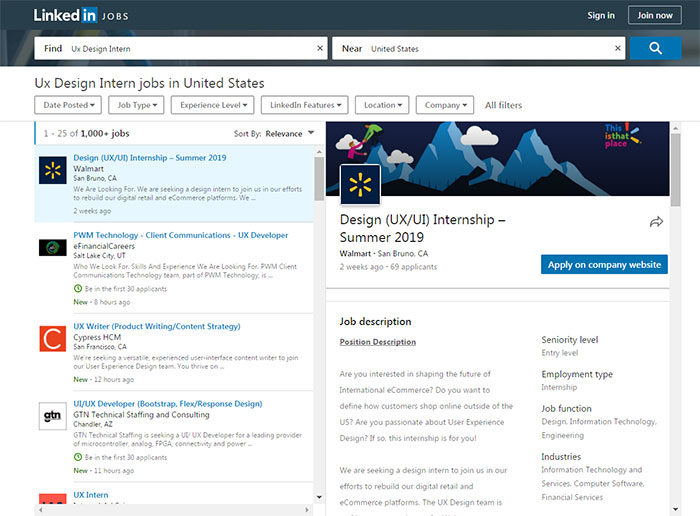
UX design internships on LinkedIn

linked-700x516 UX design internship: Why get one and where to find the best options

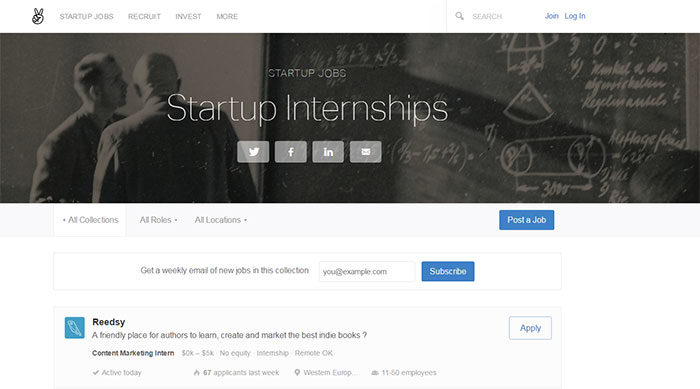
Internships on AngelList

Untitled-1-1-700x389 UX design internship: Why get one and where to find the best options

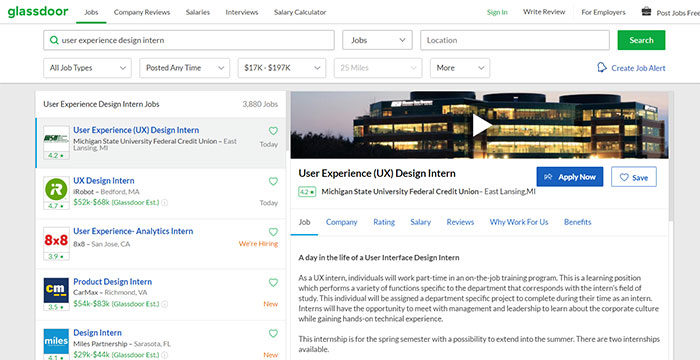
Internships on Glassdoor

glassdoor-700x360 UX design internship: Why get one and where to find the best options

Ending thoughts: The value offered by a UX designer 

UX design focuses on the end user but offers great value to businesses as well.

Great UX design enhances lifestyles and makes everyday tasks enjoyable.

From making a purchase online to enjoying coffee with friends, UX aims to improve quality of life.

When working at a UX design internship you will learn about the value you can bring to a product or service. You can do this by learning all about accessible or human-focused design.

If you enjoyed reading this article about getting a UX design internship, you should read these as well:

The post UX design internship: Why get one and where to find the best options appeared first on Design your way.


Source: http://bit.ly/2UTXKuN

The Right Way To Use The Width Tool In Adobe Illustrator

Thursday, May 2, 2019

For the creative folks, whose work life is predominated by major creative software of Adobe suite, knowing all the tools and using them in their designs can be of paramount importance to optimize  workflow, time management and deliver quality designs. Adobe Illustrator is one of the most widely used designing tools which every designer would have worked on and mastering this tool is quite important. 

While there is an array of tools available in Illustrator, width tool in Adobe Illustrator is one such hidden gem, which majority of design artists use in their tasks regularly. To make things quick, Shift + W gets handy as a short key for Width Tool. Do remember that as this will help in getting your edits done quickly.

Besides knowing the basic functions of the tool, there are many advanced uses for it and right ways of using the Width tool. Here’s the checklist to go through for maximizing the use of width tool in Adobe Illustrator:

1. Align Stroke to Center

Align Stroke to Center

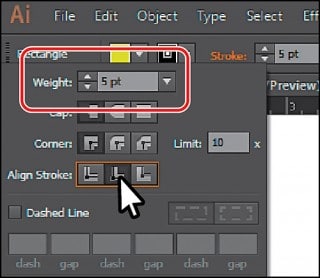
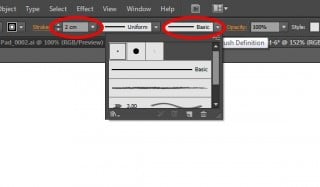
One of the foremost step while making Paths which you are going to enhance further using Width Tool, is to make sure that the Stroke is aligned to the “Center”. The feature is disabled when the stroke is aligned to “Inside” or “Outside”. For this, go over the Control Panel. Just beside ‘Fill Color’, click the underlined word ‘Stroke’ and you will find three options in Align Stroke. For aligning the stroke in the center, click the first option and you are good to go. This gets avoided by default when the path is open. This way you will find that the Width Tool is enabled now if it wasn’t working before in case the stroke was aligned other than centrally. The primary reason for this is to optimize the functionality of the tool. All the features designed for Width Tool can give best results when the stroke is centrally aligned. This helps a great deal with the main function of the Width Tool i.e. symmetry. The standard stroke can be converted into any desired shape using Width Tool.

2. Convert Brush Definition to “Basic”

Convert Brush Definition to “Basic”

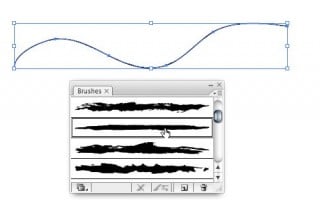
While using the Brush tool in Illustrator, make sure to convert the Brush Definition to “Basic”. When you first “draw the path”, select the “Basic” option in Brush Panel (F5). The Basic option in Brush Panel isn’t even a brush but rather means to remove brush strokes for the selected paths and convert it to just a standard path. This will finally enable the Width Tool. When you already click the Basic and then draw, the default calligraphy brush gets applied to your path, which is devoid of any variant effects. The idea is, you don’t need Brush tool when you have Width Tool and vice versa, which brings us to our next checkpoint.

3. Problem with Brush Tool

Problem with Brush Tool

When one knows the hows and whys of Width tool, it becomes apparent that the Brush tool and Width Tool, can’t work together. Width Tool is basically used to apply one own’s effect to the basic path, which might be a shape or even a text converted into a shape. Since it’s meant for creating variants in paths, it doesn’t work in Brush and gets disabled. Fair enough! No wonder why it’s widely used in custom hand lettering!

4. Using ‘Live Paint’

Using ‘Live Paint’

In some cases, the option for converting the strokes to basic might not be available. This might happen when there are a lot of paths selected to convert and might just allow you to change the width profile. It might also happen that the option to convert to basic is available but selecting it won’t make any difference. In either case, you can always go to Object> Live Paint > Expand, which will enable the Width Tool.

5. Use Pen Tool or Shape Tool

Use Pen Tool or Shape Tool

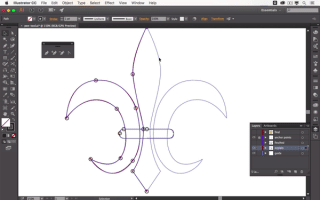
When working with Width Tool, it’s always wiser to opt for either Pen tool or a Shape tool to make Path from the start. This is a simple way to avoid unnecessary barriers and have better control over your design.  It’ll give you a better workflow and show proficiency in your work ethic. Directly using Pen tool for your design, will enable you to control the number of stroke points in the path. Since only you know which area of the Path you want to apply scale and weight too, you’ll be able to keep points to the minimum number. This will ensure that your path looks fluid and is devoid of bumps. Width tool is a winning tool for those who prefer freehand drawing and use Pen tool for a major part of their artworks.

6. Working with Pen Tablet

Working with Pen Tablet

If you’re a frequent Pen Tablet user, you’ll realize that the Width Tool is specifically designed for “tablet” workflow. It gives a similar experience to that of working with pencil and eraser to fine-tune the thickness/weight of your path. It’s always convenient to use a simple stroke path or a pencil if you have already decided to use Width Tool. For heavier transformations in width, one should rather use Transform Tool to handle the stroke points. If you prefer to hide the “Width handle”, while using the Width Tool, use Alt + 5 as a short key. Same is to be used to make it visible again.

Referring to this checklist just a couple of times while using Width Tool will help you get a better handle at the tool and bring a drastic efficiency in your designs. Illustrator can be very effectively used for making Icons, Cartoons, Mascots, Patterns, and even website wireframes and mockups.  So open your Illustrator and get back to learning more tricks of the width tool in Adobe Illustrator.

The post The Right Way To Use The Width Tool In Adobe Illustrator appeared first on Web Design Blog | Magazine for Designers.


via http://bit.ly/2LeZejr

Design your way

When you are creating a brand, an effective logotype or logomark is an important part of the process.

Some companies, such as Apple, use a symbol or icon, called a logo mark to help identify their brand. Other companies, such as Coca Cola, use lettering or a logotype design.

What is the real difference between a logotype vs logomark, and why is this difference important?

What is a logo?

nikelogo-700x438 Logomark Vs Logotype: Understanding the Difference

Companies choose.a logo to help them identify their brand.

A logo is often relevant to the brand. Think of the iconic Apple logo. Other times, a logo represents the message behind a brand. The Nike swoosh represents speed and athletic power or finesse. It is easy to reproduce and simple enough to work in responsive designs.

How a logo is designed depends on the purpose behind the brand and the message conveyed. Let’s have a look at three different types of logos and how they are used as a part of a marketing campaign.

Here are three different types of logos. We’ll also show you how they have been incorporated by big brands with excellent results.

What is the difference between a logotype and a logomark?

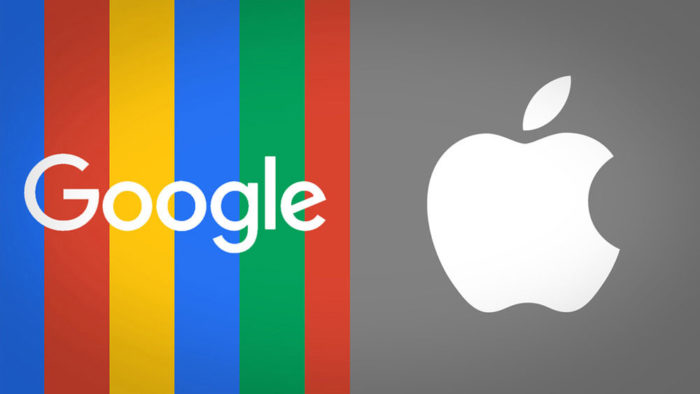
apple-google-1-700x394 Logomark Vs Logotype: Understanding the Difference

A logotype refers to words or name of a business which has been incorporated into a logo. Google, Pinterest and Coca-Cola are examples of a logotype.

A logomark is a symbol which is used to help viewers identify a brand. Apple, Nike and Adidas  all use easily identifiable symbols.

Logotypes

lgotype-700x525 Logomark Vs Logotype: Understanding the Difference

When people think of logo design, they are often referring to the name of a brand rather than the symbol.

Logotypes are often created from a specific and easily identifiable font which sends a message about a company.

Sometimes shapes are incorporated into a logotype design in order to create a visual impact.

A logotype logo design often makes use of specific colors or white space. This helps to identify the brand.

A logo type is clean and easily identifiable. Brands don’t need to use an icon with a clear logotype.

Instead, it is the letters themselves which became symbolic.

Logotypes include Monograms such as CK, or names such as The New York Times.

Logotypes have become successful internationally and often represent the work of some of the very best designers.

Some thoughts on using a logotype


paper-700x525 Logomark Vs Logotype: Understanding the Difference

A logotype will immediately connect a viewer to a brand name. This is excellent for a new company.

On the other hand, a logo might not tell a viewer what a brand actually has to offer.

Sometimes logotypes can seem quite conservative. This is great for professional businesses like law firms. It might be more problematic for lighthearted companies.

Why choose to use a logotype design?

fb-700x263 Logomark Vs Logotype: Understanding the Difference

As a new business, you want people to get to know your name.

Your name is short and easy to convert into a logo design.

You would like to use your name as a brand. And would like your clients to easily identify you.

Logotypes can be very successful and have been used by international brands such as Disney, Facebook, and Skype. These top brands are great logotype examples.

Why a logotype may not be right for your business

Your company name may be too long.  This will make your logo appear cramped.

You may have to iodate your logo as font trends change. Even well known international brands have had to make adjustments to their logotypes as trends change and evolve.

Creating a logotype design

melt-700x525 Logomark Vs Logotype: Understanding the Difference

When creating logotype logos, there are some important steps to follow.

Create your logo in Vector format. This means using programs such as Illustrator and not Photoshop.

A vector program will slow you to adjust the size of your logo without losing quality.

Design your logo so that it can be reproduced in a single color format without losing quality or impact. Imagine how your logo would look in a newspaper.

Keep your logo responsive. It will need to be effective in a range of different sizes.

Ensure your logo is easily legible when scaled down.

Key to a limited color palette. This will keep your design simple and easily identifiable.

Specify your corporate colors. This will keep your logotype design consistent no matter how many times it is printed.

Modifying your logotype


trust-token-sketches-700x525 Logomark Vs Logotype: Understanding the Difference

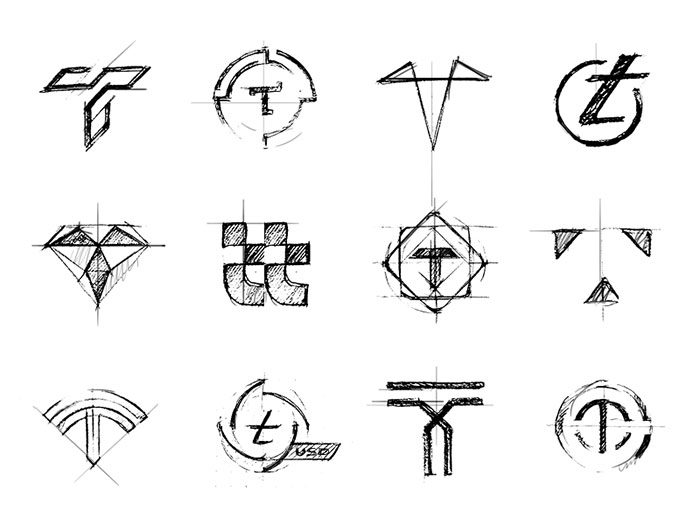
Should you wish to modify your logotype:

Strokes:  modify diagonal aspects of your letters. You can add a stroke or flourish, hooks or beaks to your letters. You can also adjust your serif style to create impact.

Kerning means adjusting the spaces between your letters for a visually pleasing result. This will keep your logotype aesthetically pleasing.

Leading means adjusting the space between lines to improve the aesthetic. appearance of your logotype design.

Ligatures join two or more letters together. This will help to create a unique look for your logotype, setting it apart and making it easily identifiable to viewers.

Logomark designs

Some people will tell you that a logo mark is iconic. It is somewhat more abstract than a logotype. A Logomark often stands alone.

Think of the iconic Apple logo which helps to immediately identify the brand.

Should you use a logomark design?

grabient-700x516 Logomark Vs Logotype: Understanding the Difference

A logo mark design will come to represent your brand.

As a business owner, it is worth deciding whether you need both a logotype and a logomark design.

Assess your budget. As a small businesss you might benefit by creating a logomark design first and then adding an iconic image once your business has begun to develop.

If you have the budget for a logomark, it will help you to enhance your brand identity.

You can design your logo to send a message about your brand.

Logomarks are often visual or presentations of the product, service or meaning behind a brand.

Why select a logomark?

logomark-700x491 Logomark Vs Logotype: Understanding the Difference

Unlike a logotype design, a logomark will send a visual about your company. Viewers will be able to gain information about your service or product.

Logomarks are often very abstract and easily identifiable. This means clients will immediately identify your brand from your logomark.

Established brands such as Facebook and Apple use a logomark to help clients instantly identify their products.

Why avoid using a logomark
desk-700x525 Logomark Vs Logotype: Understanding the Difference

As a new company, a logomark might seem too abstract. Your viewers won’t recognize your brand. It may be better to use a logotype design first until clients know your name.

To summarize, your logomark will create a visual representation of your brand. It can be used on all branding material and merchandise. Your logomark design will be easily identifiable to clients.

Tips for creating an effective logomark design

marketo-700x525 Logomark Vs Logotype: Understanding the Difference

Logo mark designs can be highly effective, as we see from the Apple logo or Nike swoosh. However, others fade away quickly. Here are some elements to ensure an effective logomark design.

Uniqueness: the most effective logos represent a unique quality about a brand and come to stand for this meaning.

Meaning: a logo tells a story about a brand. The popular Adidas logo represents the ability to conquer mountains and overcome challenges.

Memorable: your logo is there to help your clients identify your brand. It needs to be memorable enough to identify your brand as well as the experience or value it offers.

Flexible: your logo needs to be easy to reproduce as well as look great in many different sizes. It will also need to be effective in black and white.

A logomark can be a very creative and easily recognizable visual message for a company.

However, because it does not include a name, customers may not immediately associate it with your brand.

A logomark is, therefore, most appropriate for brands who already have.a reputation within the industry.

Summary: a logomark is a stand-alone iconic logo which helps to identify a brand.

Combination Mark

maxresdefault-700x394 Logomark Vs Logotype: Understanding the Difference

A combination mark combines both logotype and logomark. This will give you the ability to represent your brand with a visual icon while allowing customers to link your icon to the name of your brand. A combination mark is a perfect choice for a new business.

You can combine both logomark and logotype into a single brand identity as Starbucks do, or use each separately as MacDonalds does.

An integrated logo will present a very strong brand identity. However, when each is used separately your options will be very flexible. Used separately, you can always drop your logomark when your brand becomes more established.

Why choose a combination mark logo?

hawaaaaiii-700x525 Logomark Vs Logotype: Understanding the Difference

Name and icon combine to create an easily identifiable story about your brand.

You will be able to use either your brand name or your symbol.

Both elements of a combination mark design can be used either in combination or separately to create flexibility within your marketing campaigns.

A combination mark logo is a perfect option for a new business.

Ending thoughts on the logotype vs logomark discussion

There are many different ways of identifying your brand. International companies like Coco Cola price that you don’t always need an iconic logo.  A logotype design can be very effective.

By keeping your logo consistent you will help your customers to identify your brand. A simple, clear and responsive logo will help your company achieve its branding goals.

If you enjoyed reading this article about the logotype vs logomark discussion, you should read these as well:

The post Logomark Vs Logotype: Understanding the Difference appeared first on Design your way.


Source: http://bit.ly/2UWlcHM

5 Best WordPress AMP Themes for 2019

Wednesday, May 1, 2019

As Internet connectivity and device performance improve, more and more users expect a good web experience during their browsing. An important part of providing a good browsing experience for websites is speed. Web pages that load slowly on mobile devices are very annoying to say the least. Accelerated Mobile Pages (AMP) improve mobile web browsing experience by serving web pages faster on mobile devices. AMP is an open-source software that helps to enhance the website experience of the visitors. It has stout abilities and strong publisher panels. The list of contributors for AMP includes elite names like Google and Automatic.

With the highest number of target audience browsing with their mobile devices, AMP is a very important requirement for WordPress websites. There are a host of AMP themes available on WordPress and it is difficult to find the best suitable option to provide exceptional website experience.

We have curated a list of 5 best WordPress AMP themes for 2019. The list includes themes with magazine and newspaper templates that seamlessly assemble with various types of websites.

The 5 best WordPress AMP themes for the year 2019:

The present scenario of website development world has drastically changed with the increasing use of smartphones. Thus, it is very important that you create a website which allows the themes to look appropriate on mobile-screens.

1. Newspaper By tagDiv:

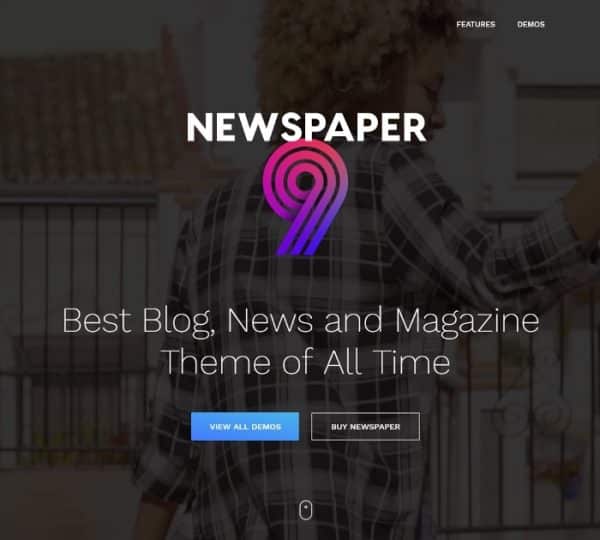
WordPress AMP Themes - Newspaper

WordPress AMP Themes – Newspaper

Newspaper is one of the finest WordPress themes on Themeforest. It has a flexible design to control a huge amount of content. This AMP theme has got more than 60K users and it is perfectly suitable for a content-driven editorial website. With the use of tagDiv Composer page builder in this theme, you can customize mostly everything on the front-end of the website.

It boasts a recently included cloud library with 420+ already designed elements and templates. In addition, it also has a single-click demo website design with bespoke header and footer styles through the use of incredible theme tools.

If you want to have fast page loading speed then, it is the best option with integrated AMP plugin. You can also optimize content to bag the top ranks with mobile-friendly features of the theme.

Key Features:

  • Perfectly compatible with newspaper, magazine and blog website
  • Optimize content for mobile phones
  • 50+ demo options
  • Drag and drop page builder
  • Compatible with Google Ads and AdSense

2. Chap By WebSevenDev:

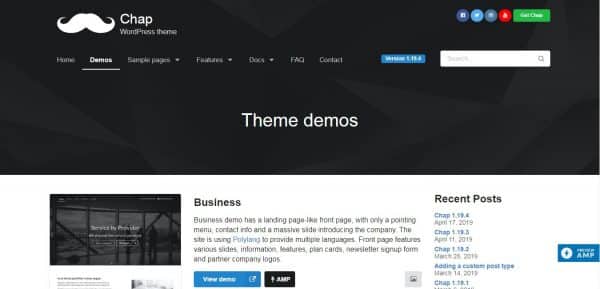
WordPress AMP Themes - Chap

WordPress AMP Themes – Chap

Chap is one of the simplest AMP themes for WordPress with a customization option available. It can create a website for various niches and you can understand how to use Chap with the help of demo sites. Chap is one of the most impressive themes built with bootstrap. WordPress developers will specifically appreciate the use of bootstrap.

You can use shortcodes to add a variety of sections on the homepages of demo sites. It has a number of shortcodes available to add fascinating elements in the website. This theme supports WooCommerce and you can take advantage of this compatibility to include an e-commerce store on the website. It also allows you to add shopping cart and create a stylish checkout page.

Key Features:

  • Range of header templates
  • Several themes and menu variations
  • Supports WooCommerce
  • Color customization for UI elements
  • Programmed AMP Codes

3. Soledad By PenciDesign:

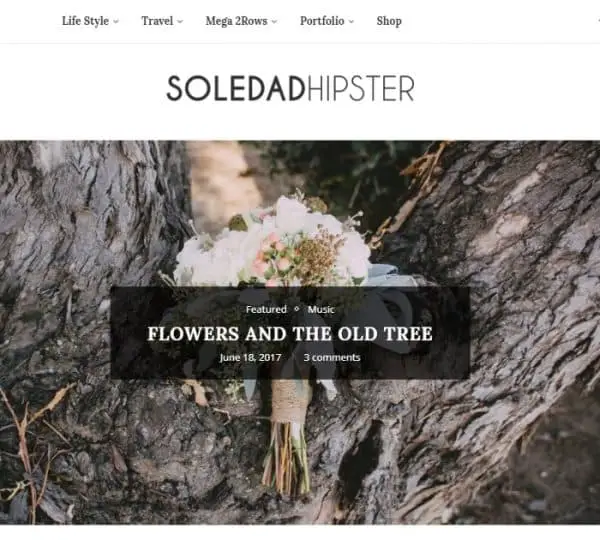
WordPress AMP Themes - Soledad

WordPress AMP Themes – Soledad

Soledad is the best solution to create interesting multiple websites with far-fetched customization options for every niche. Additionally, It allows you to create your own page templates through the drag and drop interface.

You can create new pages with several page elements provided by Soledad. The sheer number of customization options available in Soledad can be over-whelming at first. You may also need some time to get a handle on the functionality of this AMP theme. However, it is extremely adaptable and worth the initial steep learning curve as you can use it repeatedly to create bespoke designs for new websites.

Key Features:

  • More than 600 customization options
  • White Label Tool
  • Compatible with WPBakery
  • Custom Widgets option
  • Custom AMP plugin

4. Fona By Clever Soft:

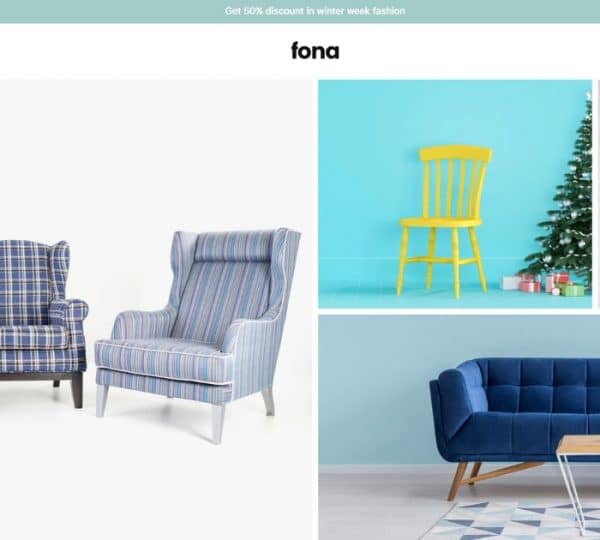
WordPress AMP Themes - Fona

WordPress AMP Themes – Fona

If you are looking for AMP themes for your e-commerce website then, Fona is a good option. Fona has the ability to create e-commerce pages that abides by the AMP guidelines of Google.

Fona uses pillow drop shadows around buttons and callouts to give a minimalistic look to the website. You can see 12 demo sites which justify the flexibility of templates with the use of Fona. In addition, it also has highly customizable fonts.

It has an automatic installer that helps you to set-up your website like the demo sites. Fona completes website set-up within minutes without making any changes in the content. It has the flexibility to add drag and drop page builder, slide creation and open mega menus due to bundled premium plugins.

Key Features:

  • Shopify and Magneto compatible versions
  • Mobile-friendly image sizing
  • 10+ demos for the home page
  • Many paid plugins
  • Product filter for e-commerce sites
  • Minimal design
  • Supports page creation for e-commerce

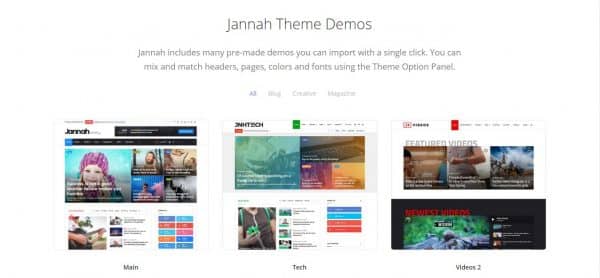
5. Jannah News By Tie Labs:

WordPress AMP Themes - Janah

WordPress AMP Themes – Janah

Jannah News is most compatible with news and editorial websites. The best part about Jannah News is that it has a mix of standard WordPress features and other rare features as a modern WordPress theme.

It has an incredible feature of in-built integration to send web push notifications. Jannah News also allows you to pin weather details on website header and feature trending articles to make it visible to visitors with the scrolling. Additionally, It looks amazing on mobile screen display with AMP enabled pages. Apart from that, you can copy over-customization settings with an importer and automatically install already prepared demos.

Key Features:

  • Compatible with Gutenberg Editor
  • Supports AMP
  • Switch themes with migration plugin
  • Mobile navigation customization
  • Steadfast page-builder tool
  • Huge demo content library

Feel free to browse through these above-mentioned AMP themes for 2019 on their official websites and select the most suitable option for your website. If you have a content-driven editorial website then, Jannah News and Newspaper are probably good options.

Alternatively, if you have an e-commerce website then, Chap and Soledad can provide you with the best customizable business site themes.

The post 5 Best WordPress AMP Themes for 2019 appeared first on Line25.


Source: http://bit.ly/2Y3tMGF
 

The Cash Box Blueprint

Most Reading