Design your way

Monday, July 11, 2022

The field of web design is always evolving. It is no wonder that new web design trends, techniques, and approaches emerge and evolve at the intersection of innovation and creative solutions. Popular designs and inventive UX and UI methods may rapidly become weary and overused. In other words, staying up to date on the newest web design trends is critical for remaining ahead of the game. Today we have compiled a list of seasonal trends and found a place where to design website effortlessly. Are you ready to get familiar with all of these aspects?

12 Seasonal Trends + Where to Design Website At a Fast Pace

Winter

Vintage Typography

Many old things have been fashionable again, only to turn out much more unfashionable afterward. However, it is not about vintage typography. The popularity of such fonts has ebbed and flowed in the same way. So, many designs utilizing retro typography can make a long-lasting impression. Throwback typography, on the other hand, is seeing a revival. We are not seeing the same monotonous typefaces. The visual style and a touch of creativity, on the other hand, are rethinking what vintage typefaces may be.

word-image-41395-1 Seasonal Web Design Trends to Spice Up Your Projects (+ Where to Design Website Effortlessly)

Source: https://carnival.withspotify.com/

Glassmorphism

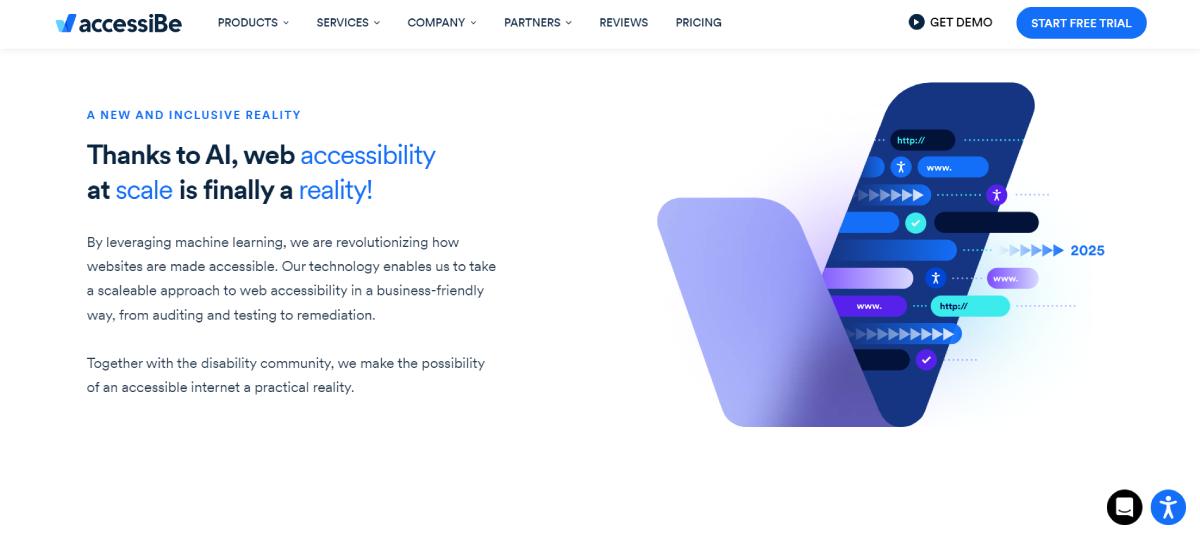
Glassmorphism is a rapidly expanding concept. It is a UI design concept that highlights light or dark items on bright backgrounds. A background blur is applied to the items, enabling the background to show through and create the illusion of frosted glass. The essential feature of this approach is the optical illusion caused by diffusion, reflection, and shadow. When paired with modest motion, the glass effect may help a site appear 3D.
word-image-41395-2 Seasonal Web Design Trends to Spice Up Your Projects (+ Where to Design Website Effortlessly)

Source: https://accessibe.com/

Parallax Effect

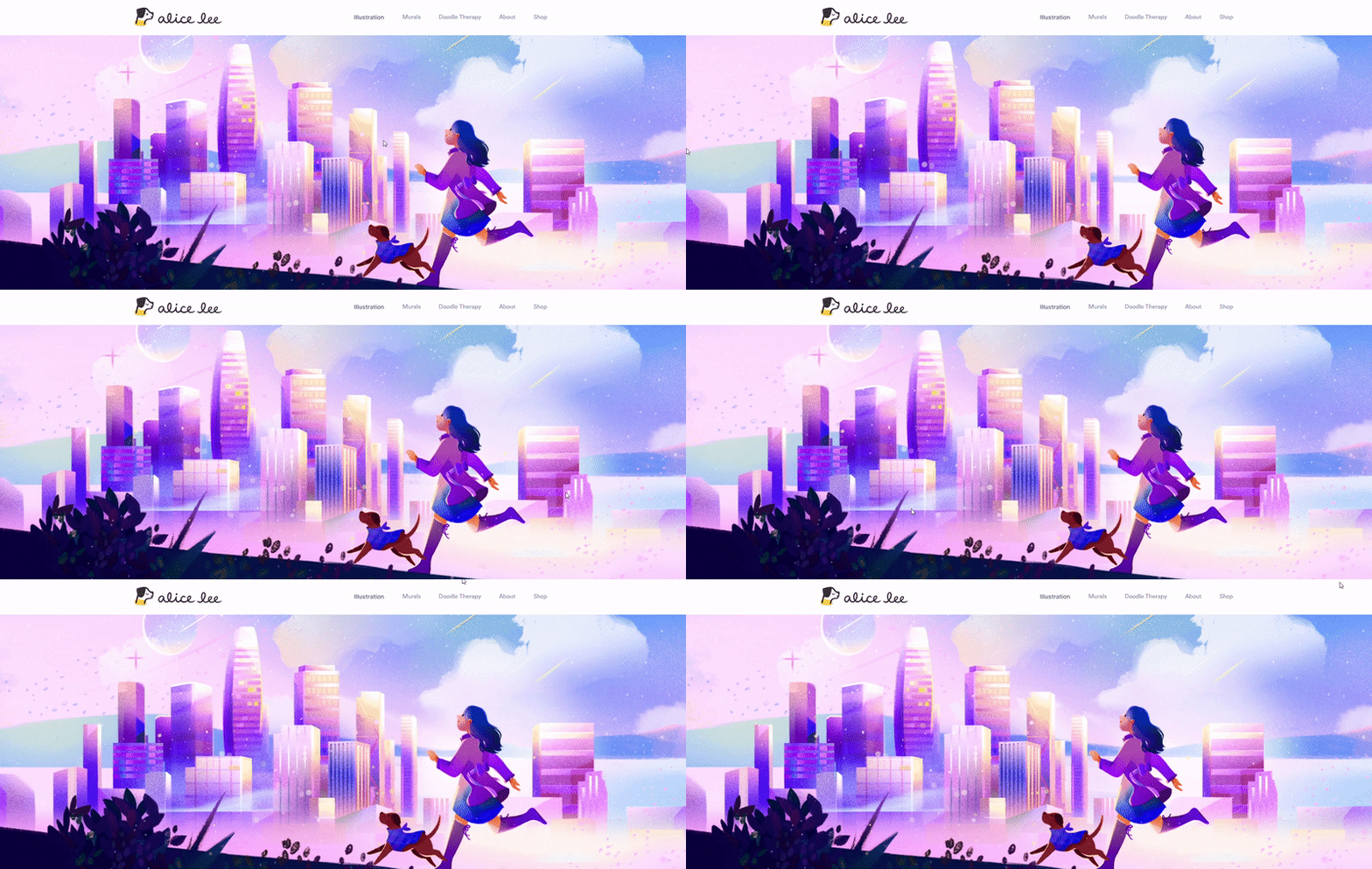
For years, parallax scroll effects have been popular in web design. There are rules that you need to follow to ensure that Parallax is used wisely and without causing distress:

  1. Do not allow the effects to distract you from essential information.
  2. Do not make it more difficult for the person to perform a critical task.
  3. Reduce the number of Parallax effects as much as possible.
  4. Cut the level of movement inside each instance to a minimum.
  5. Limit the effects to a specific portion of the screen.
  6. Make sure people are free to disable Parallax.

If you are asking yourself where to design website using Parallax, it is possible to turn to the MonsterONE subscription. It provides a massive set of ready-made solutions for web designers who want to save time. People who are engaged in promotional activities will also find this service very valuable.
word-image-41395-3 Seasonal Web Design Trends to Spice Up Your Projects (+ Where to Design Website Effortlessly)

Source: https://www.byalicelee.com/

Dark Mode

While this trend is relatively new, the notion of dark mode has existed for a very long time. Some of the world’s early computers employed dark mode to avoid eye strain for developers who spent long periods staring at a screen. The key advantages of adopting dark mode for web design are that it makes visually compelling websites stand out and allows visitors to concentrate more easily on certain pictures or CTAs.

word-image-41395-4 Seasonal Web Design Trends to Spice Up Your Projects (+ Where to Design Website Effortlessly)

Source: https://www.apple.com/

Spring

One-Page Website Design

One-page resources are not a revolutionary discovery. It has been in existence since 2015. Experts are no longer looking where to design website like this. The concept inspires the idea of less is more as well as the capacity to express your message quickly and effectively. Menu items and navigation are relatively uncommon on these websites. It might be difficult to convey a message if you have to browse through a lot of pages. It is better to continue scrolling down a page and getting the answers to the most significant issues. These are frequently a smart alternative for microsites highlighting a company’s service, portfolio sites, and marketing landing pages for selling a product.

word-image-41395-5 Seasonal Web Design Trends to Spice Up Your Projects (+ Where to Design Website Effortlessly)

Source: http://cafefrida.ca/

Vibrant Gradients

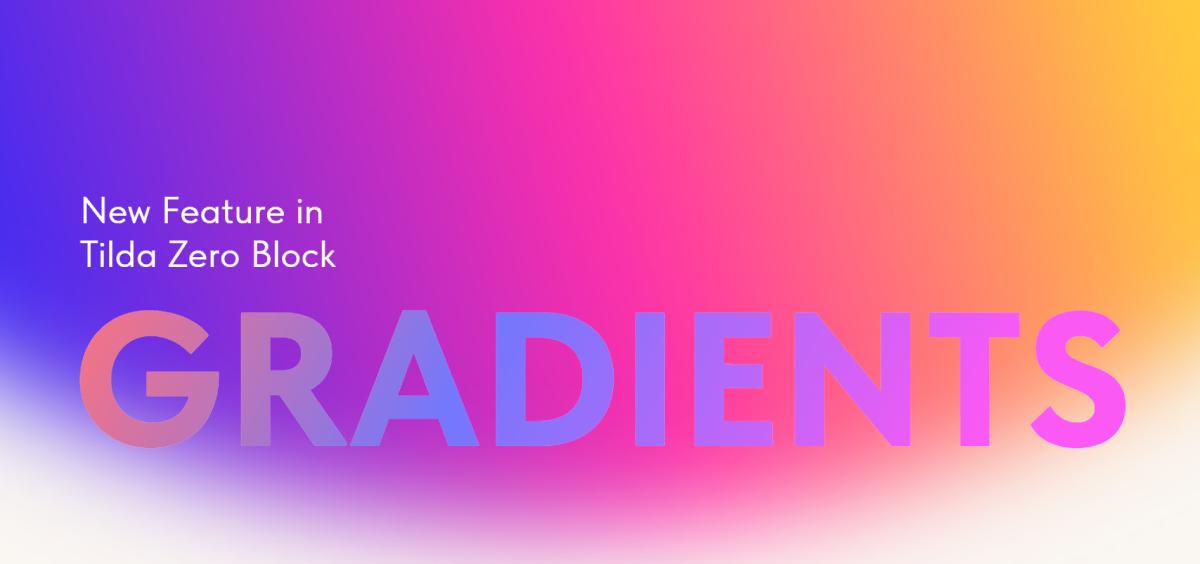
Gradients are not innovative, but this is a more sophisticated structure. Rich gradients are one of the evolving trends in web design frequently utilized to provide flat pictures with depth. Instagram revived the concept in 2018 with its gradient logo. Gradients have grown with interaction and inventiveness since then. If you are creating a minimalist-looking design, incorporating rich gradients is a great alternative.
word-image-41395-6 Seasonal Web Design Trends to Spice Up Your Projects (+ Where to Design Website Effortlessly)

Source: https://blog-en.tilda.cc/gradients-in-zero-block

Layered Effects

A layered look with design tweaks, imagery, and icons that stack and merge is a superb approach to showcase a personalized design. This effect typically creates the required aesthetic appeal in a noteworthy manner.
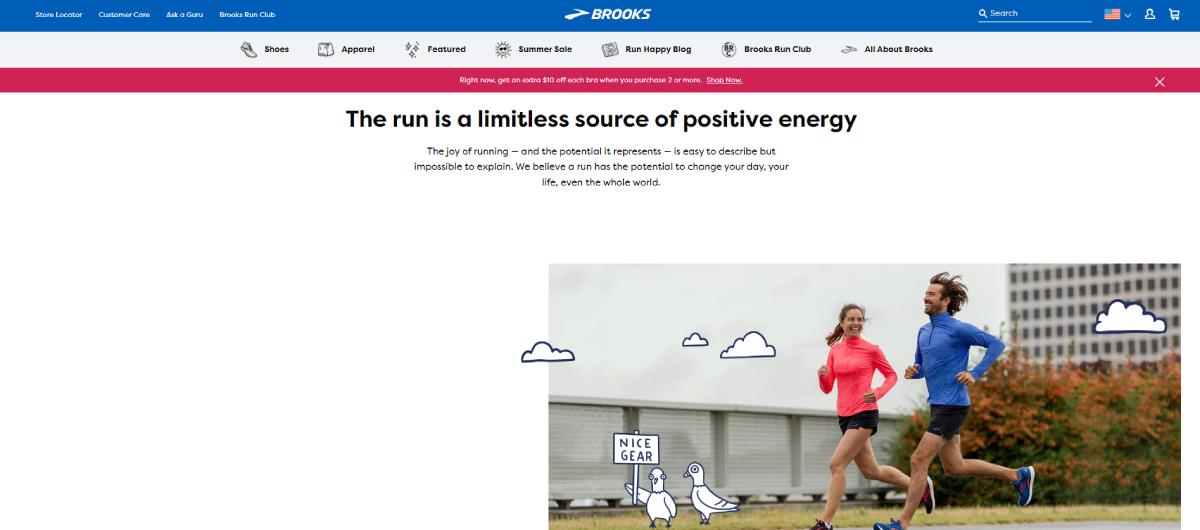
word-image-41395-7 Seasonal Web Design Trends to Spice Up Your Projects (+ Where to Design Website Effortlessly)

Source: https://www.brooksrunning.com/en_us/meet-brooks/our-purpose/

3D Elements

The 3D design is still thriving in the field of web design. 3D graphics are being utilized widely in UI to improve online interfaces and provide a visually appealing component to websites. 3D design, which uses computer modeling tools to generate three-dimensional elements, is also a prominent trend in extra areas. These include graphic design, typography, and digital art. It may be seen on everything from business websites to individual portfolios.
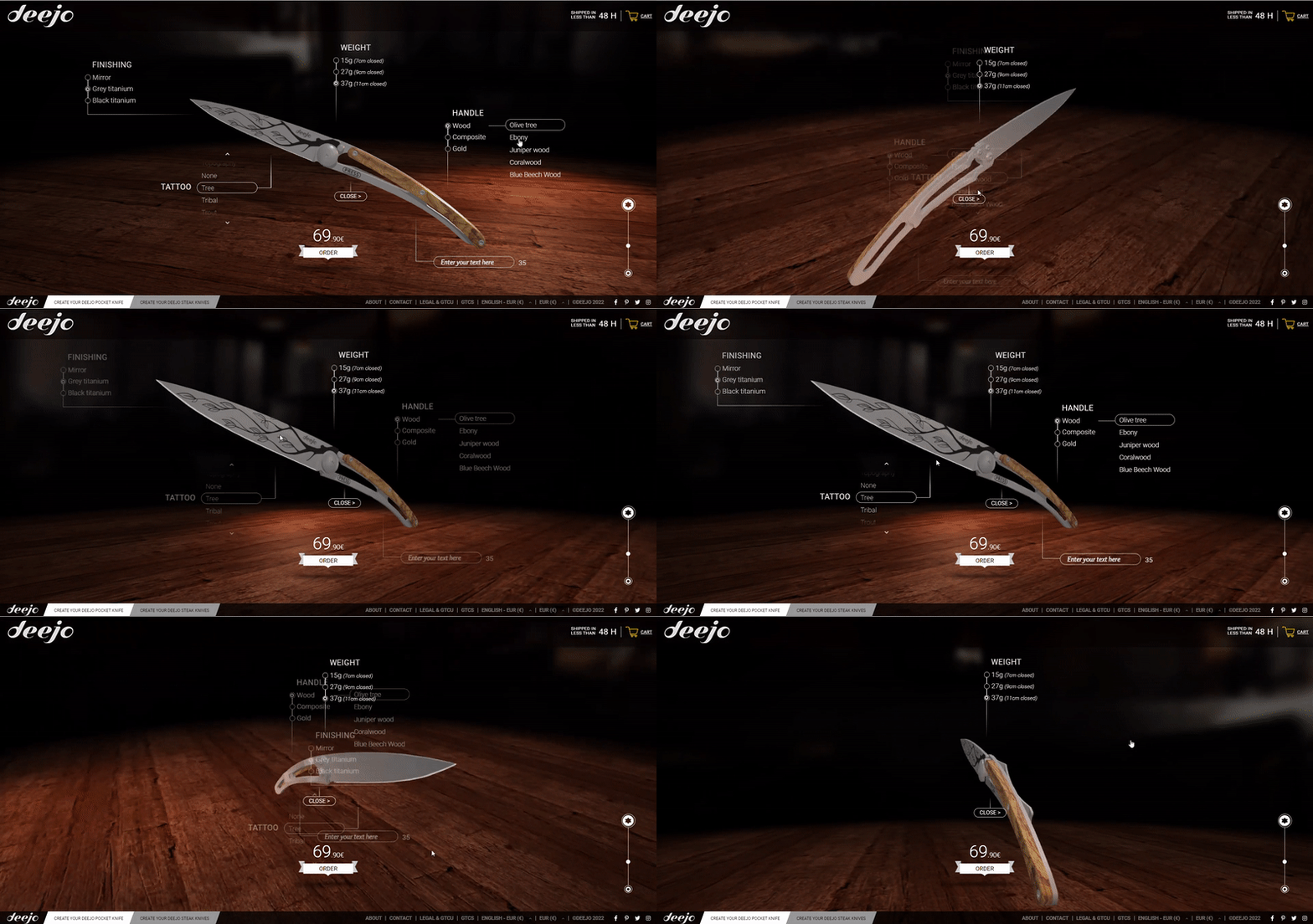
word-image-41395-8 Seasonal Web Design Trends to Spice Up Your Projects (+ Where to Design Website Effortlessly)

Source: https://my.deejo.com/en/37/titanium/olive/2/none/tree

Summer

Symmetry and Well-Designed Lines

Perfectionists will love symmetrical site design. They convey a sense of complete balance and equilibrium. Clean lines, horizontal and vertical, and total alignment of the parts are among the trends for summer. One may immerse themselves in what is presented on the page and perform the essential steps with the aid of clear lines and navigation.
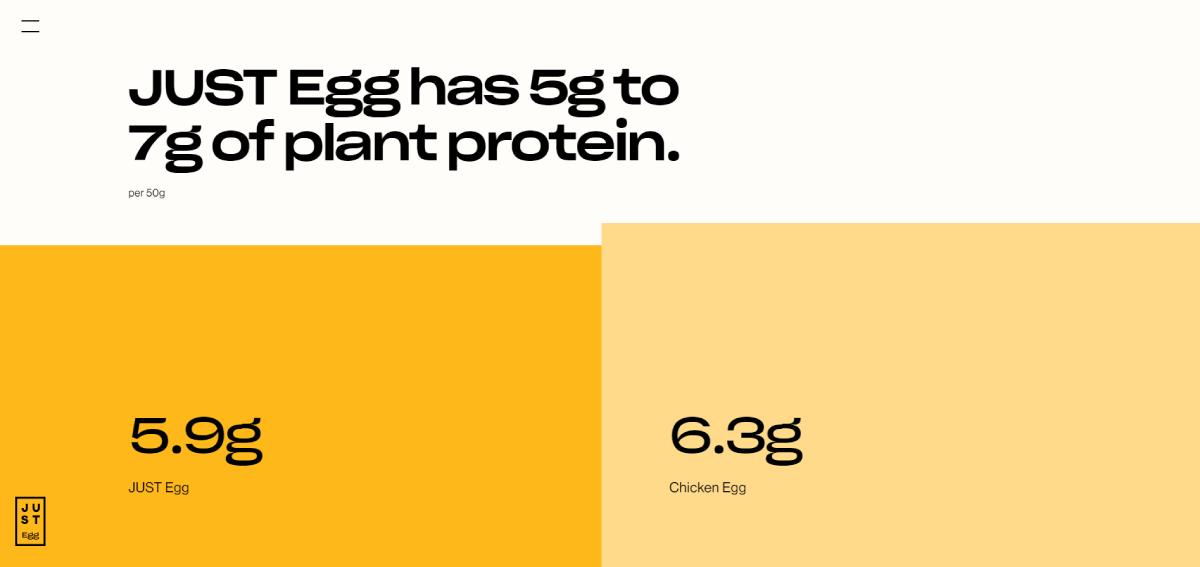
word-image-41395-9 Seasonal Web Design Trends to Spice Up Your Projects (+ Where to Design Website Effortlessly)

Source: https://www.ju.st/learn/human-health

Scrollytelling

Designers expressing ideas through online experiences are becoming increasingly popular. This is where scrollytelling comes in – masterful storytelling by means of visuals that elevates the message and draws you in. The finest scrollytelling methods employ the following ones.

  1. Keep movement to a minimal area.
  2. Interactions should be on the individual’s terms, with obvious playback options to play, resume, pause, and stop actions.
  3. Ensure that any scrollytelling components contribute to the plot rather than take the focus away from vital material.

word-image-41395-10 Seasonal Web Design Trends to Spice Up Your Projects (+ Where to Design Website Effortlessly)

Source: https://webflow.com/web-design-art-history

Mega Footers

The use of giant footers is a major web design trend for summer. The footer extends this concept, comparable to a mega menu, with 3-4 columns of menu links organized by category. Copyright information, a link to your privacy policy page, social profile buttons, a newsletter form, and menu links organized. All of these are examples of content to include in your mega footers.
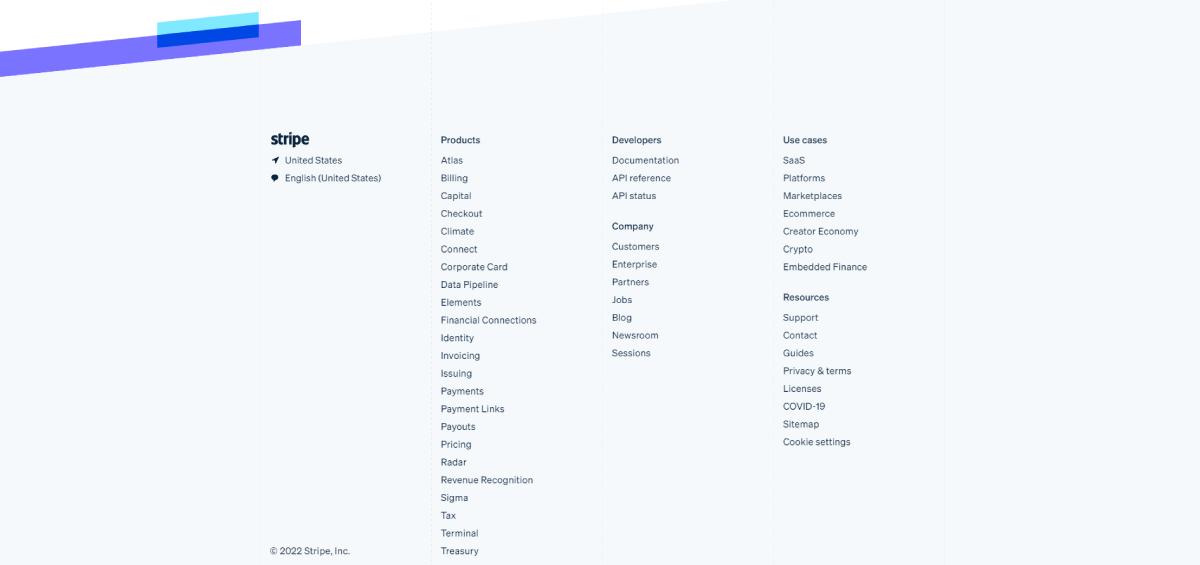
word-image-41395-11 Seasonal Web Design Trends to Spice Up Your Projects (+ Where to Design Website Effortlessly)

Source: https://stripe.com/

Cartoon Illustrations

There was an era when websites were merely text with a few photos or graphics. Designers are now generating work that engages with consumers on a much more individual level. Cartoon graphics have exploded in popularity as a method to add a touch of emotion to web pages. These graphics provide a lot of imagination and make a business more approachable.
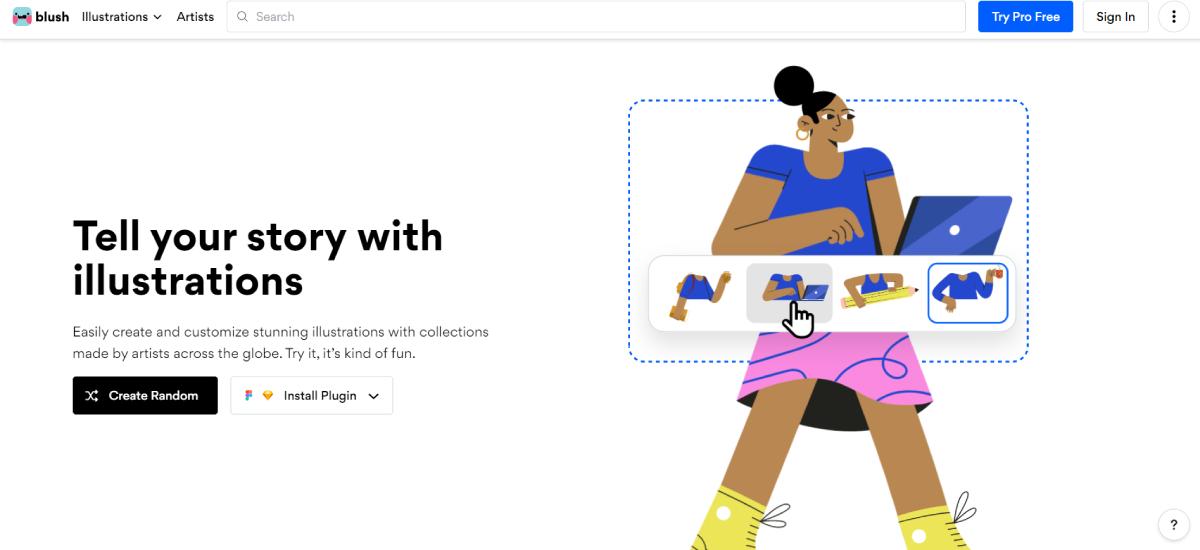
word-image-41395-12 Seasonal Web Design Trends to Spice Up Your Projects (+ Where to Design Website Effortlessly)

Source: https://blush.design/

Fall

Horizontal Scrolling

Websites using this style, as the name implies, enable viewers to scroll both horizontally and vertically. The major advantages of adopting horizontal scrolling are amazing user engagement. In addition to this, it maximizes screen space for users who utilize wide computer screens. This style is also appropriate for websites that contain more visual information, such as a portfolio, online gallery, or catalog.
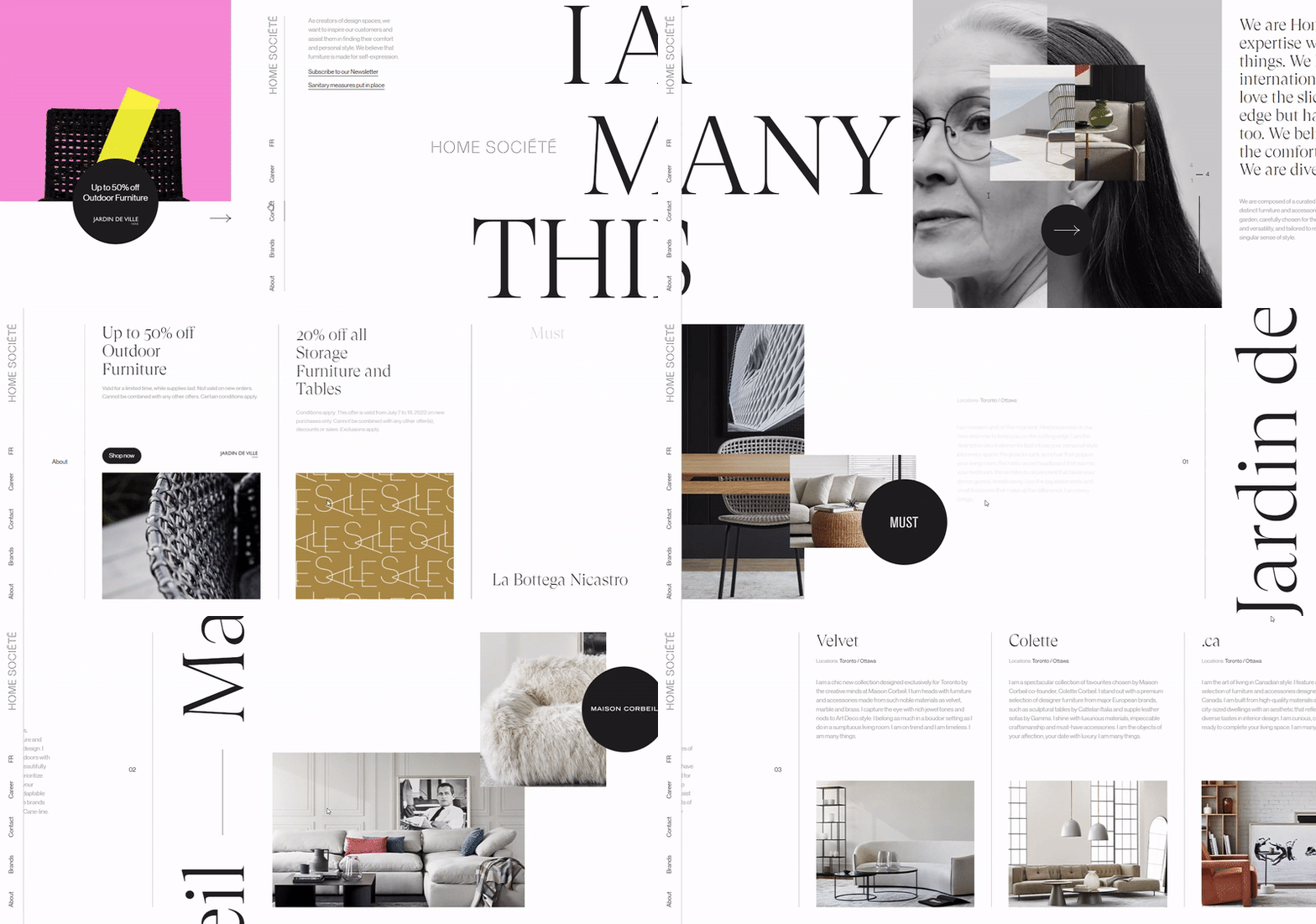
word-image-41395-13 Seasonal Web Design Trends to Spice Up Your Projects (+ Where to Design Website Effortlessly)

Source: https://homesociete.ca/en/

Geometric Grids

Grids are basic, but they provide a lot of options for how they may be used in a design. Geometric grids are increasing in popularity as a means to arrange a layout while providing a consistent and strong appearance. It is possible to use blocks for both navigation and text components. Large color squares are fascinating to explore and do a great job of holding people’s interest.
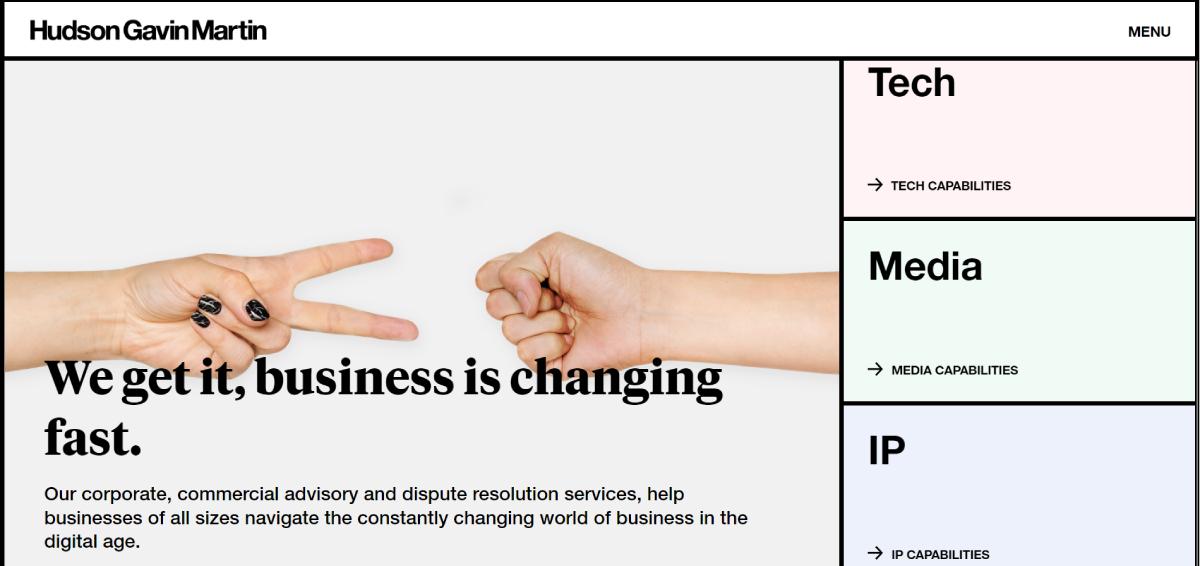
word-image-41395-14 Seasonal Web Design Trends to Spice Up Your Projects (+ Where to Design Website Effortlessly)

Source: https://www.hgmlegal.com/

Fluid Layouts

The fluid layout style is attractive since it performs effectively in a number of settings. It is possible to present both an educational center and create an eCommerce site. The design also provides a lot of layout versatility. You are free to include multi-column components, photos, videos, lists, and other elements. The eyes of your viewers are led down the page smoothly since parts often move together without sharp divides.
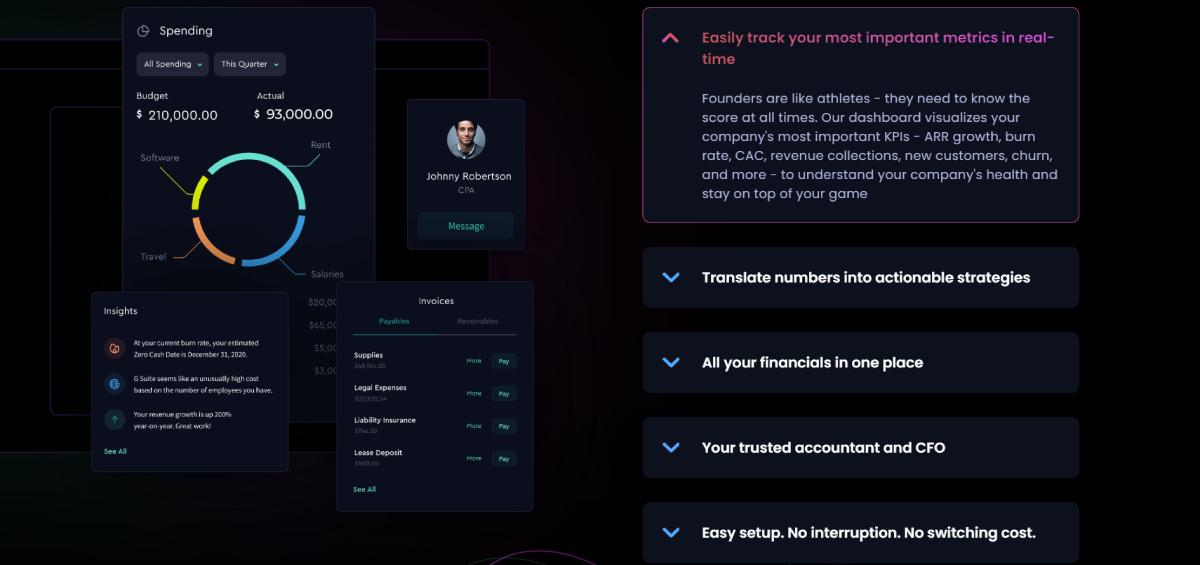
word-image-41395-15 Seasonal Web Design Trends to Spice Up Your Projects (+ Where to Design Website Effortlessly)

Source: https://flowfi.com/

Positive Site Design

Everyone would admit that the world gets increasingly problematic and gloomy at times. Designers will experiment with colorful, cheerful, and creative designs. Everyone wants to make their lives a bit brighter, and web designers are no exception. To make your web pages more attractive, include more positivity, such as happy faces, calming images, and vibrant colors.
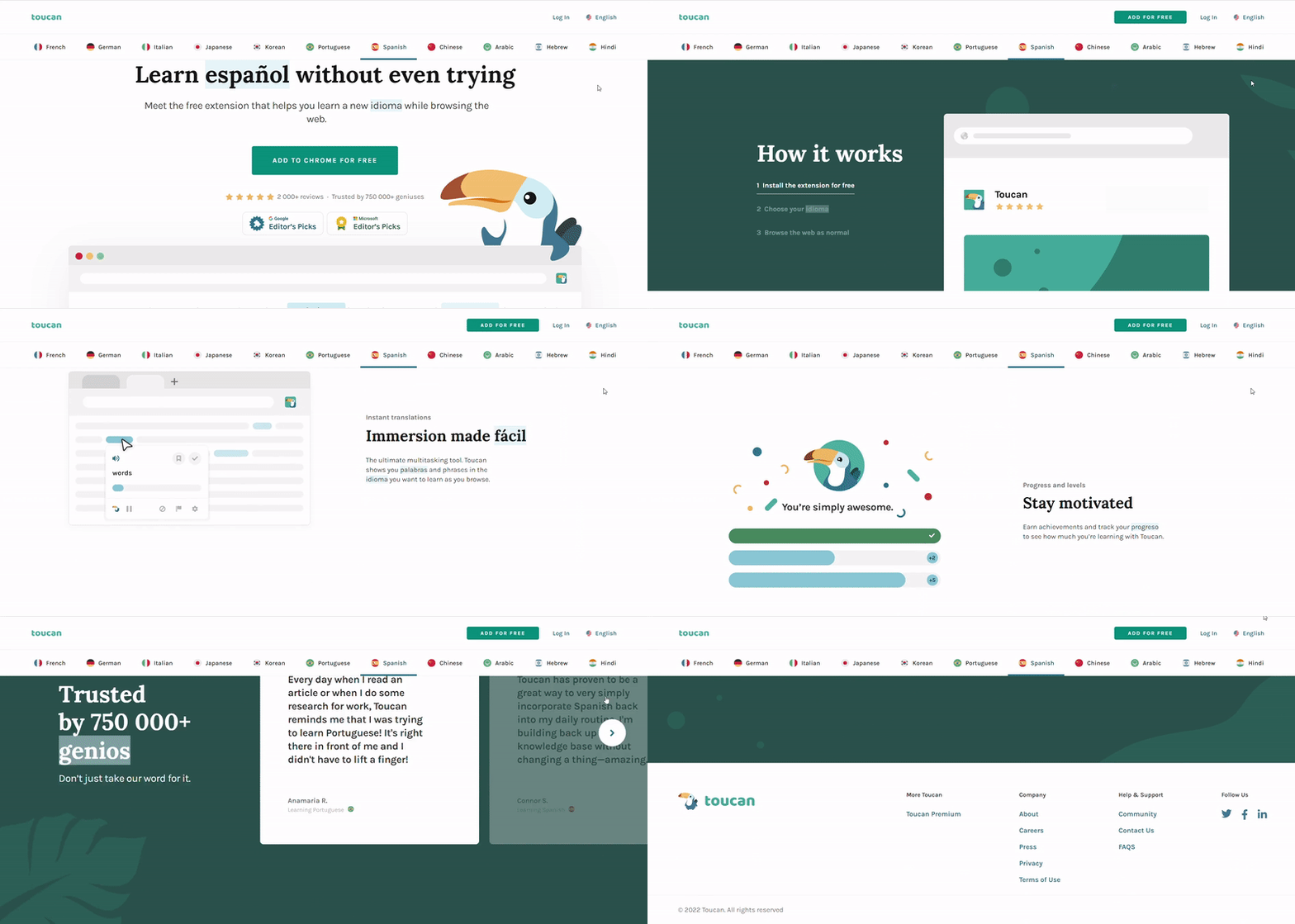
word-image-41395-16 Seasonal Web Design Trends to Spice Up Your Projects (+ Where to Design Website Effortlessly)

Source: https://jointoucan.com/

A Few Words in Conclusion

People are spending more time on the Internet than it has ever been. They, on the other hand, establish their opinions about a site in 0.05 seconds. As a result, it is critical to engage people, give a distinctive online journey, and weave a human feeling into the digital world. That implies web designers must keep an eye on news and changes in the business. If you want your projects to be current, new, and original, you must follow trends. You will be ready to determine which aspects are obsolete in 2022, which might last for a longer time, and which will be a passing trend. Remember that TemplateMonster is a place where to design website as quickly as possible is not an issue. Thanks for reading!


The post Seasonal Web Design Trends to Spice Up Your Projects (+ Where to Design Website Effortlessly) appeared first on Design your way.


Source: https://ift.tt/Yrp3o7v

Design your way

SEO strategies can be overwhelming to keep track of if you’re unfamiliar with how they’re working. This article is packed with strategies to supercharge your content and drive website traffic with SEO terms. When approaching SEO, you have to consider not only how your target audience will read the site, but how a computer will interpret it too. It can be difficult to please both parties so we’ve compiled a list of things you can do to reach your goals.

Don’t Write Like a Bot

If you’re too focused on using the keywords for SEO purposes, your website can come across as inauthentic. Even people not trained in SEO terminology can spot this from a mile away. Instead of being too heavy on the SEO terms, weave them into the story you’re telling or the information you’re sharing. Don’t make them the main focus of the page.

“You don’t get bonus points for having the same keyword on your website more than any other site,” says Chris Bridges, CEO of VITAL. “Driving website traffic means increasing the time people stay on your page once they find it. If a quick skim screams “spam” because you’ve crammed so many SEO terms into the page that there’s no real content, they’re going to leave pretty quickly which can be discouraging to you and your staff when you see a high bounce rate after putting in so much hard work.”

Prevent Comment Spam

Comments can be a great way to allow people to interact with posts on your website, but if there are too many comments with links, they can actually drive content away. Turning off links for comments is one of the easiest ways to prevent this from happening to you.

“While it’s a great thing to have people link to your website and have links that direct people elsewhere embedded into your site, you want to make sure you’re in control of where they’re going,” says Karl Hughes, CEO of Draft.dev. “Spam comments with links can severely diminish the website traffic that you receive and put all of your hard work down the drain. There is usually an option to allow comments but not links and that’s probably your best option.”

Give Others a Reason to Link to Your Site

Writing about relevant and interesting topics in addition to your product or service is a great way to give others a reason to help drive website traffic. If you’re only posting promotional materials, there’s a much lower chance that others will be interested in sharing your content.

“Find those hot topics in your industry and create an article or blog about the topic,” says Ryan Rottman, Co-Founder and CEO of OSDB. “This can be a great way to encourage others to share or link to your site while also communicating your brand’s views on these topics in relation to your company mission and values.”

Use Internal AND External Links

Internal links are great for directing people to products or services that you talk about within your article, but did you know that external links can help as well? Linking to external websites helps you support your ideas and content with other sources and creates a richer SEO score that will help drive traffic to your website.

“Internal links help people find the information you want them to know about your product or even link them directly to the page to purchase it,” says Tony Chan, CEO and Co-Founder of CloudForecast. “External links are equally important because search engines use the quality of these external sites to determine the relevance and importance of your website.”

Keyword Focused Headings (and Subheadings)

While you don’t want to be overly repetitive with your SEO terminology, placing these terms in headings and subheadings can be a great way to increase your ranking within search engines. By prioritizing these as headings and subheadings, you’re also making it easier for SEO recognition AND your readers.

“Keywords are not only something that can help your website improve its rankings, but they can help readers decide to stay on your page,” says Brett Estep, COO of Insured Nomads. “Use your headings and subheadings to quickly let your readers know where they can find the information they’re looking for. You only have a few seconds to grab their attention and encourage them to read more – so do this strategically.”

Promote Content on Social Media

Promoting our website content to drive website traffic by sharing the links on our social media pages is a quick and relatively inexpensive way to get the word out. Not only are you promoting the content, but you also make it easy for others to share your post and links as well.

“Sometimes we get so wrapped up in finding the perfect SEO terms to use on our sites that we forget one of the easiest ways to increase our website traffic,” says Brandon Sunny, CEO of Royal Moon. “Sharing your own articles on social media not only boosts the number of potential impressions, but it also helps fuel your social media platform as well.”

Conclusion

Supercharging your content and driving website traffic with SEO strategies can be accomplished by carrying out a few changes in your approach to the content on your website. First, it’s important to have something worth sharing. People are more likely to stay on your website if the topic is interesting and the headings and subheadings grab their attention.

You’ll also want to make it sound organic. Don’t cram so many keywords into your page that it feels like spam. Speaking of spam: you can prevent SEO rankings from dropping by preventing spam links in your comments by turning off the ability to link within text in that section.

Finally, Using both internal and external links can help drive website traffic and encourage people to navigate to other parts of your website as well. It acts as a sort of ‘reference guide’ for the search engines too so they can see the relevance and importance of your content based on the links you provide within.

Hopefully, these tips and strategies can help supercharge your content and drive website traffic for your business.

The post SEO Strategies to Supercharge Your Content & Drive Website Traffic appeared first on Design your way.


Source: https://ift.tt/q4wWFje

Design your way

Thursday, July 7, 2022

There are lots of reasons to launch a website, and an increasingly popular option is for engaged couples to publicize their marriage and provide info for invited guests online.

If you’re getting ready for your big day, but you don’t know where to start with designing an eye-catching and functional website, read on for a quick overview of the options available to you.

Use a site building service

After you shop at Diamondère for the bespoke wedding ring, and you book a highly sought-after, exquisite venue, it would be a shame if there is no official website announcing the nuptials. A quick and inexpensive option is to use a platform intended to streamline and automate much of the heavy lifting involved.

Today, there are tons of top notch website builders out there, from Wix and Squarespace to Zyro and beyond.

What they have in common is the ability to offer users a wide choice of templates which can form the basis of their website. You can tweak and customize certain aspects, but you won’t have to worry about things like doing any coding or configuring every aspect of the layout for the pages you propose to use.

Pick a URL that fits the event

When using a site builder, you might have the option to either have a generic URL for your site, or choose your own instead. It’s sensible to push the boat out with a unique URL which references your wedding, rather than the default option.

This is not just about making your site seem polished and professional, although that’s definitely part of it. The other advantage is that if your URL is related to you and your partner, guests will have less trouble remembering it when they need it as the big day approaches.

Choose images to enhance the aesthetics

The best wedding websites all have a plethora of pictures that feature the happy couple, ideally chosen from throughout the course of your relationship.

If you want to go one step further, it’s perhaps worth commissioning a professional photographer to take a few snaps of you together which are destined for the site, and nowhere else. This will give it that extra-special feeling, rather than it just seeming as if you pulled down a random selection of snaps from your social feeds and stuck them together in one place.

Add all the information guests need

Your site might look the part, but if it doesn’t have all the details that are relevant to the people you’ve invited, then it could be more confusing than anything else.

Obvious inclusions such as the time, date and location of the wedding are all essential. You should also include info on things like nearby accommodation, transport to and from the venue, and any other likely FAQs that people might need answering ahead of time.

Also state whether you’re happy to accept gifts, whether you’ve set up a gift list, whether you’d prefer donations towards your honeymoon, or whether there’s no expectation of anything other than the presence of the people you care about most in the world.

Make it a joint effort

Last but not least, don’t take on the creation of a wedding website as a solo project, but get your partner involved from the word go. They’ll probably have valuable input both in terms of what the site looks like, and what features it should offer.

Don’t be afraid to get others involved as well if you get stuck, as this will help iron out any kinks before the site goes live.

The post How To Create A Stunning Wedding Website For Your Special Day appeared first on Design your way.


Source: https://ift.tt/5F1aWuK

Design your way

Did you know that the global video streaming market is projected to increase by 21% by 2030? This market is growing in popularity due to the rise of social media and the widespread usage of mobile phones. Video content is one of the best ways to market or promote a business.

To do this, you need to learn about popular video content trends in 2022. So keep reading to find out what they are!

Vlogging

Vlogs are popular video content that can be short-form videos or long-form videos. It is common to vlog about vacations, special occasions, or just a daily routine. Telling others about your perspective of an event or situation can help promote awareness.

Although vlogging is more popular with established celebrities, anyone can vlog and create content that consumers may enjoy. The HOTH says that focusing on a particular type of audience is vital to choosing a specific niche, such as routines, travel, or food.

Vlogs can also vary in length due to the interest of the consumers. Some vloggers intentionally post short videos to ensure their audience watches until the end.

Livestreaming

Livestreaming is a popular way to create killer content from home. Many types of content can be live-streamed, but the most common ones are gaming related.

Livestreaming can be done by anyone who would like to interact with their consumers. It is often done on social media sites and allows the initiator to answer consumers’ questions and invite them to join.

Livestreaming can also be used as an innovative marketing tool because businesses can use them to communicate with their customers directly. Additionally, this helps build better relationships and a more trustworthy bond.

Virtual Reality

Another type of popular video content is virtual reality, also known as VR. Virtual reality is often used for gaming or for experiencing fictional worlds. It is often created by placing a headset over a person’s eyes so they can explore this world by moving their head around.

Virtual reality is being developed into multiplayer content that allows communication as a critical factor. This type of video content is advancing rapidly due to increased available technologies.

Online Training

In 2022, remote learning, as well as remote work, have continued. Therefore, online training for employment and online education has become popular content options to help those around the country adjust.

Some popular content trends include staying focused while at home and learning how to communicate well with teachers and coworkers. Other types of videos focus on how to use certain apps or software programs to manage educational needs.

Which Video Content Trends Are Best?

The video content trends that work best for you will largely depend on your interests and the number of consumers willing to tune in. However, most types of content trends are versatile and can interest a broad audience.

If this article about video content trends was interesting to you, consider checking out our other articles today!

The post The Latest Video Content Trends That Are Everywhere in 2022 appeared first on Design your way.


Source: https://ift.tt/dUg3tkw

Wix Logo Maker: 10 Tips & Step by Step Tutorial

Wednesday, July 6, 2022

Even though there are many logo maker tools out there, very few can match the performance of Wix Logo Maker. Having already established its dominance in the website building sector, Wix is now employing its experience and expertise in online logo-making tools. And this is paying off as Wix has left behind its competitors in this sector who frustrate users through limited design elements, complex editing tools and high-cost plans.

Wix establishes its superiority by offering a lot of logo template varieties along with thousands of shapes and elements to choose from. The logo editing features are also simple to use and powerful enough to give you the creative bandwidth to design the logo you want.

Click the image below to get started, for free.

Wix Logo Maker Banner
Image Credit: Wix Logo Maker

You do not need any prior graphic designing skills to design a logo in Wix. The process is so intuitive that Wix understands your requirements and offers you excellent logo choices. This is why millions of people across the globe are using the Wix logo maker tool regularly.

Creating a logo online is easy, especially when using a powerful tool like the Wix Logo Maker. The entire process is divided into simple steps, so the user is not overwhelmed. Wix ensures that it takes the right input from you, analyzes it and keeps that as a base when offering you options. You can also edit the options or reset the inputs any time you want. As a user, you just need to follow these steps: 

1. Getting Started With Wix Logo Maker:

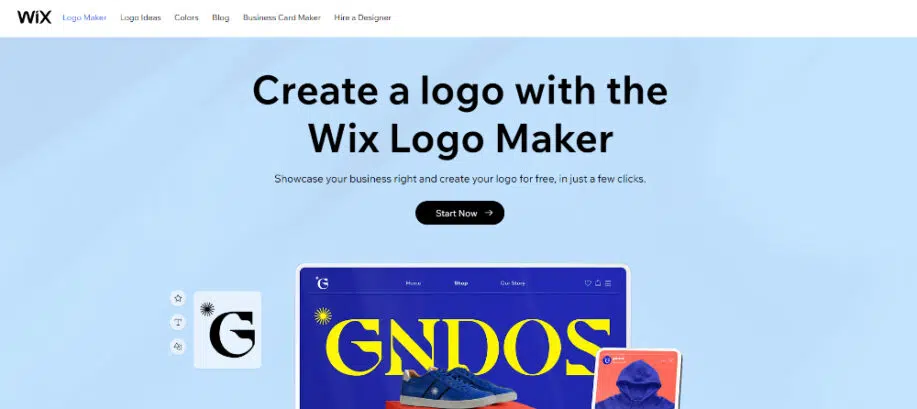
The first step to starting your logo designing journey is going to the Wix Logo Maker website. The website is going to look like the image given below. You need to click on the “Start Now” button to proceed. You can, of course, scroll through the website and check out the logo-making features that Wix offers.

Wix Logo Maker Step by Step Tutorial: Getting started
Image Credit: Wix Logo Maker

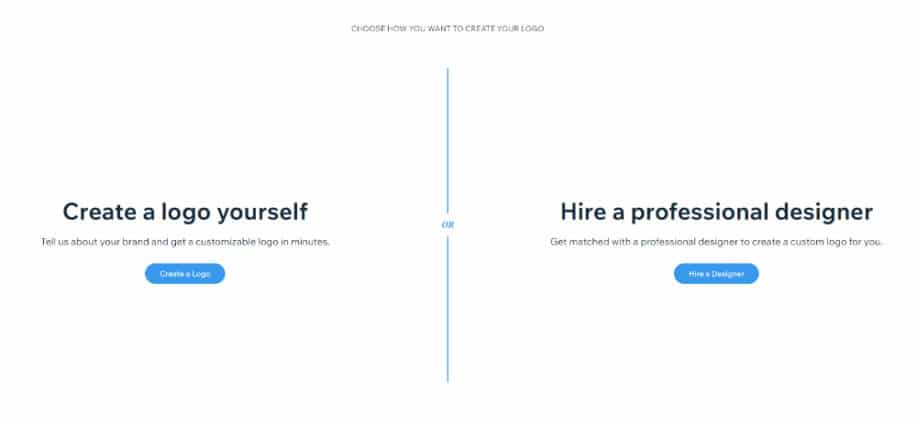
The next screen that you will see is where Wix asks you how you want to go ahead with the logo designing task. You can create a logo by yourself using the Wix logo maker or hire a professional designer. It is important to note that Wix also provides professional logo designing services, which would come at a premium cost. As you are designing the logo by yourself, you need to select the first option, “Create a Logo”.

Wix Logo Maker Step by Step Tutorial: Choosing design option
Image Credit: Wix Logo Maker

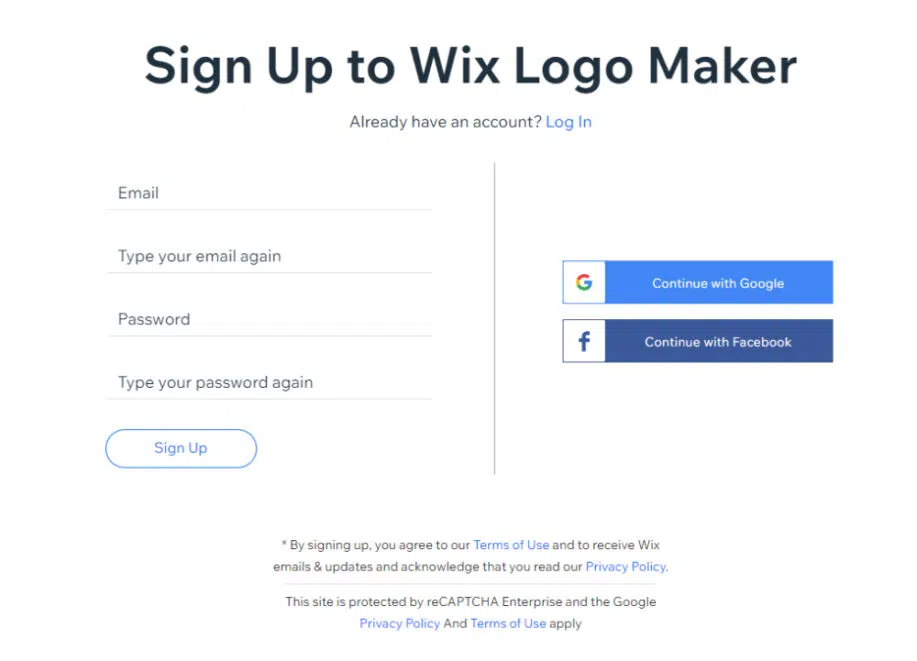
When you select that option, you will be redirected to the sign-in page of Wix. If you already have an account in Wix, you can sign in with that, or you can continue with your Google or Facebook account. If you don’t have an account and wish to create one, you can sign-up from this page. Please note that you will not be able to proceed ahead without signing in. This is the case with all of the best free logo makers.

Wix Logo Maker Step by Step Tutorial: Sign up page
Image Credit: Wix Logo Maker

2. Providing Inputs:

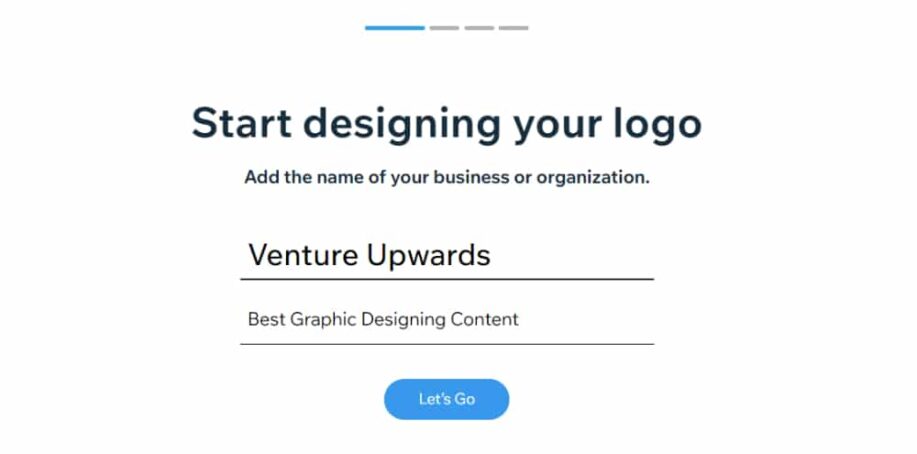
Wix has created a brilliant process of gathering the needed details for designing the logo. Instead of asking you to fill up a form, it collects input. The first input it needs is the name of the organization that needs to be used on the logo. Please enter the name as you would want to appear in the branding and not the full official name. Wix also provides the tagline option in case you want to add that too in the logo.

Wix Logo Maker Step by Step Tutorial: Enter Business Name
Image Credit: Wix Logo Maker

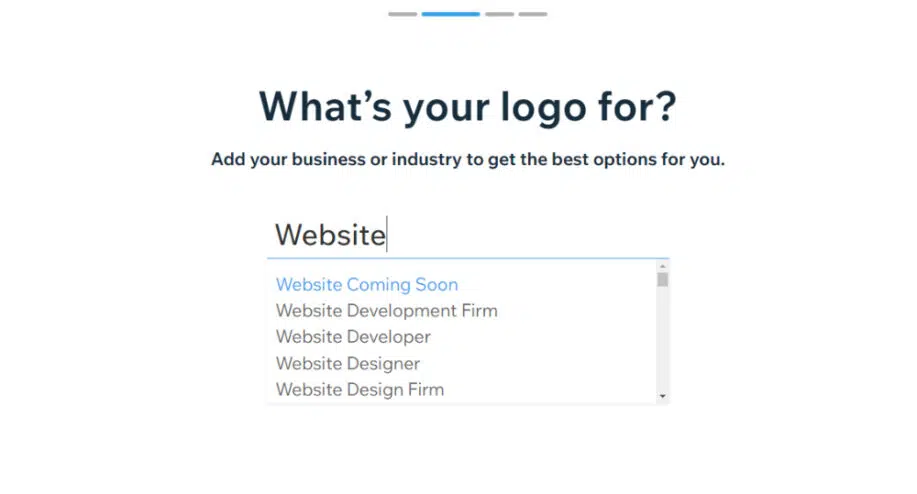
Once you provide the name and tagline, Wix will ask you the industry or sector that your business represents. The good part here is that Wix will suggest options you can choose from as you type. This step is essential as Wix will know what kind of logos work best for your industry.

Wix Logo Maker Step by Step Tutorial: Select Industry
Image Credit: Wix Logo Maker

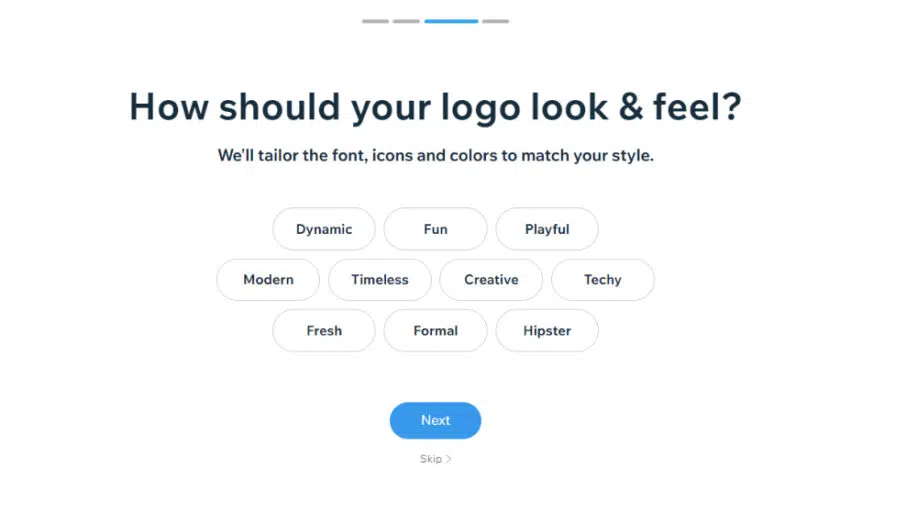
The next step is about choosing the style of the logo. Whether you want the logo to be fun, creative or formal and modern, you can select multiple options here and also; you have the option of skipping this step. But do bear in mind that the more input you provide, the better logo options Wix Logo Maker will be able to generate.

Wix Logo Maker Step by Step Tutorial: Select Style
Image Credit: Wix Logo Maker

3. Choosing Logo Style:

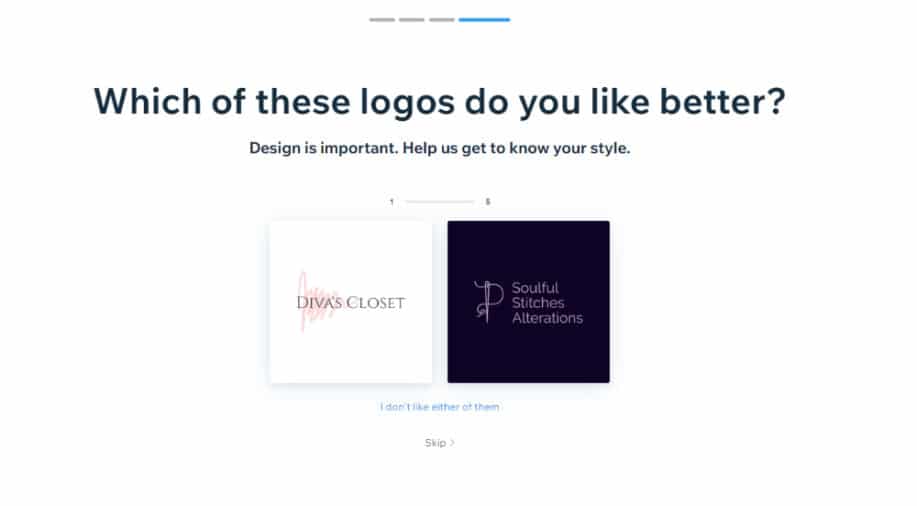
This step is actually fun as Wix presents two varied logo options for you to choose from. Do note that these are not the logo options for your business. This step is there to understand what you do like visually. You can select the option which you prefer more or can also select “I don’t like either of them”. Wix does this selection task 5 times, and this step serves as a major input as it understands what visual representation you like. You can skip this step entirely, but we suggest that providing these inputs will help the Wix logo maker deliver better options for you.

Wix Logo Maker Step by Step Tutorial: Logo Type
Image Credit: Wix Logo Maker

4. Checking Out First Batch Options:

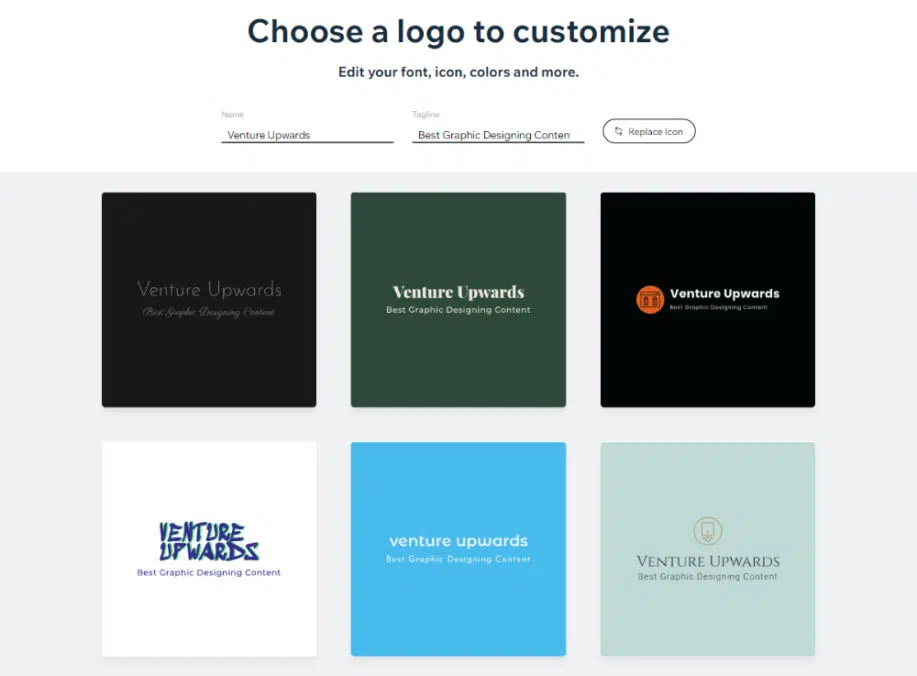
Now that Wix has got its input, it will present the first batch of options to you. They will be varied in terms of composition, color scheme, font style and more. You should ideally scroll through the options and shortlist the one you like the best. Remember that you always have the option of changing the color, font and other elements. Hence in this step, you should focus more on logo style and composition. Minor tweaking is always going to follow and will be needed. Do not get frustrated if you do not like any of the options, as you always can refresh the process, and the Wix logo maker will give you new options.

Wix Logo Maker Step by Step Tutorial: First batch option
Image Credit: Wix Logo Maker

5. Replacing Icon:

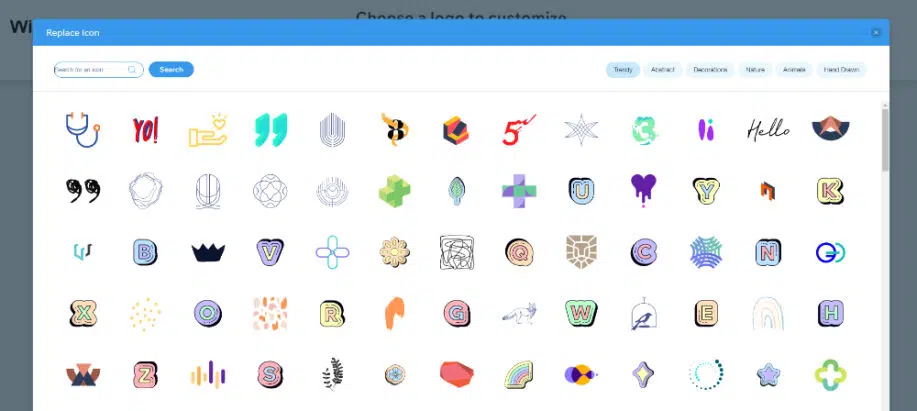
One good feature that the Wix logo maker provides right at the start is the option to replace the icon element used in the logo. The majority of the time, this part becomes the most tricky one. You can click on the “Replace Icon” button, and a window will show loads of icon options. There is a search option right on the top wherein you can provide the keyword of the icon you want. Or else you can also filter them on the options in the top right corner. Browse through the icons and select one most appropriate. Again keep in mind that you will have the option of editing this icon in the next step.

Wix Logo Maker Step by Step Tutorial: Replace Icon
Image Credit: Wix Logo Maker

6. Understanding the Workspace:

When you select the logo option you like the most; you will be directed toward the Wix editor workspace. This may seem overwhelming at the start, but you can get the hang of it in just seconds. This is the place where all the logo editing happens.

Wix Logo Maker Step by Step Tutorial: Editor Workspace
Image Credit: Wix Logo Maker

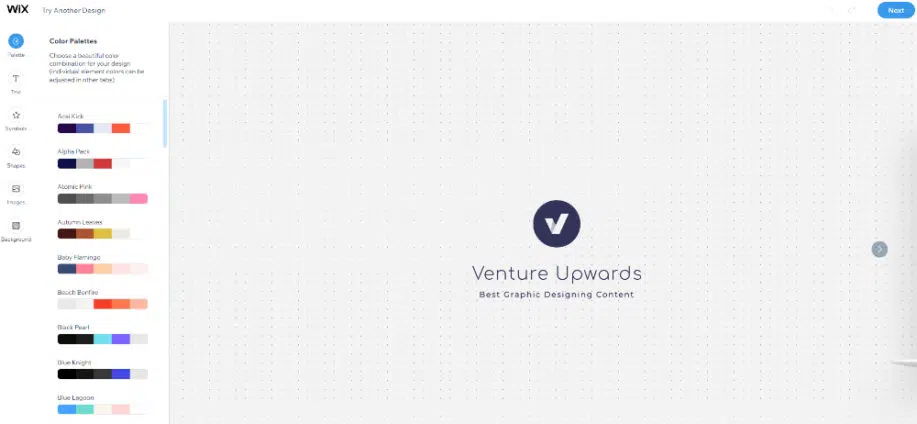
As you can see, the logo you selected is in the center of the editing workspace. On the left is the editing sidebar, which has all the editing options. The logo maker gives you the following editing tools:

  • Palette: Change the color scheme of the logo
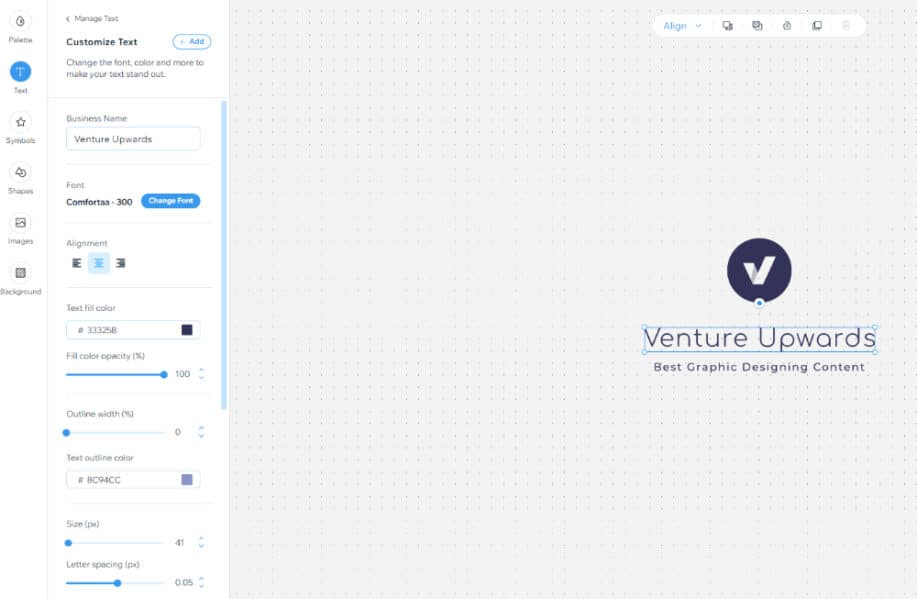
  • Text: Customize text, font style and spacing
  • Symbols: Add icons or other symbols to the logo
  • Shapes: Add basic shapes like lines, and rectangles as per need
  • Images: Insert images from the library or upload them if needed
  • Background: Change the background color
Wix Logo Maker Step by Step Tutorial: Workspace
Image Credit: Wix Logo Maker

7. Customizing Text:

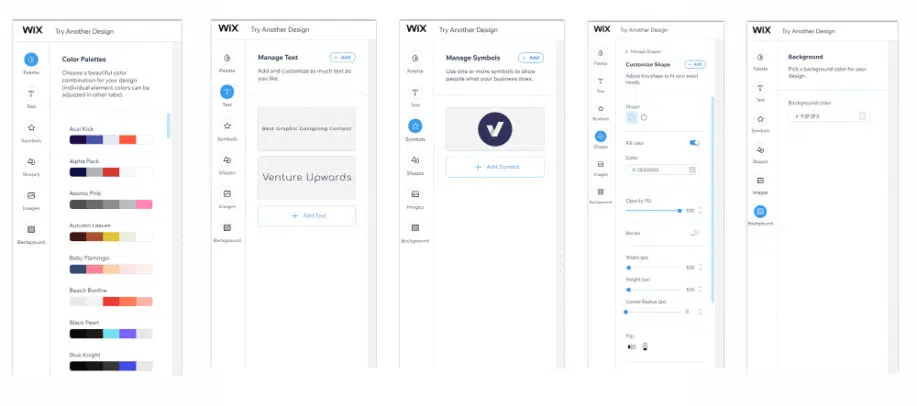
By default, Wix uses the business name and tagline you have provided at the start as the text for the logo. You can always change this text if need be. In the text editor, you also get to customize the style of this text. You can select a different web font if needed. Wix offers over 50 font styles. Then you can also change the text alignment, color, opacity, font size and letter spacing. Wix also allows you to add outline color, shadow and blur to the text element. You can play around with these settings till you are satisfied with the text part of the logo.

Wix Logo Maker Step by Step Tutorial: Customize Text
Image Credit: Wix Logo Maker

8. Editing Shapes:

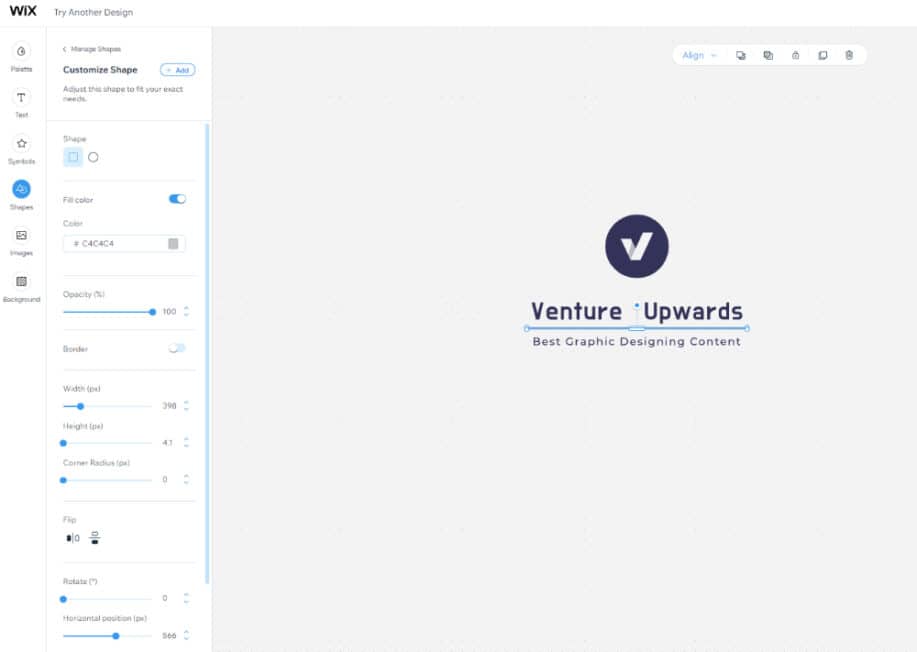
You have the option of adding shapes to the logo if you want. For example, we have added a thin line as a separator between the logo and the tagline. In terms of customization, the Wix logo maker allows you to change the color, opacity, height, width, corner radius and many other parameters. You can also play around with the shapes by flipping them or adding shadow and blur effects. Make sure that the alignment of the shapes is in line with the overall logo composition.

Wix Logo Maker Step by Step Tutorial: Customize Shapes
Image Credit: Wix Logo Maker

9. Try Another Design:

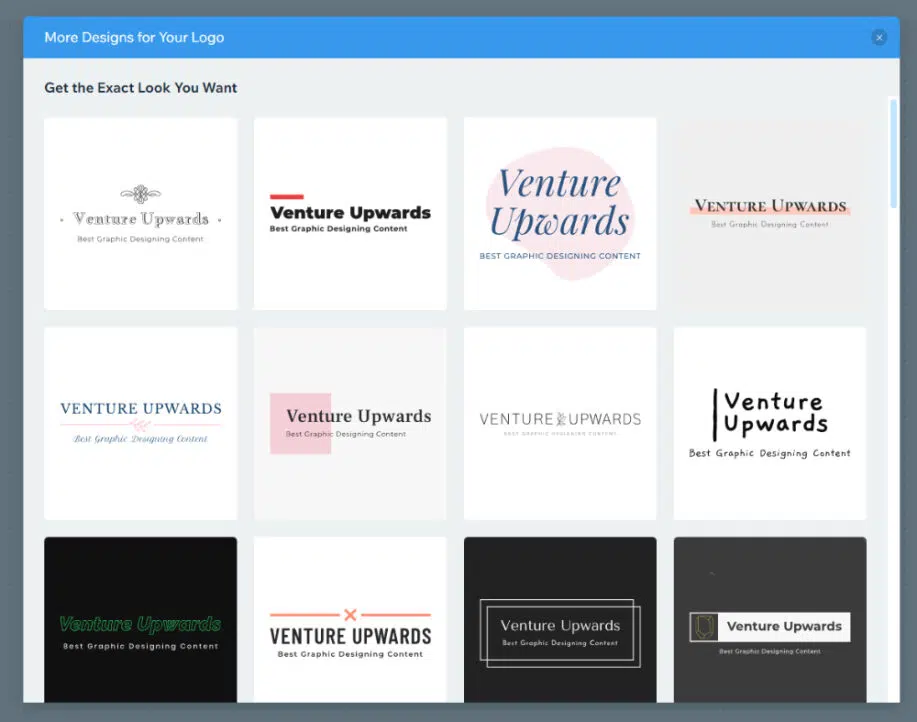
There is a possibility that even after all the fine-tuning, you are not happy with the result. Worry not, because the Wix logo maker always has more options for you. You can click on the “Try Another Design” option in the top left corner, and Wix will open a window showing other new options. These designs will be inspired by the input you have provided and your chosen logo. You can now select the one you like more and start the process of editing that logo in the workspace.

Wix Logo Maker Step by Step Tutorial: Try Other Designs
Image Credit: Wix Logo Maker

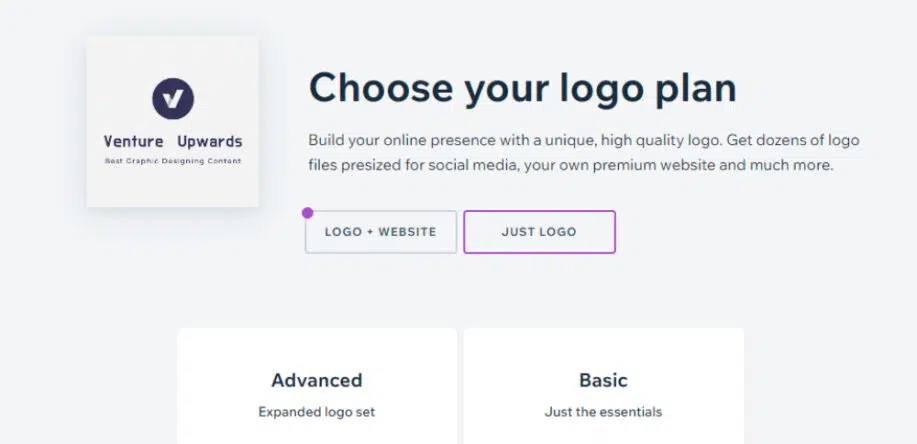
Once you are satisfied with the logo editing part, you can finalize it and download it for further use. The Wix logo maker will open the window, asking you to choose a plan. It also allows you to move ahead with a website based on the logo. In terms of logo plans, it has two options:

  • Basic – $20
    • Standard logo files (8 PNG logo files)
    • Full commercial usage rights
  • Advanced – $50
    • Standard logo files (8 PNG logo files)
    • Full commercial usage rights
    • Resizable logo files (5 SVG files)
    • Social Media Logo files (40+ versions for different platforms)

Wix logo maker also allows you to download the free sample of the logo you have created. But this will be a low-resolution version. It can be used for previewing or presenting idea options if needed.

Wix Logo Maker Step by Step Tutorial: Download logo
Image Credit: Wix Logo Maker

You can create a stunning logo using the Wix logo maker tool in the above ten simple steps. Then, depending on the time you want to invest, you can work on the customization part of the logo. The more time you spend, the better you understand the process and the better the output will be.

10 Tips to design a stunning logo with the Wix logo maker

The Wix logo maker has a lot of scope for applying your creativity. Right from giving the inputs to fine-tuning the logo in the editor workspace. Here are some valuable tips to help you make the most of the Wix logo maker.

1. Use Right Icons:

Using a suitable visual representation is key to a successful logo. Wix provides you with thousands of icons to choose from. However, you should select the icon based on the concept that best suits your brand.

2. Add Extra Space:

It would be best if you allowed your logo to breathe. Cramping up with too many elements would make it look not pleasant. Instead, go for extra white spaces wherever needed and use refined and clean elements offered by Wix.

3. Choose the Right Fonts:

The font will play an essential role in setting your branding style. For example, use serif fonts if you are in the fashion industry or bold, strong ones if you are in the fitness or gaming sector. Understand which fonts work best for you and choose from the variety of fonts offered by Wix.

4. Add a Tagline:

A tagline in the logo always helps to add more meaning to it. Taglines allow you to talk about your business, products or values. Wix logo maker allows you to add and customize a tagline whenever possible.

5. Keep Elements Aligned:

Unlike other logo creators, Wix logo maker offers a convenient alignment tool which you can use to ensure that all the elements are correctly aligned. A logo which does not have its elements properly aligned will look shabby.

6. Choose the Right Colors:

Understanding the science of colors and utilizing it when designing the logo will help you create an effective logo. The Wix logo maker works through color palettes, making it easy for you to apply a uniform and good-looking color scheme to the logo.

7. Keep Elements to Proportion:

The scaling tool in the Wix logo maker gives you excellent control over the sizing of the elements, and you be precise in the entire composition. This design aspect is crucial to make the logo look balanced and professional.

At times, adding the correct type of background can make your logo stand out. Whether in the form of a texture or solid colors, Wix allows you to set up the background you need. Just make sure that the background is in contrast with the main logo.

9. Upload Custom Images:

Wix logo maker allows you to upload any custom image you want to add to your logo. So if you have an icon, texture, or any other design element created from past projects, then you can add it to the new logo and even customize it as needed.

10. Get Feedback:

Getting feedback from people on your logo is always a good idea. Wix logo maker allows you to download free samples of your final logo. Hence you can create different logo designs, download them and share them with others to get their feedback.

10 Tips to design a stunning logo with the Wix logo maker
Image Credit: Wix Logo Maker

Wix logo maker is a very easy-to-use online logo creator and offers many logo templates and design elements. The good part about Wix is that it caters to all users. If you are an entrepreneur who does not have the skills or time to invest in logo design, you can also create a logo in no time. On the other hand, for people with good design skills, the editor offers many tools to customize the logo with their creativity. This blog has given a step-by-step tutorial on designing a logo using the Wix logo maker and a few tips to make the most out of this fantastic tool.

Click the image below to get started, for free.

Wix Logo Maker Banner
Image Credit: Wix Logo Maker

The post Wix Logo Maker: 10 Tips & Step by Step Tutorial appeared first on Web Design Dev.


Wix Logo Maker: 10 Tips & Step by Step Tutorial was first posted on July 6, 2022 at 1:06 pm.
©2022 "Web Design Dev". Use of this feed is for personal non-commercial use only. If you are not reading this article in your feed reader, then the site is guilty of copyright infringement. Please contact me at jc@ventureupwards.com


via https://ift.tt/GBdn7kq

Design your way

Creativity is something that seems to come naturally to some and less easily for others. While it can seem like an easy task, creativity can be influenced by many factors in your daily life. Look at your routines and habits: are they helping you foster a creative mindset?

Learning to be creative is something that takes a commitment. You have to make lifestyle changes and create new approaches to your daily routines. These don’t have to be scary changes, though. Check out the list below to see what our experts recommend for people who are looking to foster a creative mindset.

Have Fun

Being creative isn’t something that can be forced. Creativity flows best when you’re excited and having fun with ideas because you find something that you’re working on intriguing. It isn’t always easy to get excited about what you’re doing, but try to look at the task from a different perspective.

“Fostering a creative mindset sometimes takes an ounce of creativity itself,” says Jorge Vivar, Creative Director of Mode. “Even if you’re stuck doing a monotonous task on a regular basis, there is a way to foster a creative mindset. Find joy and excitement in the small accomplishments you’re making and explore new ways of doing things that could increase efficiency, productivity, or even just make your day a bit better.”

Move Around

Creativity is often stifled by feeling ‘stuck’. Break out of that funk by moving around or getting some fresh air. People often feel more creative and inspired after taking a walk or working out to get the blood pumping. Even a change of scenery can be inspiring when you’re looking to foster a creative mindset.

“So many workplaces are more flexible than they were even a few years ago,” says Sean Doherty, GM of Box Genie. “Take advantage of this and explore the possibility of taking your work to a new environment – even if it’s just temporary. Moving your work location can help inspire creative thoughts and break you out of a routine enough to approach things from a different angle. If you can’t work from a different location, change your routine in a different way. Getting outside in nature and exercising can also help with this creative process so spending your lunch break on a walk or at the gym can be beneficial too.”

Explore the World

Fostering a creative mindset is not something that comes from staying in a safe zone. You have to explore the world outside of your bubble to really gain perspective and allow for ultimate creativity. There are so many different ways of doing things based on cultural and societal practices around the world.

“In today’s day and age, exploring the world doesn’t have to be an expensive or time consuming process,” says Sean Byrne, Founder and CEO of Sweetkick. “Explore documentaries, cultural websites, and international events in your area to learn more about the world and create a global creative mindset. Not only will this help you creatively, but it will help grow your cultural intelligence as well.”

Be Happy

Creativity flows best when we’re happy with life. If there are things happening that are occupying your mind at a higher priority than your creative work, you’ll have a very difficult time fostering a creative mindset. Learning to prioritize your own happiness is not only helpful for your own emotional wellbeing, but it can help you foster a creative mindset as well.

“We live in a world where we’re constantly interacting with and comparing ourselves to others,” says Ryan Azimi, Director of International Development of ETIAS. “It makes it difficult for us to understand what happiness means to us. However, having a creative mindset is very linked to your happiness. Learning to be happy can be more of a challenge than you’d think. It’s not a bad idea to take time for self care or even talk with a counselor about what you can do in your life to improve your own happiness and avoid the things that squander it.”

Have an Open Mind

Being creative is not something you can do without having an open mind. If you’re stuck in your ways and only willing to look at things from one perspective, then your creativity will suffer. Practice having an open mind and looking at things from different perspectives to help foster a creative mindset.

“Learning to adapt and learn new things is a big part of having a creative mindset,” says John Cheng, Co-Founder and CEO of Baotris. “Doing things the way they’ve always been done because you know how to do it well that day is safe, but won’t lead to creative solutions. Think outside of the box and have an open mind toward solutions that might otherwise escape you.”

Consume Information

While researching doesn’t sound like a creative process, knowing more information is a great way to become creative. Learning how others have solved problems before you and what other methods exist to help you come up with new and creative ideas.

“The more you know, the more creative you can be,” says Michael Van, CEO of Furnishr. “Creativity involves combining ideas or methods that we already know of to create a new approach to a solution. Coming up with creative ideas is much easier if you’re a lifelong learner who’s continually adding to your arsenal of knowledge.”

Conclusion

Being creative is about more than coming up with new ideas. Creativity stems from a natural curiosity and an inclination to discover new and exciting ways to problem solve.

Changing your environment and exercising can be a great way to jump start your creative thinking process if you’re in a funk. Fostering a creative mindset can also be achieved by knowing how to have fun and achieve happiness in your own life. Without these positive influences, creativity is much more difficult.

Additionally, it’s important to continually learn as much as you can and to have an open mind about anything you may learn. Practicing these ideas can help you retain information in a less biased way that could allow you to implement new ideas and practices in the future. It also doesn’t hurt to explore the world outside of your comfort zone to gain cultural intelligence and perspectives that you otherwise wouldn’t consider.

The post How to Foster a Creative Mindset appeared first on Design your way.


Source: https://ift.tt/0ZdXoJw

Design your way

When you watch videos online, sometimes they were created by placing different photos one after another, instead of being shot using a camera. If you wander how this can be done, read the article below to learn how to easily create animated photos, which you can then use on your favourite social media.

Online Technology helps Everyone

Technology enables you to look like a video producer, even though you are not. The only thing you need, if you want to be one of the most viewed TikTok today, is to know where to create the best animated photo videos online, and then get to work. This is a small exaggeration, since not everyone has a creative mind, but one thing is sure, is that all can create professional-looking animated photos montage.

First, you will need to look for an application like Mojo App, where you will find the tools to prepare the animation. Today’s online technology is made for all, since it is intuitive. If you are using other kind of creation apps online, you won’t have problems building these animations, and get better at it rapidly. All you need is to get the right pictures (yours or other images that are free of rights), and start preparing the post you want your followers to see.

How does it work?

Once you have the pictures ready, you will need to go through background templates, and choose the one that is most appropriate for the message you are looking to send through. There are thousands of examples that you can base your animations on. You can either look for one that is as close as possible to what you are looking to create, in terms of message, but also of colours and design, or choose one that is quite different, so that you can be the first to create a post like yours.

Once you have selected the background template, start replacing the pictures on it by the ones you chose, in every section of the video. Then, modify the titles everywhere and the text, if there is any. You can also add both, if they are not already on the template that you selected. Afterwards, you can also change the colours on the background, but also for all other items.

Finally, you can decide to add music to the animated photos. Again, make sure that the music is free of rights or that you have the permission to use it. You can always download your own music, if you so happen to be a musician or even a text that you have recorded with your voice.

Keep It Short

When you build these photo animations, you can basically add as many frames as you would like. The templates offered are usually short – often below one minute. You can decide to make it longer, if you feel it needs to be. How can you tell if it is too long? Look at it once it is complete and ask yourself if there is anything that doesn’t need to be included, for people to still understand the message. If it is so, cut that part. Shorter is always better on social media.

The post How to Easily create Animated Photos? appeared first on Design your way.


Source: https://ift.tt/0wosb7i
 

The Cash Box Blueprint

Most Reading