The 10 Best WooCommerce Themes of 2022

Monday, September 12, 2022

Finding the best possible WooCommerce theme to open an online store isn’t as easy as you might think. While there is plenty of eCommerce and WooCommerce-oriented themes on the market, not all of them offer a quick and easy way to create a successful store.

Some lack features you would like to be able to take advantage of. Others offer less than optimum performance or are incapable of producing a product that is SEO friendly or fully responsive. Others are “good” but lack certain features that you could use to WOW your store’s visitors, like a streamlined checkout process for example.

Editors Note – In order to use WooCommerce, you’ll need to be on the CMS (content management system) WordPress.org. You’ll also need a really good hosting company that is geared toward hosting WordPress sites such as Kinsta.

10 Best WooCommerce Themes To Use In 2022

Picking the best WooCommerce theme among those listed here simply means selecting the one that you believe will suit you best. Since all these WooCommerce themes would probably serve you well, you really can’t make a poor choice.

1. BeTheme
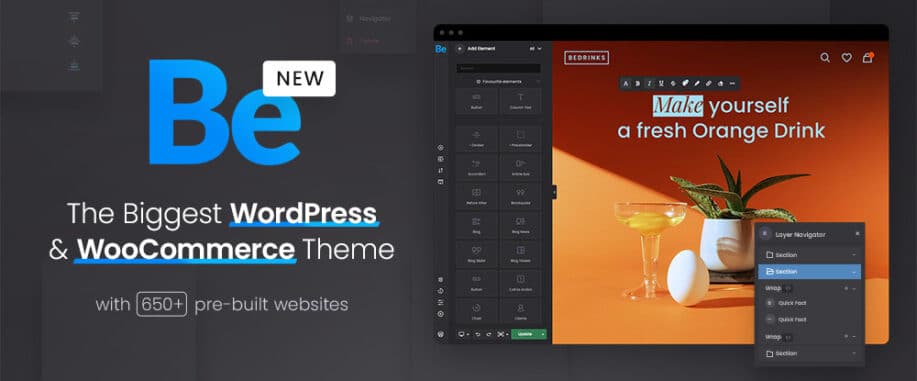
When asked what you did to create such an outstanding online store, you can simply say you dragged and dropped your way to success – with more than a little help from several of BeTheme’s core features.

BeTheme, the biggest WordPress and WooCommerce theme of them all is known for its 40+ core features which include an awesome library of 650+ pre-built websites. Be is delightfully easy to use and when several core features like those mentioned below are put into play, you can have your online store up and running in no time at all.

These key features include:

  • BeBuilder – the fastest and most flexible page builder on WordPress, complete with pre-built blocks, design elements, and 3,000+ importable pages
  • BeBuilder Woo – a fast and simple way to build an online store; use a predefined layout or create your own
  • Header Builder 2.0 – create device dependent headers that look exactly as you expect
  • Mega Menu Builder – the possibilities are endless

We’ve barely scratched the surface. Click on the banner for the full story.

2. WoodMart
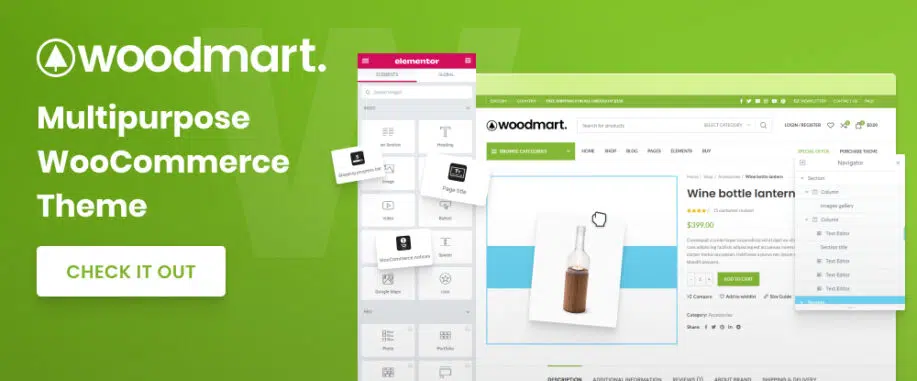
WoodMart is an all-in-one WooCommerce solution. Build an online shop with the features you want without having to acquire additional plugins.

  • With WoodMart’s 400 template library at your fingertips, you can prototype pages in nothing flat.
  • Elementor and WPBakery support mean you can create your content without any need for coding, and WoodMart comes with pre-built, single-click import demo websites.
  • The Full Ajax shop features give you the power to double your conversion rate by halving the customer order completion process.
  • Ajax Quick shop does away with the need to open a new product tab to complete a purchase, plus WoodMart offers product filters and an abundance of size and color options.

As you will discover when clicking on the banner, WoodMart’s WooCommerce solution is a complete solution.

3. Rey Theme
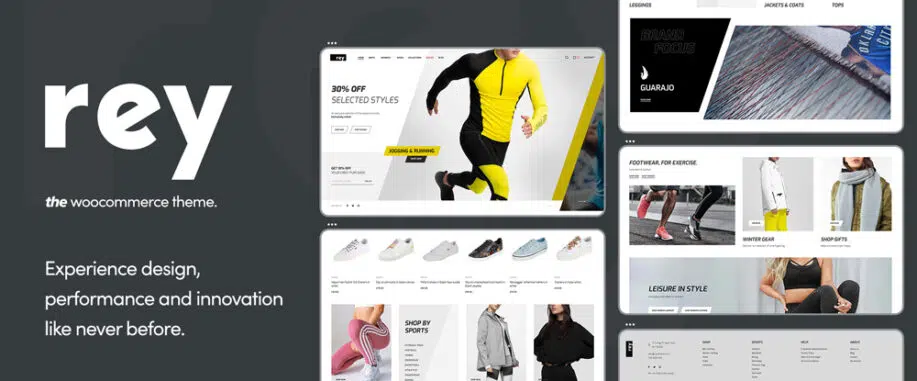
The Rey WooCommerce theme carefully and fully addresses search, navigation, filtering, and presentation, the four pillars of eCommerce. So much so in fact that you will experience design innovation and performance in a whole new light.

How has Rey created this unique experience?

  • With its powerful integrations with WooCommerce, Elementor, and the sophisticated WordPress engine.
  • With the ability to create headers and footers easily using Flexbox powers.
  • With a Mega Menu Panel Builder, that lets you display complex menus and navigations with ease.
  • By employing a smart use of Ajax Filters that keeps page reloading to an absolute minimum.
  • With Ajax Navigation, Product Variation and custom attribute display, Product Catalog Quick View, and other advanced features.

Click on the banner to learn more about this impressive WooCommerce theme.

4. TheGem
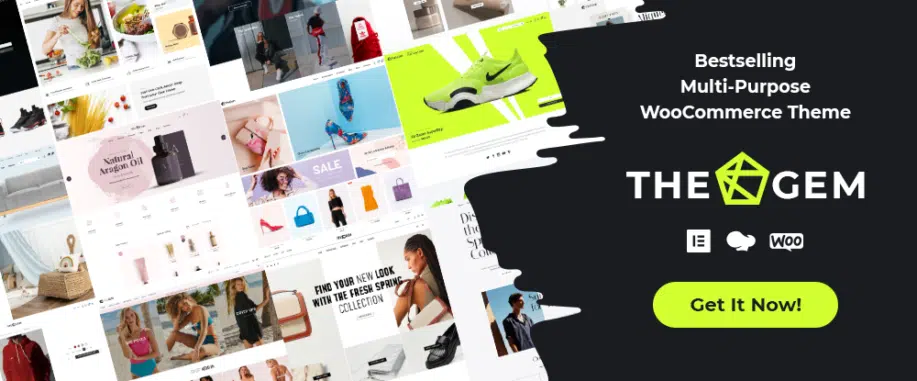
TheGem WooCommerce theme is one of the most customizable and performant themes on the market. It is a perfect choice for professionals and beginners looking to build any kind of online store:

TheGem:

  • makes it easy to build conversion-optimized online stores featuring unique creative designs
  • offers versatile shop pages using multiple Ajax filters
  • features a WooCommerce builder that lets you create an impressive layout for products, carts, and checkout
  • features 400+ stunning pre-build websites and 500+ pre-built page sections

5. Total
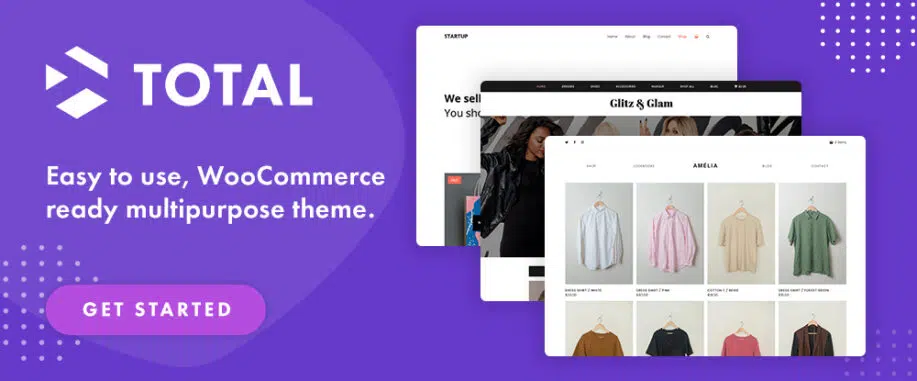
This multipurpose WooCommerce theme is designed with ease in website building in mind. Total is fully integrated with WooCommerce and features all the tools and options needed to build performant online stores.

This aptly named theme features –

  • 50+ demos
  • 90+ ready-made section templates – 100+ site builder elements
  • a custom font manager and unlimited color options

Total is fully compatible with bbPress, Uber Menu, WPML, Yoast, Ultimate Addons plugins, and many more.

6. Uncode
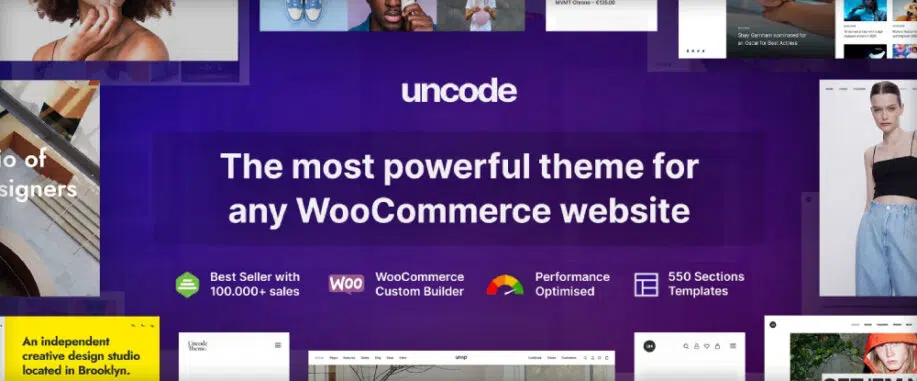
The best way to see Uncode’s capabilities is to peruse its gallery of user-created websites.

You’ll see

  • why Uncode is a best seller with more than 100.000 buyers at Envato Elements
  • advanced WooCommerce features, benefits of using Uncode’s powerful Page Builder, and Wireframes plugin that contains 550+ section templates
  • advanced features like the WooCommerce Product, Cart, and Checkout Builders.

7. Jupiter X
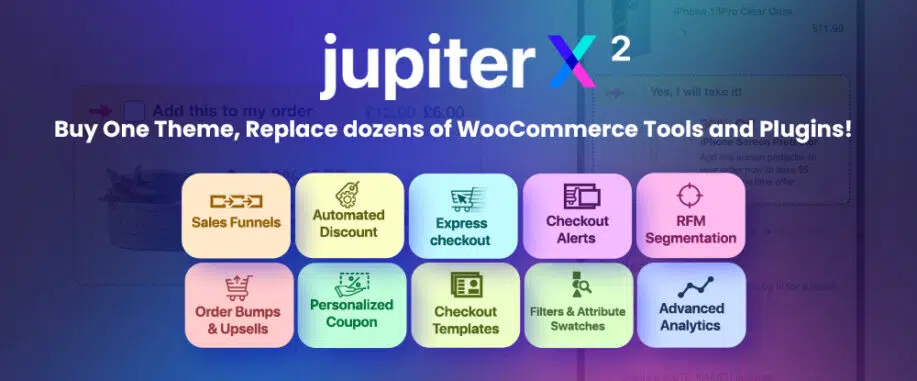
Jupiter X2, this theme’s most recent update, focuses heavily on WooCommerce and full-site-editing, and features –

  • a Layout Builder that provides improved full-site editing
  • an advanced Product Catalog builder featuring a live editor and industry-first features such as personalization, advanced filtering, and variation swatches
  • a Checkout Builder together with fast checkout features
  • Sales Funnels to drive extra sales with tempting upsell and down-sell offers.
  • Membership Widgets, and much more.

8. Avada
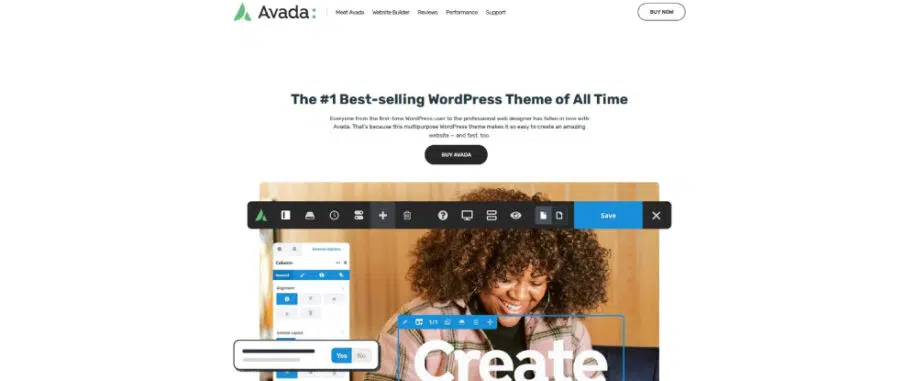
What does this all-time best-selling fast WooCommerce theme have to offer? Much more than can be listed here, but features its 800,000+ users love include –

  • All the options necessary to create complex websites
  • Custom settings for each and every page
  • The fast and efficient Fusion page builder and the Fusion Core toolbox
  • A tried and tested responsive framework
  • A WooCommerce experience that’s both intuitive and gorgeous
  • A theme that’s built for speed.

See for yourself.

9. Hongo
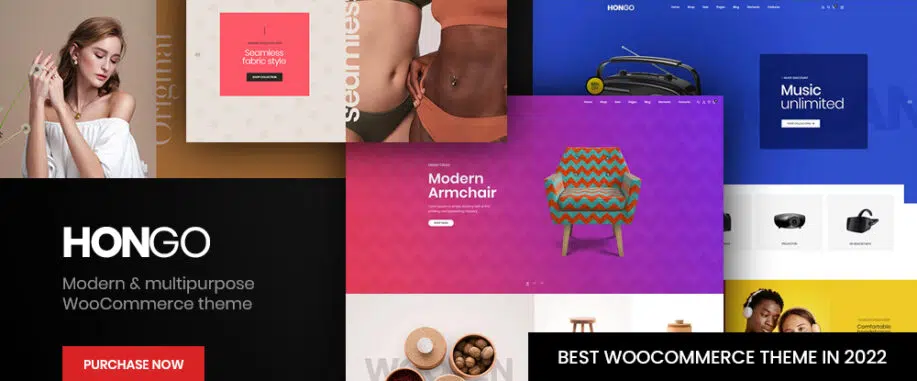
Hongo is a modern multipurpose WooCommerce theme that will be an ideal choice for creating a WooCommerce store or any type of company website. Its many features include:

  • 12 stunning, impressive, and unique store demos to get your creative juices flowing
  • 10 modern styles to beautifully showcase your products together with 8 elegant Product Page styles
  • A Product Quick View feature, powerful filter systems, a convenient mega menu, and much more.

10. XStore
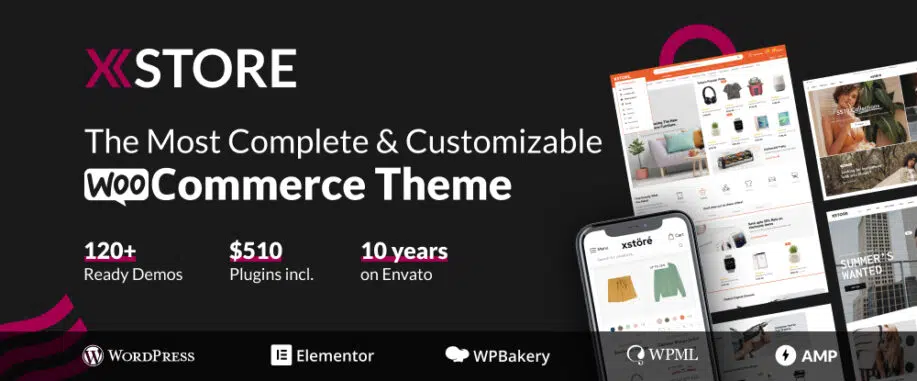
XStore would be the best WordPress WooCommerce theme for eCommerce with its 120+ pre-built ready-to-customize shops which have always been a major factor in this theme’s popularity during its 10-year run on Envato. Integrations with WooCommerce, WPBakery, and Elementor have made XStore more popular than ever.

Other important features include:

  • Built-in Header and Single Product Page builders
  • White Label Options
  • Booster Sales features

XStore also offers a huge variety of options and settings to manage your online store.

Conclusion

Creating an online store that matches your vision isn’t always an easy task. Part of the problem lies in having to find one of the best WordPress themes with WooCommerce that has the capabilities you need to get the job done right and in a reasonable time.

Finding such a fast WooCommerce theme can take a significant amount of time and effort. The purpose of this post is to reduce your search to 10 WooCommerce WordPress themes that just happen to be the best in their class.

It may take you a little time to see which one suits your needs the best (most of them probably will do just fine). The point is you really can’t make a bad choice.

The post The 10 Best WooCommerce Themes of 2022 appeared first on Web Design Dev.


via https://ift.tt/jxhi3Cu

Design your way

A presentation is a source of communication, between various speaking situations, adaptable to groups, addressing meetings, or briefing a team. The role of a presentation is to get a message across to the listeners, a persuasive method often included.

However, many might think that a great presentation is dependent only on the presenter and his/her emotions. This is not exactly the case. A noteworthy presentation consists of many aspects, including the slides, presenter tone, text, and others. MasterBundles can take the pressure off when it comes to designing a simple yet professional presentation. At this marketplace, there are plenty of templates that you can customize to suit your project.

Key advantages of using PowerPoint templates

Imagine having to prepare a PowerPoint presentation with a team of people. Individually they all might have created a beautiful presentation but put together it all looks like a complete mess. The variety of styles, themes, fonts, pictures, and logos look like a mess together.

Having a PowerPoint presentation template can make things that much easier. A stable design all throughout the presentation is truly impressive when created by many people. Here are the advantages you’ll notice when using PowerPoint themes:

Consistency

One of the best parts of using a PowerPoint template is that the presentation of data will be short and consistent manner. A major reason to be opting for the templates. Each individual team member’s presentation put together will look consistent, with one style, font, color, and layout.

Process information more easily

Having a PowerPoint template will assist you with the visual aid. The template with a sleek design will make any presentation much more engaging and this, in turn, will generate and retain interest throughout the audience.

Using various graphs, charts, and diagrams will assist the audience in understanding complex numbers or information.  While adding animations will help break the monotony of the presentation.

Save time

Embracing ready PowerPoint themes will save you much time. All the slides are pre-designed to coordinate with each other, meaning the base of the project has been laid out for you. From charts to images, it’s all there, with the possibility to swap it with your own.

All you need to focus on is quality information. Rather than spending hours creating just the base of the project, take the time to focal point the content.

Keep your branding

Just like a logo, letterhead, or website, a corporate PowerPoint template design can act as a source of branding for your company. This a powerful communication to have in the company, a visual powerful presentation template will enhance your brand.

Same formatting

This is a relief form for all individuals whose talents don’t include the design eye. Formatting the already-designed slides is easier than ever. All you need to do is take the required text, documents, images, etc. and put it in the presentation template.

How to choose the right PowerPoint template

The first step in any presentation is to figure out what you are talking about. This information then needs to be split up and put into slides. Sketch out some slide layouts to get a sense of the overall design and where what information should be.

After establishing the information and its split onto slides, brainstorm the look and feel you want your presentation to have. That would include elements like fonts, colors, and backgrounds.

When searching for a PowerPoint presentation template, be sure to check all:

  • Is the template built properly?
  • Is the template using the proper theme elements?
  • Does the template have suitable slides for your titles, context sections, image slides, text-only, and mixed media slides?
  • Are the template branding, theme, and topic consistent with your company branding?

The power of a good presentation template

Think of the most memorable presentations you saw. They tend to incorporate strong visuals and a beautiful design working in power with the presenter’s powerful delivery. That’s because a powerful design isn’t just a way to enrich the presentation—it’s essential for productive communication.

A well-designed PowerPoint template can:

  • engage an audience and have them listen;
  • reduce miscommunication;
  • demonstrate the presenter’s expertise and professionalism;
  • help sell a product/service;
  • boost the presenter’s confidence regarding the quality of their material.

Instead of facing a blank title slide every time you start to create a presentation, kick-start it with a professional PowerPoint template.

Cool premium products from MasterBundles

MasterBundles is a huge marketplace where you can alongside find simple PPT templates. You can search through many designs and vibes until you find the ideal one for you. With many talented creators on the platform, we created a small list of some cool templates.

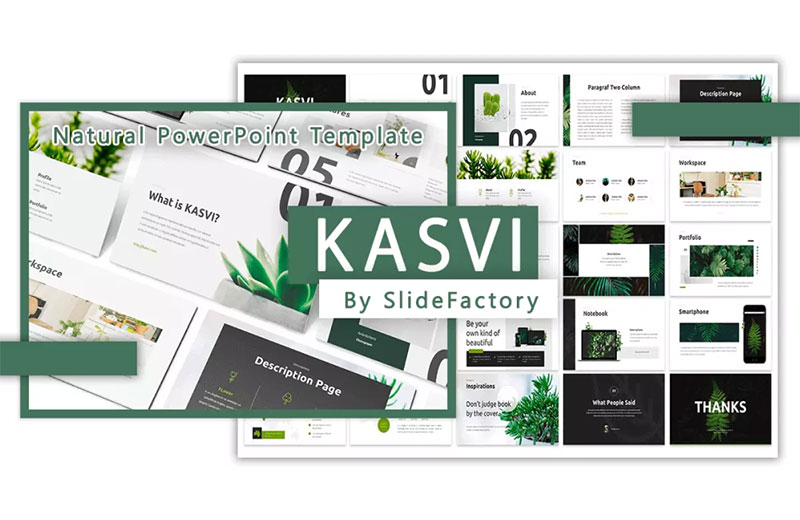
1.   KASVI – Nature PowerPoint Template

1-The-Power-of-Simplicity_-Using-Simple The Power of Simplicity: Using Simple PowerPoint Templates For Professional Presentations

This is a natural and simple theme presentation for PowerPoint. The design consists of beautiful, high-quality nature images and a beautiful color scheme all around. Its design is suitable for environment presentations, campaigns, lookbooks, fashion slides, and others.

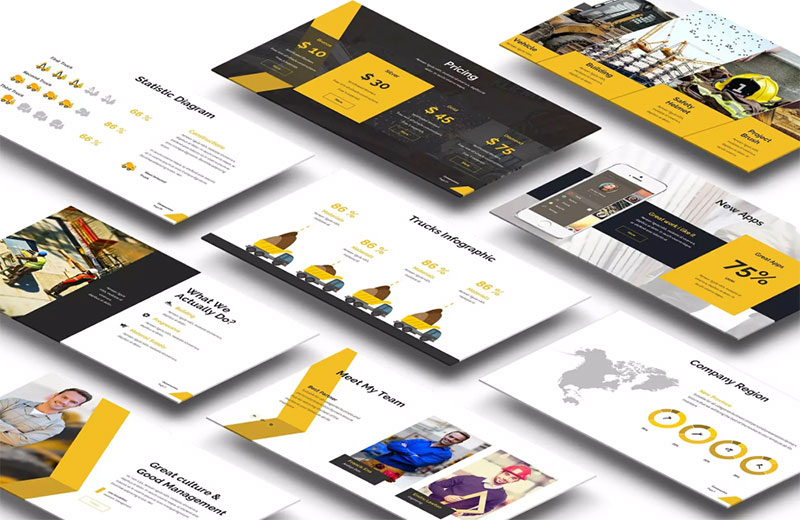
2.   Construct PowerPoint Presentation

2-Construct-PowerPoint-Presentation The Power of Simplicity: Using Simple PowerPoint Templates For Professional Presentations

Get this clean and simple PowerPoint template for your business presentation or personal use. With the option to choose between 3 color schemes, use 25 unique slides for a sophisticated and interesting presentation.

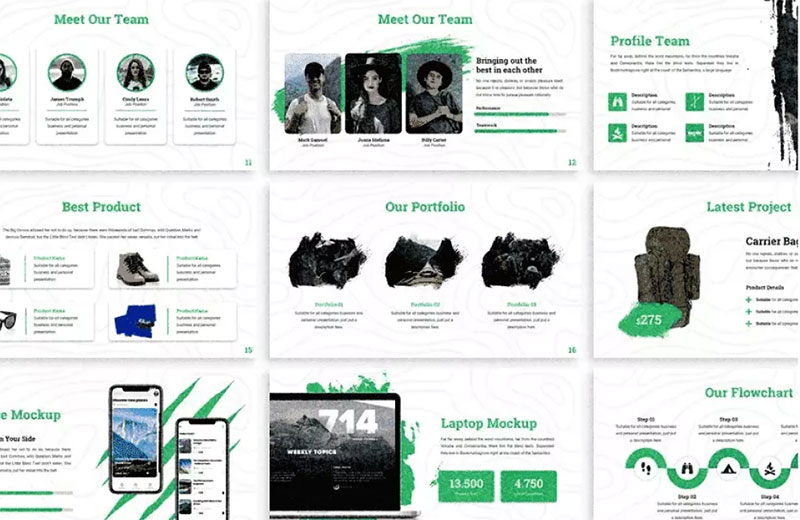
3.   Mangrove – Adventure PowerPoint

3-Mangrove-Adventure-PowerPoint The Power of Simplicity: Using Simple PowerPoint Templates For Professional Presentations

With a modern and abstract design use this PowerPoint template for architecture, outdoor, and travel presentations. The modern design is quite simple but the image placeholder shapes give it an eye-catching element.

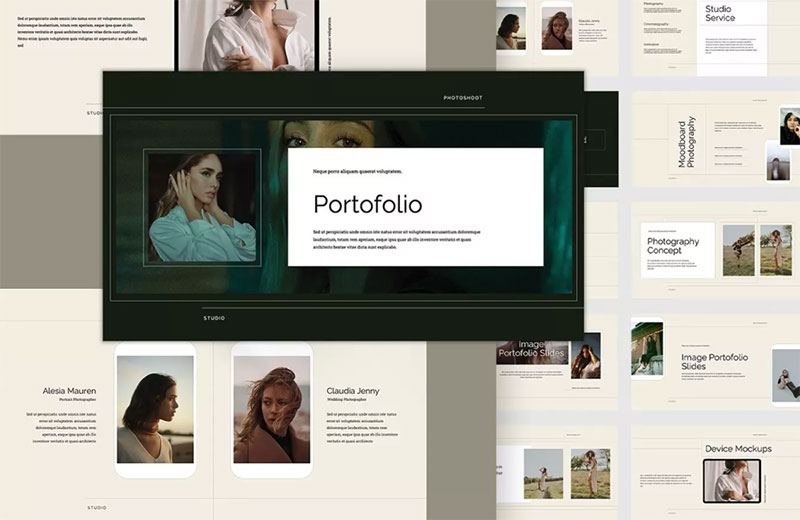
4.   Gachi – Person PowerPoint Template

4-Gachi-Person-PowerPoint-Template The Power of Simplicity: Using Simple PowerPoint Templates For Professional Presentations

A very simple yet elegant design of the person PowerPoint template can be used for a portfolio. The design will allow you to solely focus on the text, with no distractions but a cozy feel due to its colors.

5.   Suimca – PowerPoint Template

5-Suimca-PowerPoint-Template The Power of Simplicity: Using Simple PowerPoint Templates For Professional Presentations

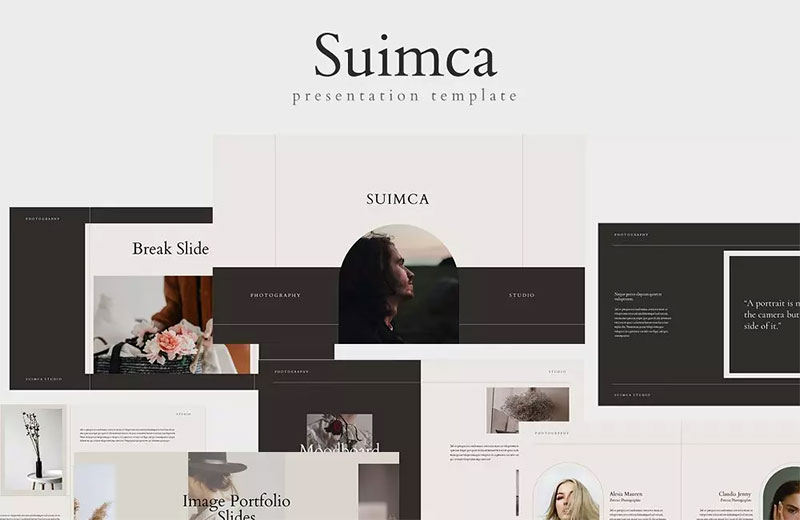
This PowerPoint template has another simple design with clean lines. Even though it’s an effortless design you get a pack of 25 unique slides. Each slide can be edited with an image of your choice or choose from a high-quality photo included.

6.   RAVI Presentation Template

6-RAVI-Presentation-Template The Power of Simplicity: Using Simple PowerPoint Templates For Professional Presentations

This RAVI presentation template allows building an animated presentation from scratch easier than ever. Create a powerful and professional presentation with a prominent design. It will truly impress with the unique picture placeholders and super smooth animations.

7.   SPACE PowerPoint Template

7-SPACE-PowerPoint-Template The Power of Simplicity: Using Simple PowerPoint Templates For Professional Presentations

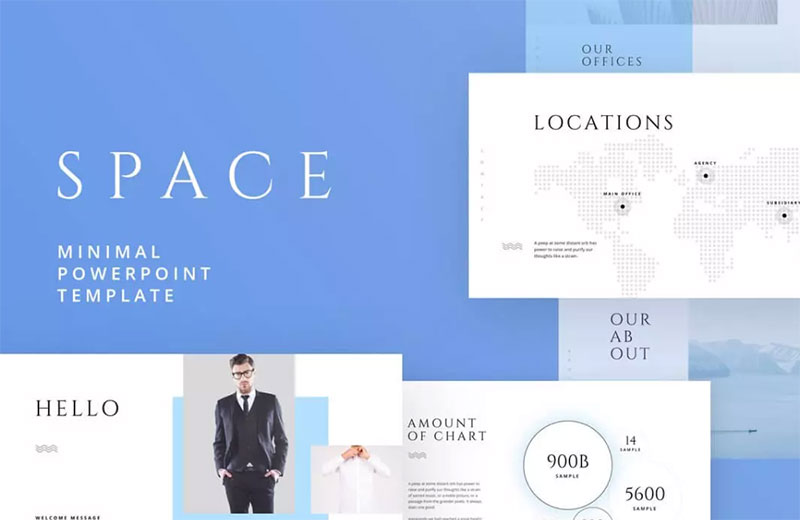
The Space template is the ideal way to express yourself, your business, and your company. It is amazingly fitting for your use, including powerful slides, charming infographics, amazing photo layouts, cool colors, maps, Smart Art diagrams, and other features.

The post The Power of Simplicity: Using Simple PowerPoint Templates For Professional Presentations appeared first on Design your way.


Source: https://ift.tt/82n3mvh

Design your way

Have you ever created a Figma prototype and thought it was great, only to have team members or colleagues find issues or flaws with the design? Figma prototypes can be a great way to visualize your concept or feature, but if you don’t gather genuine feedback on the design before moving forward with the final product you could run into issues or roadblocks that hurt the user experience or invalidate the work you have done.

“Figma is a fantastic tool for UX/UI design prototyping. It has cutting-edge capabilities that are simple to use while still allowing you to develop responsive flows right in the platform. You can quickly create a realistic representation of your website. concept. or product to help you understand the final design” says Jake Cowans, Founder, and CCO of CompanyScouts.

In this article, we will discuss Figma prototypes, the importance of optimizing them, and how to quickly get user feedback on your designs.

Prototyping with Figma

Prototyping is an important part of the design process. It helps orgnaizations visualize their ideas and test them out before committing to a final design. Depending on the project, prototypes can be as straightforward or as complex as needed.

It’s straightforward for anyone to develop a prototype thanks to the user-friendly prototyping tools. The available tools can be used to create digital prototypes and realistic visualizations of the final design, which can be tested with users or stakeholders.

It’s necessary to keep in mind that prototypes are not necessarily flawless every time. They are intended to help designers as they explore various concepts and get feedback from others. “As designs evolve, so should the prototypes, they are meant to help the organization create better products through iterations, identifying issues, and optimizing the most important elements” Adam Fard, Founder & Head of Design at Adam Fard UX Agency.

The Best Way to Optimize Figma Prototypes

sss1 Figma Prototypes: How To Quickly Get User Feedback

Designing prototypes with Figma is a great way to test out concepts before launching them, but if you keep the designs internal or fail to eliminate bias when analyzing the designs you run the risk of launching concepts that have issues that aren’t discovered until it’s too late.

The best way to improve these designs and improve your prototypes before going live is with user testing. User testing prototypes can help optimize designs by identifying potential design issues before they become real problems. Michael Hess, eCommerce Strategy Lead at Code Signing Store says “By adding a user testing process to your Figma design procedure you will be able to use real user feedback from users that represent your target audience to create a better overall design.”

This will guarantee that when the finished product does go live, your customers will have a seamless and enjoyable experience.

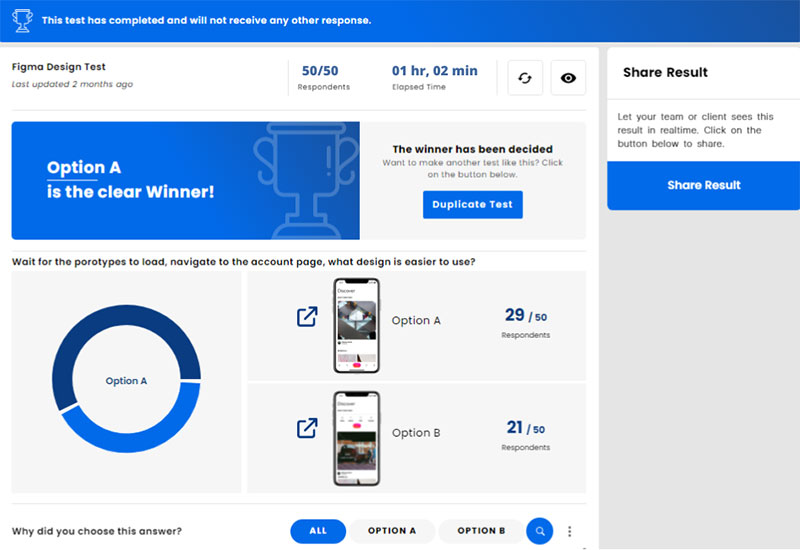
There are a few different ways to go about user testing Figma designs, but the most time and cost effective method is to use a remote, unmoderated testing service. These platforms will provide you with a dedicated user panel of real people that will interact with and give feedback on your prototypes.

Nicholas Evangelist, V.P. Operations of Orthodox Auto Company says “User testing Figma designs is a valuable step in the design process that can help ensure you are launching the best product, and that your designs are as good as they can be.”

You can align the prototypes and UX with the needs and expectations of the user by identifying and resolving issues that your target audience has  identified. User testing on Figma designs should be performed early and often during the design process to ensure you are constantly improving prototypes.

When to run a test on Figma Designs?

There is no one-size-fits-all answer to this question, when you should run a user test on Figma designs will vary depending on the project and your organization’s specific needs. However, some general guidelines can help you determine the best time to run a test.

If you’re creating a new product or revamping an existing one, it’s best to run a test early on in the design process. It will allow you to catch any potential problems with the interface before too much development work has been done.

Abdul Saboor, Full Stack Developer at The Stock Dork says “If you’re working on an existing product and making small changes, running a full user test may not be necessary. Instead, you could perform a quick check of the new design to make sure it’s working as intended. If you’re unsure whether or not to run a test, it’s always better to be safe than sorry.

In most cases, it’s better to spend a little time on testing and fixing any potential issues early on in the design process rather than dealing with them later on when they may be more difficult and expensive to fix.

Common Mistakes in Figma Design Testing

sss2 Figma Prototypes: How To Quickly Get User Feedback

By identifying and correcting common mistakes in the testing process from experts, you can ensure that your prototypes are as user-friendly as possible. In this section, we’ll look at some of the most common mistakes made while running user tests on Figma prototypes.

Not allowing users to complete tasks

It’s important to give users enough time to experiment with the prototype and answer your questions as best they can. Otherwise, you may not get accurate feedback – Tia Campbell, Director of Marketing at Practice Reasoning Tests.

Not providing clear instructions to users

Users need clear instructions to understand what they’re supposed to do. If they don’t know what they’re supposed to do, they won’t be able to provide accurate feedback. – Myles Robinson, Digital Marketing Expert at LoanCorp.

Failing to give context to users

Users need to understand the context of the prototype to give helpful feedback. If they don’t know why a particular feature is being tested, they won’t provide helpful feedback. – Lachlan de Crespigny, Co-Founder and Co-CEO of Revelo

Failing to utilize user feedback

It’s important to dive into the feedback and opinions of the respondents to fully understand the results of the test. By fully understanding the feedback you can identify and correct usability issues before they become a problem. – Shawn Malkou, Managing Broker at X2Mortgage

Avoiding these common mistakes will help you run a more effective user test on Figma designs and lead to more interactive, user-focused designs.

Conclusion

With these tips in mind you should be able to effectively create Figma prototypes that lead to a great final product. By addressing the consumer needs through prototyping and testing, organizations can quickly design new concepts and features with confidence that their prototypes will turn into valuable assets once they go live.

Once you add user testing to your prototyping process you will be able to use real consumer feedback to optimize designs and avoid the risk of launching resources that your target audience does not want or need. You’ll find that adding rapid user testing to your design process is a cost effective way to ensure you are rolling out the best possible product.

The post Figma Prototypes: How To Quickly Get User Feedback appeared first on Design your way.


Source: https://ift.tt/psJHND6

Design your way

Friday, September 9, 2022

The Complete Guide to Software Product Development Services is a comprehensive list of the best software development services for product companies.

The guide is organized into sections that highlight the different types of software product development services available, including:

  • Full-Service Product Development Services
  • Software Development Outsourcing (SDO)
  • In-House Software Development Services

What is a Software Product Development Service and Why Should You Care?

Software product development services help companies to develop their software products. These services are provided by a range of organizations, including IT consulting firms and software product development companies.

Software product development service providers offer a range of services that can be used to aid the development process. These include project management, testing, design, and software architecture.

Software product development service providers often provide their services at an affordable price point for small businesses or startups as well as large enterprises. The cost depends on the size of the company and what kind of software is being developed.

Software Product Development Services, an Insanely Valuable Tool for Businesses

Software product development services are an insanely valuable tool for businesses. The service helps companies to create software products that are on-demand, scalable, and customizable.

The software product development service is a great way for businesses to differentiate themselves from the competition. It helps them build products that are compelling and easy to use, which in turn leads to increased sales and profits.

Software product development services can be used by any type of business – whether it is a digital agency or a small business with limited resources.

How Software Companies Can Use a Developer

Software companies can use a developer help desk to make sure that their software is being written correctly. They can provide their developers with the necessary tools to improve productivity and increase customer satisfaction.

The main tool in the developer help desk is the software development process, which allows for continuous improvement of the product. The process also enables better collaboration between different teams, which is beneficial for organizations of all sizes.

Types of Software Product Development Services

Software product development is a process that requires different types of services. These services are required for different stages and phases of the product development lifecycle.

  1. The first stage is the requirement gathering stage, where you need to find out what the customer needs, for example it could be online booking system development https://djangostars.com/solutions/booking-engine-development/.
  2. The second stage is the design and development phase, where you need to create a prototype or a mock-up of your product.
  3. The third stage is the testing phase, where you will be testing your product with customers or users in order to make sure that it meets their needs and requirements.
  4. The fourth stage is the deployment phase, which means releasing your product into production and getting feedback from customers on how they feel about it.
  5. The final step in software product development lifecycle is marketing and sales, which includes reaching out to potential customers through various channels.

How to Choose the Best Developer for Your Business Needs?

Choosing the best software development company is always a challenge. There are many factors to consider when choosing the right one for your business needs.

To help you with your decision, here are some questions that you should ask yourself before hiring a development company.

  1. What is my budget?
  2. What type of software will I need?
  3. How much time do I have to devote to this project?
  4. How long will it take for me to get the software developed and launched?

The post The Complete Guide to Software Product Development Services appeared first on Design your way.


Source: https://ift.tt/3rtOYwA

Design your way

Thursday, September 8, 2022

To convert as many visitors as possible, you need the joint effort of copywriters, web developers, web designers, and SEO specialists. You can’t nail one of these areas and expect stellar results. They all need to play well with each other, be on-brand, and follow some best practices to help you grow your business.

In this post, we’ll talk about a crucial piece of the puzzle – web design. Let’s take a look at eight ways web design can help you boost your conversion (and even retention) rates.

Balance Functionality with Design

A common mistake a lot of brands make with design is that they forget to align it with what the page in question actually needs to be doing. They follow the same pattern across their entire website and don’t take into account the purpose of each individual landing page.

While cohesion is an important web design practice, you have to pay attention to the functionality of a page as well. The goal is to find a way to align the two.

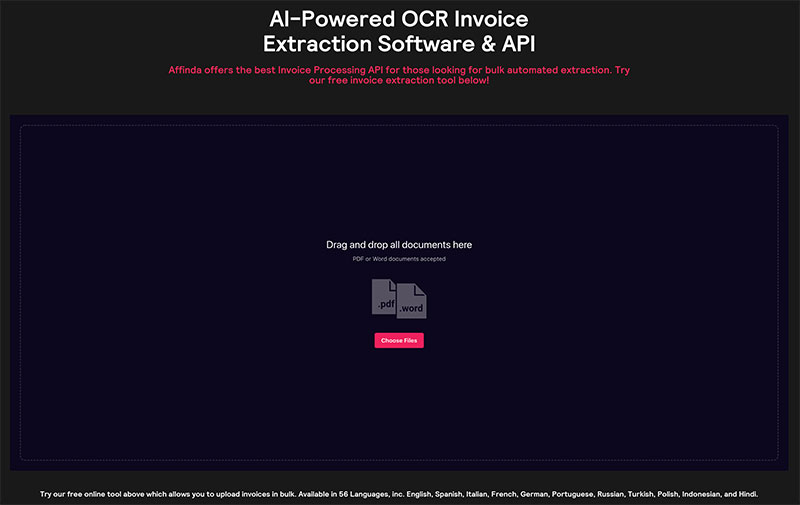
For example, Affinda’s invoice extractor has done a great job of featuring a USP at the top of the page but also cutting straight to the chase and letting visitors test their product out.

Image-2-1 8 Web Design Tips for Converting More Visitors into Customers (+Examples)

Source: affinda.com

Had they placed functionality last, the tool would have been located at the bottom of the page, preceded by a bunch of optimized copy.

Give Your Visitors What They Want

The people who land on your website all want something for you. Unless we’re talking about direct traffic and repeat visitors, the people who are checking you out for the first time have certain needs and wants.

The better you understand them and align your design to these needs, the higher your chances of converting them. For example, Lydia Elise Millen’s website caters specifically to her audience. Apart from the blog posts, she also features direct paths to her Karen Millen clothing collection and her social media, plus she gives visitors a chance to shop her outfits and recommended products.

Follow a Logical Hierarchy

Your pages also need to follow a specific logical hierarchy. You don’t want to bombard your audience with random information. It needs to be organized according to importance – for the reader, not for your brand.

If you start with elements that highlight your own agenda, chances are most visitors will click off sooner rather than later.

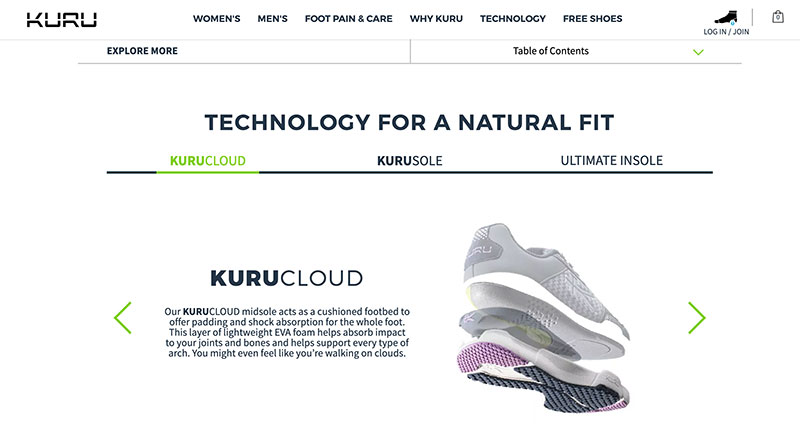
Take a look at this page on orthopedic shoes. It provides a lot of useful information, clearly organized into different sections. Visitors can scroll down at their own leisure and take in what they are actually interested in, as opposed to having to read a whole lot of copy they don’t care about.

Image-3-1 8 Web Design Tips for Converting More Visitors into Customers (+Examples)

Source: kurufootwear.com

Customize CTAs

CTAs are arguably the most important element of any page that strives to convert visitors. It’s the one button that screams “take action now.” Or, at least, that’s what it should be doing.

Good CTAs will stand out. They will be colorful but not garish; they will match the color scheme of the rest of the website; they will be large enough to stand out but not too big, and so on.

You also want to make sure the CTA highlights the benefits of clicking. For example, this mattress quiz has a great call to action. “Find my expert-backed match” sounds much better than “get started” or even “find the right mattress for you.”

Image-4-1 8 Web Design Tips for Converting More Visitors into Customers (+Examples)

Source: eachnight.com

Use Pop-Ups Cleverly

To boost conversion rates, you sometimes need to grab your visitors’ attention and literally pop an offer right in front of their eyes. This is ideally done when they are about to leave, not when they’ve just arrived, and not while they’re still browsing.

Remember: pop-ups are intrusive. You don’t want to interrupt a visitor, and you don’t want to annoy them. Gently nudge them, for example, about a discount you offer if they sign up for your newsletter.

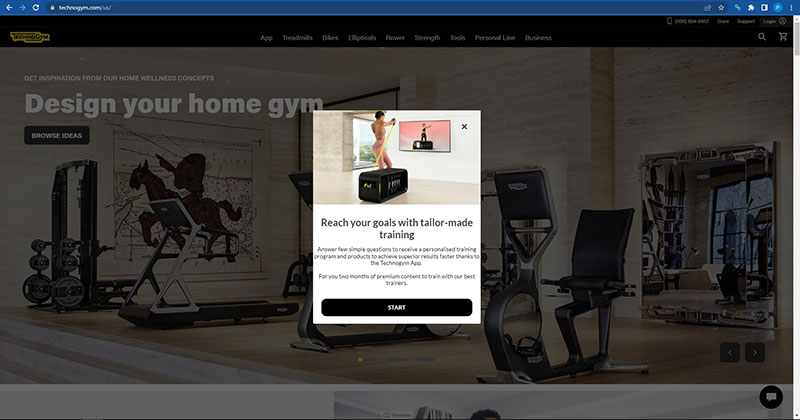
Technogym has a good pop-up that offers free tailored programs for two months. And you only hear about this offer as you’re about to leave, so a conversion is much more likely. Once you see how good the app is, you’re likely to stick around.

Image-5-1 8 Web Design Tips for Converting More Visitors into Customers (+Examples)

Source: technogym.com

Put a Face on It

Human-centric design can significantly boost your conversion rates. And when we say “human-centric,” we mean design that incorporates humans.

Putting a face on your brand helps visitors identify with it. You’re no longer some faceless business – you are a collection of people. It’s much easier to connect with people than it is to connect with brands as such.

See what KlientBoost has done. They feature a bunch of smiling faces in the hero section of their homepage. It’s much easier to imagine yourself working with these humans than it is to give your trust to a marketing agency you hardly know.

Negative Space Is Not Just White

White space is very important in web design. It helps pull a visitor’s attention where it needs to go, and it makes pages feel lighter and less claustrophobic. It’s easier on loading speeds, and it makes you feel like you’re reading a book. Well, somewhat, at least.

However, don’t forget that negative space does not have to be white. It can actually be very colorful and achieve a cohesive and interesting effect. It just has to be light and muted.

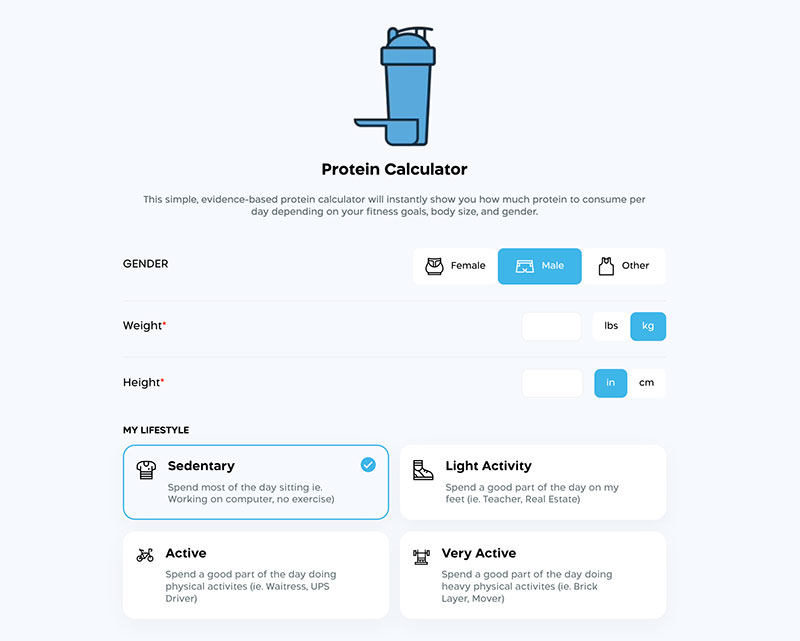
This protein calculator page is a great example. Using a gray-blue for negative space has allowed the designer to use white on the buttons, making them pop much more effectively.

Image-6-1 8 Web Design Tips for Converting More Visitors into Customers (+Examples)

Source: transparentlabs.com

Don’t Forget About Social Proof

Finally, you also want to incorporate some social proof in your design process. It adds an extra layer of credibility and helps visitors get a better grasp of the product or service you’re offering.

Social proof is also much more trustworthy than any copy you, as a brand, can write, as it comes with no hidden agenda. A customer is free to be honest, while you can’t ever market the less-than-great parts of your business.

Tortuga Backpacks, for example, feature several different social proof signals. They show you some customer reviews, but they also tell you which news outlets have featured them, making you more confident in making a purchase from them.

Wrapping Up

With these eight web design tips, you can improve your conversion rates and help your customers feel that much more confident and happy to do business with your brand. Just make sure you align them to your branding and marketing goals.

The post 8 Web Design Tips for Converting More Visitors into Customers (+Examples) appeared first on Design your way.


Source: https://ift.tt/iqS5g67

Design your way

Wednesday, September 7, 2022

In today’s hyper-competitive digital industry, the ability of your website to attract clients is more vital than ever. Clients are increasingly using websites as their first point of contact with a company, making it all the more crucial to provide a great experience if you want to make a sale and retain customers. The design of a website’s aesthetics and functionality are of equal importance. In today’s business world, adding a human touch is becoming increasingly vital.

“Personalization” may create visions of niche marketing and custom-made products. Language is commonly neglected as a form of individualization, despite its immense importance. With most customers never returning after a negative experience, it is vital to have a user-friendly website and information. It is important to get your website in different languages from renowned content creators like topcontent.com. Here are reasons why you should consider having your website in different languages.

First, a larger audience

Your website may reach a larger audience if it is available in multiple languages. To increase your consumer base and bottom line, you should offer them different language options. It’s thrilling to consider growing your business to new international markets but keep in mind that many languages may already be widely spoken in your country. It is helpful to speak multiple languages fluently, both domestically and abroad.

Increasing Conversions and Reducing Bounce Rates

A more significant number of clients prefer to use websites in their native language. Non-English speakers are more likely to stay and explore your site if it is provided in two languages. Even though adopting a multilingual strategy may reduce your bounce rate, it will have a beneficial effect on your conversion rate, as clients will be more comfortable making purchases after understanding they have a firm grasp of the language barrier. Most customers would be more likely to purchase a product if it featured language-specific information.

A competitive edge in the market

In times of economic difficulty, businesses require every edge available. Companies will need to be inventive to withstand the global recession, and spending cuts that will inevitably follow the pandemic will need a website that supports many languages to expand international online sales, which could be vital in today’s more online-centric retail business.

International optimization of search engines

If you’re unfamiliar with SEO, a business’s online success depends on how well it ranks in search engines like Google and Bing (SERPs). Important because search engine rankings impact how visible your website pages are to potential clients. Some of you may be home-based SEO experts who make a comfortable living. How can I attain high search engine rankings and attract a worldwide clientele that does their searches in languages other than my own?

Customer-centricity

A multilingual website is the cornerstone of a customer-centric approach as the importance of personalization in obtaining customers and revenue rises. If you cater to your visitors’ linguistic demands while still offering excellent content, they will feel valued, especially if this is not usual for your rivals. The warm reception will enhance the company’s prosperity.

A budget-friendly advertising campaign

Nowadays, a company’s website acts as its principal marketing hub. Your website is one of the most cost-effective marketing channels for your product or service. When targeting customers worldwide, it is essential to create a website that can be navigated easily in their native tongue.

The post Reasons why you should have a multilingual site appeared first on Design your way.


Source: https://ift.tt/T5nzU8x

Design your way

Even when there is no harm in using text-based editors for your PHP web apps, you will have you enter the code manually. Pro-coders might have no problems manually entering the code, but if you’re a beginner, it can be difficult and time-consuming. To stay ahead of the competition, you need a powerful PHP WYSIWYG editor to boost your coding productivity.

A WYSIWYG editor helps developers and coders visualize project results during development. You can use it to instantly see the changes that you can make to a live app. WYSIWYG editors make it easier for the end-users to format, resize, and add media to your posts without learning different markup languages.

Why use powerful WYSIWYG editors to build web apps?

Most web development projects use PHP because it is scalable, robust, and adaptable. Websites, online stores, and dedicated IT systems are built with PHP; developers require WYSIWYG editors to improve their integration by visualizing their code. Here are some of the reasons why developers still prefer PHP for web development:

  • PHP is open-source, developers can reduce the costs of creating apps and websites as most frameworks and libraries are free to use. The dev community continuously works on upgrades and improvements to keep PHP alive.
  • Developers regard PHP as one of the safest programming languages because it contains security features to protect websites from viruses, malware, and common security threats.
  • PHP-based web apps have a faster loading speed with enhanced response time. Developers can easily integrate PHP web apps with other languages, databases, and platforms.
  • PHP can be easily embedded into HTML, making it a perfect choice to introduce a web application to the market. Since PHP is mature and flexible, you can use it for other purposes.
  • Developers can easily get started with PHP because the language is clear, easily understandable, and well organized. You can immediately understand command PHP functions even if you code in different languages.

Features of a WYSIWYG editor

During PHP web apps development, you need to use a powerful PHP WYSIWYG editor because it offers:

Powerful API
A WYSIWYG editor contains powerful javascript APIs that you can use to customize and interact with your PHP codes.

Code view
Some developers write PHP codes with speed, a WYSIWYG editor can help you see and edit the code behind their web app.

Enter control
You can use a PHP WYSIWYG editor to customize native browser control behavior and maintain the coding layout.

Migration guides
You can use a WYSIWYG PHP editor to integrate your PHP code with other plugins, even if you have minimal coding knowledge.

Development frameworks
Most powerful PHP editors contain plugins that support multiple development frameworks, like Javascript, to ease the editor’s ability to integrate with web applications.

Conclusion

Developers that work on web apps need a powerful PHP WYSIWYG editor to boost their productivity while seamlessly integrating with other languages and frameworks. You can save the time and effort required to deliver a fully integrated PHP web app for your users.

The post Powerful WYSIWYG Editors for PHP Web Apps appeared first on Design your way.


Source: https://ift.tt/jfMoi1y

Design your way

Tuesday, September 6, 2022

It’s safe to say that the IT industry is one of the fastest-growing industries in the world. It has been like that in the last couple of years, or maybe even decades. It’s no wonder since jobs in the IT sector are generally very well-paid and prospective.

Additionally, there are numerous amazing opportunities in this field, plus you can get a job in various places, for instance, smaller IT departments, inventive tech corporations, fast-paced startups, and many others.

It doesn’t matter what branch you select in this field, because all of them offer very promising careers, however, today we will try to single out the ones that are currently very high in demand. Let’s check them out together!

The Most Important Types Of IT Careers In The World

IT Support Services

Emerging services are altering the way companies are executing their business and dealing with day-to-day IT operations. One of the best and most effective ways to manage IT services is by having a high-quality IT support service.

What are its main benefits of it? A creative and resourceful IT support team at networklondon.co.uk suggests that these professionals can offer great services when it comes to day-to-day operations and can keep your services running properly. A vast majority of IT support services provide workable payment plans which means your firm is going to be a lot more flexible and since they are normally available 24/7, it means that your company is going to benefit from continuity.

Moving On To Mobile Application Developer

Up until a few years ago, mobile phones were just regular devices people were using to communicate with others. Well, things have significantly changed in the meantime, and they’ve turned into a highly crucial business tool.

It’s safe to say that mobile app development has become very essential to businesses. Namely, these apps have made it so much easier for consumers to gather all the relevant business information with the speed of light while staying connected to their favorite brand.

Furthermore, mobile apps have practically become a necessity for a lot of firms, both smaller and larger ones. Below, we will create a list of benefits that mobile app development offers to companies:

  • It strengthens consumer engagement
  • Offers value for customers
  • Increases accessibility
  • Builds brand recognition and awareness
  • Helps businesses stand out from the others

More Useful Information Coming Your Way

What About Web Development?

No one can deny that the internet is one of the most crucial creations in this digital world. A vast majority of users will tell you that they perceive it as a vast source of data that’s able to provide the most beneficial solutions to literally every issue with just a few clicks.

But what do we know about web development? Namely, it consists of the labor behind the making of a site for the internet. People who are web developers must work with programming source code development, markup language, and database optimization by utilizing web programming techniques.

Further, the web developer does not typically design the graphics of websites, nor does he or she creates the content but deals with the structure, assembly, and automation of web pages. Generally speaking, these professionals must be very versatile and be familiar with different subjects like web servers and their main modules, network protocols, computer security, databases, programming languages, etc.

Security Data Analyst

Most companies have to constantly deal with different data, and many business owners will tell you that the amount of data that is produced on a daily basis is simply unbelievable. According to one study that was conducted relatively recently, almost 2.5 quintillion bytes of data are produced every single day. That’s pretty shocking, right?

Precisely because of this data explosion, it has become extremely challenging to process and store huge datasets. Corporations that have to deal with a lot of sensitive data regularly, must do everything that’s in their power to secure their computer networks and systems from a variety of dangerous security breaches.

Unfortunately, the world is filled with hackers and other bad guys who are continuously trying to uncover new ways to break into the networks of companies by distributing malware. But on a more positive note, that’s why we have security data analysts who can be defined as experts standing between the networks and hackers. Their main responsibilities include:

  1. Analyzing data
  2. Data mining
  3. Behavioral analytics
  4. Forensics
  5. Visualization and reporting
  6. Real-time intrusion detection

it2 Different Types of IT Services That Are Relevant in the Digital Era

This booming industry consists of different IT branches that have literally become a necessity in this technology-addicted world. We just scratched the surface with the services we mentioned here since there are many more that are as equally relevant.

The post Different Types of IT Services That Are Relevant in the Digital Era appeared first on Design your way.


Source: https://ift.tt/LGTm4Cr

Design your way

Monday, September 5, 2022

Our brains take about 150ms to process an image and twice as long to process and understand words.

The math is clear – people are highly visual creatures.

So, if you want to communicate any message to your audience, you’d better do that with lots of visually-oriented content. That’s why photos and illustrations are essential elements of your website content and copy.

However, the question isn’t whether you should use photos or illustrations on your website, but which of the two mediums performs better and in what situations.

Let’s discuss both from the perspective of their advantages, as well as see how to best implement them for engagement and conversion purposes.

When to Use Illustrations

We’ll first make a case for illustrations and discuss their benefits for website design.

To Boost Brand Awareness

Standing out in a crowded marketplace can be very challenging.

That’s why you should distinguish yourself from your competitors and create a memorable first impression with the help of custom illustrations.

If your blog posts, landing pages, and social media posts feature personalized illustrations that reflect your brand’s identity, message, and values, it will be easier for your visitors to establish an emotional connection with it.

In other words, your potential customers will be able to recognize your illustration the moment they see it. So, it’s an effective tactic to stay top of mind.

Plus, with custom illustrations, you can control how your target audience perceives your brand.

The trick is to stay consistent and unique.

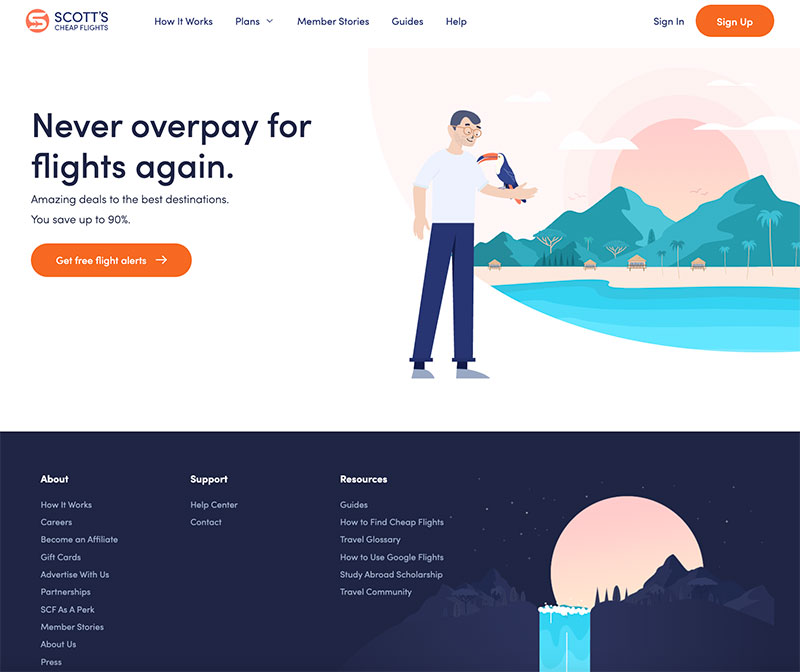
Scott’s Cheap Flights is a great example of a site that makes the most of custom illustrations. By embracing modern flat artwork, pastel colors, and a cool, playful, easygoing style reminiscent of traveling and adventure, it effortlessly showcases what the brand is all about.

Image-2 Photos or Illustrations: Which Is Better for Your Business Website and When (+Examples)

Source: Scott’s Cheap Flights

To Present Complex Concepts

Photos don’t work well when it comes to presenting complex or abstract subject matters. Moreover, companies that offer software or services often find it difficult to produce a photo depicting their solution.

Quite the opposite, this format tends to additionally complicate the message with too much detail. Such photos are either hard to comprehend or cluttered and thus unappealing.

Illustrations fit this purpose much better since they can explain how a particular process, service, or another intangible concept works without overwhelming your audience.

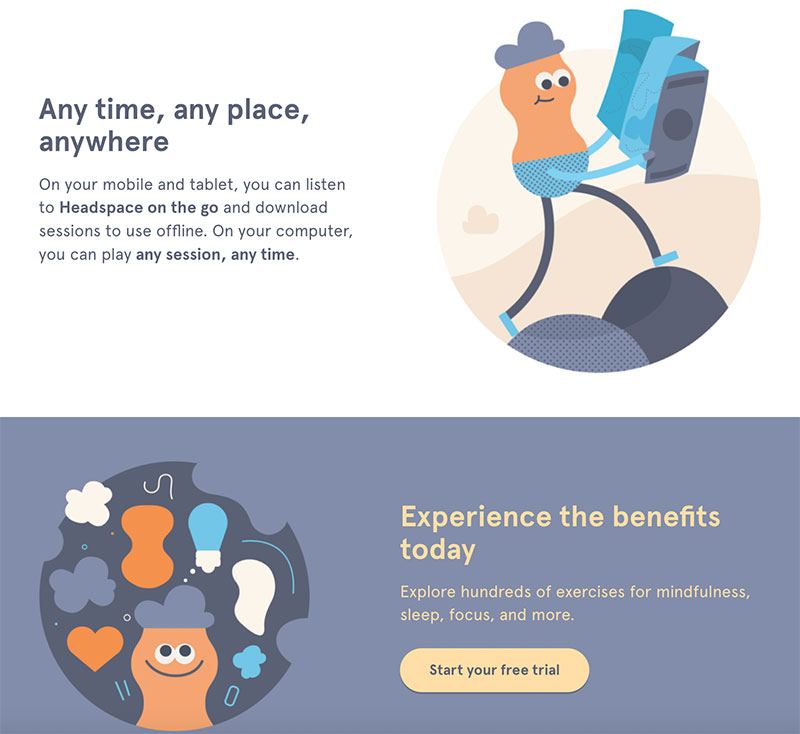
Headspace is a mindfulness app that helps people to meditate and relax. The brand uses illustrations to showcase their app and highlight its benefits.

Image-3 Photos or Illustrations: Which Is Better for Your Business Website and When (+Examples)

Source: Headspace

To Increase Emotional Appeal

When you’re creating custom illustrations, you’re in full control of the emotion you want to elicit.

You can use colors, shapes, curves, lines, and their mutual dynamics for this purpose.

In addition to that, illustrations have the power to create clear visual metaphors more easily and prevent wrong associations using the combination of all these elements. Thanks to all these minuscule details, you can leverage illustrations to support your copy and set the tone of your message.

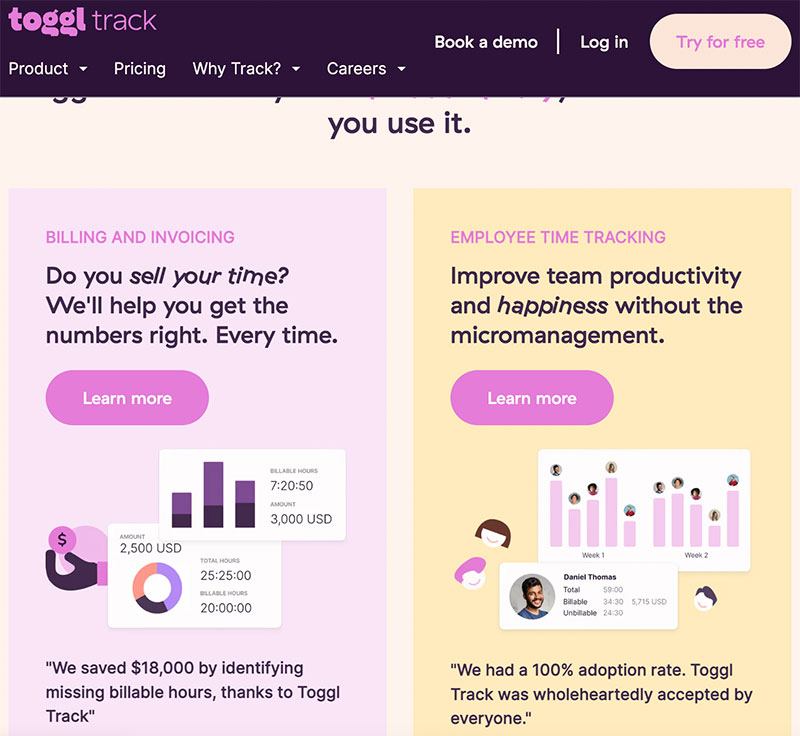
Toggl, a time-tracking tool, uses mellow colors and playful fonts to soften the idea behind employee time tracking. These simple illustrations and overall design communicate the message of productivity and happiness, just as mentioned in the copy.

Image-4 Photos or Illustrations: Which Is Better for Your Business Website and When (+Examples)

Source: Toggl

When to Use Photos

Photos are a staple when it comes to visual content.

Here are situations in which they’re a better option than illustrations.

To Humanize Your Brand

Building rapport and establishing meaningful connections with your customers is essential for the success of your brand.

But, since brands are organizations and not humans, it’s hard for customers to connect with them on a deeper level. That’s why humanizing your brand and showing that there are real people behind it can do wonders for customer trust and loyalty.

You can achieve this by using photos of your staff.

Just make sure you hire a professional photographer because quality is what matters if you don’t want to hurt your brand reputation.

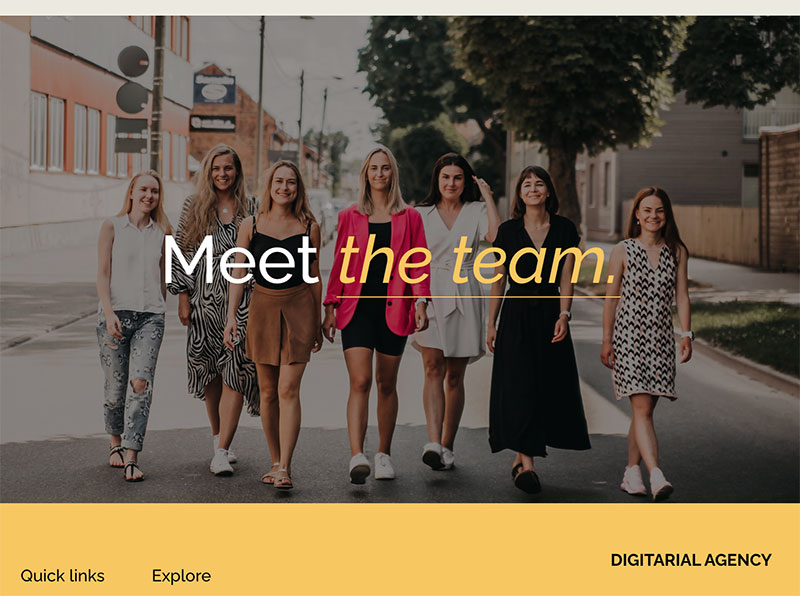
The “Meet the team” photo on Digitarial Agency is a great example of this tactic. The company’s home page features two high-quality photos of the team. If you click on the photo, you’ll be taken to a dedicated page with the team’s headshots and short bios. Nothing beats showing the human side of your brand, like putting a face to the name and presenting your employees.

Image-5 Photos or Illustrations: Which Is Better for Your Business Website and When (+Examples)

Source: Digitarial Agency

To Establish Trust and Credibility

75% of customers form an opinion about a company’s credibility mainly based on its website design.

This also includes your photos.

As we’ve mentioned, professional photos are a surefire way to show your customers that your company is trustworthy. However, in some cases, it’s not possible to use custom-made photos due to the subject matter and structure of your website.

The next best thing is finding relevant stock photos that match the topic and context of your content.

The website of MarketBeat, a company offering stock research tools and providing stock market news, displays real-time financial data and publishes accurate market analysis. It’s also packed with all kinds of relevant resources for investors. In such an industry, credibility is everything, but picking the right photos capable of instilling trust can be a difficult task. MarketBeat does a great job of making stock photos work.

They picked photos that complement their news but don’t distract readers. In cases like this one, the simplicity of stock photos turns out to be the best solution.

Image-6 Photos or Illustrations: Which Is Better for Your Business Website and When (+Examples)

Source: MarketBeat

To Show What Something Looks Like

Photos are an obvious choice when you want to present your actual product or show what something looks like.

People perceive actual representations of objects, places, or persons as more accurate and trustworthy.

Let’s say you want to promote a restaurant menu. The logic is simple: you want to stimulate your prospects’ appetite. Using mouthwatering photos of your menu items is much more effective since your customers will assume that it’s exactly how the food will look when they order it.

This accuracy is also a great asset when you have to educate your audience.

Brakes To You is a company offering mobile brake repair services. While what they’re providing can’t be captured by a photo, the company cleverly uses this format to show their prospects how to recognize whether it’s time for a repair. For example, many people aren’t familiar with what brakes actually look like, let alone able to distinguish between good and bad brake pads. So, in this case, the saying “a picture is worth a thousand words” really hits home.

Image-7 Photos or Illustrations: Which Is Better for Your Business Website and When (+Examples)

Source: Brakes To You 

Final Thoughts

Both photos and illustrations are great mediums for getting your message through to your audience while making your website more visually appealing. These tips can help you figure out how to choose between them to best fit your needs and brand image.

The post Photos or Illustrations: Which Is Better for Your Business Website and When (+Examples) appeared first on Design your way.


Source: https://ift.tt/rGWdpf8

Design your way

What makes a successful eCommerce? There are many factors that come into play, but there are some essential parts of any business that is looking to succeed in this realm. In this blog post, we will outline seven of the most important aspects of an eCommerce website that you need to focus on in order to see results. Keep reading for more information!

Be On Top Of Your Supply Chain

One of the most important aspects of a successful eCommerce website is having a good handle on your supply chain. This includes everything from keeping track of inventory to ensuring that orders are fulfilled in a timely manner.

If you can’t keep tabs on your stock levels or if your fulfillment process is slow and unreliable, customers will take their business elsewhere. Here are some supply chain management tips that we’ve compiled for you. First, invest in a good inventory management system. This will help you keep track of what you have in stock, what needs to be ordered, and when items need to be restocked.

Second, work with reliable suppliers who can provide you with the products you need in a timely manner. Third, streamline your fulfillment process so that orders are shipped out as quickly as possible. And finally, keep your customers updated on the status of their orders so that they know when to expect their products.

Focus On The Mobile Experience

Smartphones are everywhere, and that trend is not going to change anytime soon. In fact, according to recent statistics, there will be nearly four billion smartphone users by the end of 2022.

What does this mean for businesses? It means that if you want to be successful, you need to focus on the mobile experience. This means having a mobile-friendly website and making sure that your content is easily accessible on a small screen.

It also means thinking about the user experience and how people will interact with your site on a mobile device. For example, you need to make sure that your buttons are big enough to be tapped with a finger and that your checkout process is as streamlined as possible. If you can focus on these things, you’ll be well on your way to having a successful eCommerce business.

The Checkout Has To Be Easy

The most important part of any eCommerce website is the checkout process. If your checkout process is too complicated, customers will likely abandon their shopping carts and never come back. That’s why it’s essential to make sure that your checkout process is as easy as possible.

There are a few things you can do to make sure your checkout process is as easy as possible. First, make sure all the fields in your checkout form are clearly labeled. Second, provide customers with a progress bar so they can see how many steps are left in the checkout process. Third, allow customers to save their information so they don’t have to re-enter it every time they make a purchase.

Sign Ups For Guests

Signing up for guests is one of the essential parts of a successful eCommerce business. By allowing guests to sign up, you create a sense of community and give customers the ability to connect with other like-minded individuals.

This can result in increased sales and loyalty from your customer base. Furthermore, guest signups also give you valuable insights into the preferences and trends of your target market. As such, it is important to make sure that you have a robust signup process in place for your eCommerce business.

Quality Product Photography

Product photography is one of the most important aspects of your eCommerce site. It can make or break whether a customer chooses to buy from you. High-quality product photos show off your products in their best light and help customers visualize what they’re buying. Poor quality photos, on the other hand, can deter customers and make them think twice about doing business with you.

There are a few things you can do to make sure your product photos are up to par. First, invest in a good camera. This doesn’t mean you need the most expensive DSLR on the market, but it does mean getting a camera that takes clear crisp photos. Next, spend some time learning how to utilize your camera. This may mean taking a photography class or two, or simply reading the manual and practicing on your own.

Third, pay attention to lighting. In a photograph, good lighting may make a huge difference. If you’re shooting indoors, try to take advantage of natural light by setting up near a window. Avoid direct sunlight if you’re shooting outside because it can cast harsh shadows. Fourth, use props judiciously. Props can help set the stage for your product and make it more relatable to customers, but too many props can be distracting.

c2 7 Essential Parts Of A Successful Commerce

Have An Understandable Return Policy

Ecommerce return policies are often more lenient than in-store return policies, but you still need to have a policy in place. Your customers need to know what your policy is before they make a purchase, so make sure it’s prominently displayed on your website.

You should also consider offering free returns, as this can increase customer satisfaction. Finally, make sure you have a process in place for processing returns quickly and efficiently.

Have Detailed Product Descriptions

Product descriptions are one of the most important aspects of successful eCommerce. They provide potential customers with information about your products and help to convince them to make a purchase.

Your product descriptions should be detailed, accurate, and persuasive. Including images and videos in your descriptions can also be helpful. Make sure to proofread your product descriptions carefully before publishing them. Typos and grammar errors can make your descriptions look unprofessional and could hurt your sales.

A product with a great description has a better chance of selling than one without. So take the time to write detailed, accurate, and persuasive descriptions for your products. Your customers will appreciate it, and your business will be more successful as a result.

In conclusion, these are the seven essential parts of a successful eCommerce business: signups for guests, quality product photography, an understandable return policy, detailed product descriptions, fast and efficient shipping, a secure payment gateway, and responsive customer service. By focusing on these aspects of your business, you can increase sales and build a loyal customer base.

The post 7 Essential Parts Of A Successful Commerce appeared first on Design your way.


Source: https://ift.tt/X63OvPj

Design your way

Friday, September 2, 2022

If you know where to find a web designer, it’s time to talk about how to choose a web designer from the web designers you find. For most companies, a good web designer means professional – thinking, careful, thoughtful, accurate, and up-to-date. To choose a professional web designer and start working with him, it is necessary to:

  • Check the designer’s portfolio

This is an essential indicator of the quality of the work of a web designer. It is enough to look at 5-7 web sites designs. But often, web designers show not new designs but just the strongest ones. Try to look at the latest website designs. This prompts at what stage of the development is now a designer.

The designer should draw evenly according to the grid when creating website design. If this is not the case – do not waste your time. Next, look at the quality of execution of the details and design: the indents of blocks, what text is used in the layout, if the balance between graphics and text, and if there is enough space. The details are good to see how thoughtful the web designer is.

Separately check whether the website has a mobile version and its design. Now, this is an important indicator. If you are satisfied with the portfolio, you can move on.

  • Check communication options

Check options on how to contact a web designer. When a designer has listed only email, of course, that’s not enough.

An in-demand web designer knows that clients often use different messengers, sometimes exotic ones. So the web designer should have mail, Skype, WhatsApp, Viber, and Telegram. Some people use Slack.

Not everyone shows a phone number, and that’s okay. Not all designers are good at communicating by voice. It requires specific skills and experience. That’s why you can get the phone number already in the process.

  • Check the speed of feedback

Check how quickly the designer answers questions. Inquiries must be answered promptly within an hour or two. In the case of a heavy workload – until the evening of the day. If the web designer has not responded within two days, you understand that it will not be possible to resolve operational issues quickly. It is better not to start work with such a web designer.

  • Agree on working conditions

Be sure to find out all the conditions of work ashore. How much time your task will take, how much it will cost, what will be the payment scheme and how. Timing is not always possible to estimate accurately. An allowable gap is 2-3 days, but not 1-2 weeks.

  • Conduct a brief

A competent web designer has a questionnaire containing important questions for future projects. You just can’t work without a design brief – you can’t control the result afterward.

  • Conduct an interview

A good practice is to have a Skype interview before you start work. There you will talk to the person in person and be able to ask additional questions.

Checking all this takes a very long time, especially when there are more than 10 candidates. But the most frustrating thing is when after checking a vast number of candidates, there is no suitable web designer. But there is a solution Awesomic.io – a startup that helps customers and designers find each other as well as quickly and efficiently implement the necessary design tasks.

Why Awesomic.io is the best app for hiring a designer?

a1 How To Choose a Web Designer: Why Awesomic.io Is the Best Option For This

Awesomic.io can be compared to Uber, but for designers. With it, any company can hire a designer without effort who 100% suits the task. Designers from this app do assignments for branding, graphic design, UX/UI, and animation. All designers are part of the Awesomic.io community. There are several stages of selection before the app attaches them to the clients. Awesomic.io tests the designers and checks their qualifications.

The main clients of Awesomic.io are technological companies, startups, venture capital funds, etc. More often than not, customers set tasks to create an identity, then move on to marketing graphics, website, or product design, depending on relevance.

Awesomic.io consists of two applications:

  1. For the client – a web application with a simple subscription where a person can set a design task at any time and be sure it is completed. It is mostly used by the marketing manager of an IT company or global agency.
  2. For the designer – a web application where the designer’s workload is planned, communication is conducted, and the work results are shared.

The customer first goes into the Awesomic.io app, subscribes, and creates tasks. Then a designer is selected and connected to his specific need. The designer sends the results of the work done daily. The client finds another designer if a chosen designer can not cope with the task.

Why it’s essential to send the results every day? Awesomic.io founders know that this provides reliability for the client and removes unnecessary stress about whether everything is okay and whether the task was understood correctly. It also reduces the risk for the designer to look for inspiration for a week and sit down to do it in the last couple of hours. This instills consistency. Most importantly, speed is vital in modern marketing. Awesomic.io clients are actively growing, and it is crucial for them that the designer keep up with the team’s pace.

At the moment, Awesomic.io is working on analytics for designers and the decks with personal metrics to improve efficiency.

How is Awesomic.io different from freelancing?

a2 How To Choose a Web Designer: Why Awesomic.io Is the Best Option For This

With Awesomic.io, unlike freelancing, the designer as a creator works only on the creative part of the work, solving business problems with visual tools. He or she doesn’t negotiate solutions and is spared the negativity of uninteresting projects or unstable income.

A smart matching developed by Awesomic.io successfully connects people at 95%. The client experience manager resolves any misunderstandings, and toxic clients are blocked.

Currently, the matching algorithm is partially automated, and the team continues to develop the algorithm. This is the company’s technology core and the product team’s focus at the moment.

Awesomic.io develops a design community, so groups have design reviews twice a week, designers get company news from the CEO, and meetings with networking and online games every Friday.

For a modern designer, Awesomic.io is a new lifestyle, a way of life where he or she can be free from geography and prejudices and at the same time develop professionally.

Conclusion

Finding and choosing a web designer on your own is a complex and time-consuming process, so if you do not have time to search you can use Awesomic.io. In 2 years, more than 10000 projects have been fulfilled from Awesomic.io. Several hundred global companies have become the clients of the application. Among them are the Ukrainian application Reface and SilviaTerra – AI partner of Microsoft. Even venture capital funds and international agencies work with Awesomic.io. Awesomic.io subscription is easy to manage: it is possible to double the design department with one button or cancel it if it’s not necessary anymore.

The post How To Choose a Web Designer: Why Awesomic.io Is the Best Option For This appeared first on Design your way.


Source: https://ift.tt/7KkzTuN

Design your way

Thursday, September 1, 2022

Challenges are tests for yourself. Or the adventure that artists invent for artists. They often have no time limits and no prizes for winners. Instead, they participate in them to improve their artistic skills, to find an audience, to develop the habit of drawing every day, and for many other reasons.

One of the ways not to lose the desire to draw and feel your productivity is through art challenges. You shouldn’t need any additional incentive for your favorite work if you are a real artist.

ArtStation is one of the largest websites for professional digital media artists. Portfolio on ArtStation is the industry standard for artists working in film, game development, and concept art design.

What is an Art Challenge

In a nutshell, this task invites you to draw daily or weekly on a certain topic, dormant awakening creativity. Naturally, such tasks have specific rules: in what style you have to draw or what materials to use.

Participating in an art challenge means you do not need to think through the project to the smallest detail. You have limits, but they do not limit; on the contrary, they give freedom. You can get away from the technical details and do the task. This is a creative quest in which you must reach the end in any way convenient for you.

Why Do You Need Art Challenges?

No matter what you create pixel characters, concept art for fantasy Android games or landscapes, the hardest part is getting started. It’s like with sports: the most difficult thing is to get to the rocking chair and change clothes, and then everything goes like clockwork. But, this is what art challenges exist for – to help you cope with yourself and direct you in the right direction.

Art challenges unite artists worldwide—mass drawing and creativity in completely different techniques, where there are no winners or prizes. Instead, they are often combined thematically, and each day of the challenge is assigned a theme on which artists from different countries draw.

Challenge Rules

The task of each participant in the challenge is to reach the finish line, to get the declared result. The rules for registration and participation in the challenge are set by the person responsible for the ” challenged tasks.”The presentation of the work is just as important and often has its own judge assigned to it. The rules for participating in the challenge differ and depend on the type of challenge, but there are general rules that are typical for any challenge:

  • Express your desire to participate, join or register in the group;
  • Complete all tasks (sometimes using the tips) and send a photo, video, or written report;
  • Failure to complete tasks in some challenges is an exit from the project.

Benefits of Challenges for Game Designers

art2 Artstation Challenges For Artists

For the gaming industry, the visual component completely affects the game’s success. For example, you may have seen the game character design immediately catching your eye when scrolling through applications and new products in the PlayMarket. The reason for this is the clever work of artists who own psychology and a graphic tablet, with the help of which they could attract the user’s attention. Oddly enough, various challenges and events also helped them in this.

For artists who work on the design of games, it is important to have experience and skills in working in different styles. Challenges, in this case, will help to recreate the working conditions on real projects in game dev. No matter what case you have behind you, there is always work to be done, especially if you work for a company that provides services in the field of design.

Whether a beginner or a pro, challenges are a great way to lighten the mood, discover new styles or learn from the best artists. Often, challenges are held under the mentorship of the largest studios so this experience will be indispensable for everyone.

Challenges: Types and Accepted Rules

Most likely, you have encountered such challenges on social networks more than once. But, of course, for an ordinary person, such work is another reason to like the author, and for such inquisitive artists like you and me, it is a reason to get interested and try one of these quests. But to get you started, here are a couple of the most popular ones.

There are tons of challenges for artists, and you can easily choose the one that suits you in terms of theme and style. But they all have one important similarity: no matter how hard you try to select an “easy” challenge, it will contain something you have never tried.

And here, whatever one may say, you will have to plunge into the wonderful world of anatomy, perspective, or color theory – depending on what task you have to solve. So, whether you like it or not, you will have to grow as an artist and become even better at your favorite pastime. Moreover, it will be much easier to do this because the format of the competition and the desire not to miss the topic of the next day will spur you on.

  • The ArtStyle Challenge requires participants to draw one or more characters in different styles. It can be your characters and characters from cartoons, movies, games, comics, and other universes. In what techniques to draw – you choose. There are, of course, ready-made collages, but you can always add your own idea.
  • 10 seconds, 1 minute, 10 minutes challenge. Limiting yourself in terms of time in a drawing can be very useful. This is where you can and should take action. Can you complete this challenge every day and several times?
  • Drawthisinyourstile – Vlogger artists quite often launch it. On Instagram, you can find a concept art for this tag, and choose the one that suits you best.
  • The 3 color challenge means you choose three colors without looking and make an illustration with them. The difficulty of creating it is that the colors may not match.
  • OneLineArt – you need to draw a subject without taking your hand off the paper.
  • Pinterest says that drawing is also a rather unusual challenge. The first picture this art gallery will show you will be the inspiration and reference – an additional drawing.
  • Inktober is the most famous of the monthly challenges, but far from the only one. There are thematic lists of tasks for almost every month, which differ slightly. For example, a November art challenge invites you to draw in a color scheme every day. Drawloween is dedicated to Halloween, and its themes invite you to plunge into the holiday’s mysterious and slightly frightening atmosphere and scary backgrounds.
  • At one time, the ToonMe challenge was popular. Its essence was to post a photo of yourself, a selfie, on top of which the second part of the face was drawn, but in its style. Now they continue to perform it, but not so actively.

In addition to the above, there are still a bunch of lists for drawing with different things or your author’s character design in all sorts of situations or clothes.

Attention to Creativity – Paths of the Professional Artist

Art challenges  do not come from anywhere: they are invented by artists worldwide and invite others to join the process. Finally, you begin not just to draw on the table but to publish works for all to see by following links or tags.

As a rule, all the results of the challenges are published on social networks, blogs, or forums, which are visited by tens of thousands of unique users. First, this is the large audience of artists and the first step in becoming a prominent character in the world of creativity. The result can be different, the path of a freelance artist, or you can become part of a large game development studio.

FAQ

What are ArtStation challenges?

These are some events that the platform holds so beginners can create a portfolio for themselves, find a job, discover sponsors, interact with users in the comment section , or submit arts.

How do I join the ArtStation challenge?

Nothing but registration on the platform is required. However, there are a lot of challenges, so there will be no shortage of content.

Is character design competitive?

It is considered one of the most competitive. The reason for this is the complexity of the process itself and the demand for artists who specialize in character design.

How much does it cost to have a character designed?

The price for a photorealistic character varies from $1000-1500 and more. For characters in 2D, the price will be lower, but everything will depend on the complexity and design development.

Is character design difficult?

It all depends on the artist’s experience and the character’s style. For individual artists who mainly drew pixel characters, drawing photorealism won’t be easy.

Are concept art contests worth it?

This is a good incentive for young artists who want to show their skills and abilities through the concept art works.

What are the best art competitions to enter in 2022?

ArtStation and other platforms run contests every month. Draw 100 Something, Inktober, and Draw This In Your Style are the most popular ones.

How competitive is the concept art industry?

There are a lot of artists, so the competition is growing every quarter, especially for game character design.

How do concept artists get noticed?

Mostly because of the portfolio. The more works in different styles, the higher the chance of being noticed by game companies.

What are some challenges of 3D modeling?

Endless Journeys are one of the most popular challenges for 3D designers and artists.

What is a CG challenge?

Challenges are aimed at demonstrating skills in working with computer graphics. Major challenges are often supported by global brands or studios.

What are some artwork challenges?

Inktober, Drawloween, Game Concept Art and hundreds of other challenges, but everyone can participate

How can I practice 3D modeling?

It is often recommended to start by learning to work in Blender because it is free, including animation and does not take up much resources, and there are a lot of tutorials on it. But it’s best to download more programs and choose what you like best suits your needs.

The post Artstation Challenges For Artists appeared first on Design your way.


Source: https://ift.tt/97AWk5f
 

The Cash Box Blueprint

Most Reading